Compare commits
31 Commits
6d7d5bed6e
...
main
| Author | SHA1 | Date | |
|---|---|---|---|
| 5a87061321 | |||
| b3cb0fb84e | |||
| 3d76bf1d43 | |||
| c37ff5342b | |||
| b1b4e0ba93 | |||
| a5c254955a | |||
| d470714eb0 | |||
| 3abd0275a5 | |||
| 8c874ca6f9 | |||
| ba92cad41d | |||
| 0e649c1adf | |||
| 1dac9d0ba9 | |||
| aebcfc07c0 | |||
| 8a4e9d85b0 | |||
| 401b7dab98 | |||
| 33c0d05d78 | |||
| 3e8789ed55 | |||
| 7b515b9b73 | |||
| 080b47b444 | |||
| ec08aed1f9 | |||
| 426987e567 | |||
| 85546fb6df | |||
| cc06f6bd3a | |||
| 2f0f4aaed3 | |||
| 00db4a8d34 | |||
| 5f7d044302 | |||
| 30d7faab40 | |||
| 15fb4f27c3 | |||
| cc6babd616 | |||
| b42b420d93 | |||
| 85bd3873f5 |

1
.gitignore
vendored
@@ -4,3 +4,4 @@
|
||||
# Temp
|
||||
*.tmp
|
||||
~$*
|
||||
.DS_Store
|
||||
|
||||
16
PROGRESSION.md
Normal file
@@ -0,0 +1,16 @@
|
||||
| Séquence | Contenu | TP / Activités associés |
|
||||
| -------- | ------- | ----------------------- |
|
||||
| 0 | Introduction SNT, histoire du numérique, les grandes figures | Les Oubliées du Numérique |
|
||||
| 1 - a | Internet : définition, protocoles, modèle client-serveur, paquets | Activité trafic réseau, frise chronologique |
|
||||
| 1 - b | Internet : TCP/IP, DNS | TP DNS (notebook), TP TCP (notebook) |
|
||||
| 1 - c | Internet : simulation réseau, routage | TP Filius (4 séances) |
|
||||
| 2 - a | Le Web : historique, fonctionnement, moteurs de recherche | Activité découverte Web, Activité moteurs 2026 |
|
||||
| 2 - b | Le Web : HTML et CSS | TP1 Découverte HTML, TP2 Expérience utilisateur, TP3 CSS |
|
||||
| 3 | Réseaux sociaux : algorithmes de recommandation, fake news, cyber-harcèlement | Fiche algorithmes Arte, Activité cyber-harcèlement, Activité "Mes likes" |
|
||||
| 4 | Données structurées : formats, tableaux, CSV, recherche et tri | Activité Pays (CSV) |
|
||||
| 5 | Photographie numérique : pixels, codage couleur, métadonnées, filtres | - |
|
||||
| 6 | Localisation, cartographie et mobilité : GPS, coordonnées, algorithmes d'itinéraire | - |
|
||||
| 7 | Informatique embarquée et objets connectés : capteurs, IoT, enjeux | - |
|
||||
| 8 - a | Programmation : variables, instructions conditionnelles, boucles | Chapitre 1 (notebook) |
|
||||
| 8 - b | Programmation : fonctions, portée des variables | Chapitre 2 (notebook) |
|
||||
| 8 - c | Programmation : listes, algorithmes de tri et recherche | Chapitre 3 (notebook) |
|
||||
120
README.md
@@ -1,99 +1,79 @@
|
||||
## Bienvenue en SNT !
|
||||
# SNT Seconde - Lycée Charlotte Perriand
|
||||
|
||||
[](http://creativecommons.org/licenses/by-nc-sa/4.0/)
|
||||
|
||||
**Sciences Numériques et Technologie** pour les élèves de Seconde.
|
||||
|
||||
## SNT, qu'est-ce que c'est ?
|
||||
|
||||
## SNT, qu'est ce que c'est ?
|
||||
|
||||
### Sciences Numériques et Technologie
|
||||
|
||||
## Pourquoi ?
|
||||
### Pourquoi ?
|
||||
|
||||
- Découvrir et s'approprier les principaux concepts du numérique
|
||||
- Comprendre les nouvelles technologies, les enjeux, ainsi que l'impact sur notre environnement
|
||||
- Réaliser que nos actions en ligne ont des conséquences sur notre entourage
|
||||
- Comprendre les nouvelles technologies, les enjeux et l'impact sur notre environnement
|
||||
- Réaliser que nos actions en ligne ont des conséquences
|
||||
- Améliorer sa culture générale et informatique
|
||||
|
||||
## Comment ?
|
||||
### Comment ?
|
||||
|
||||
- **Réfléchir** sur nos usages ainsi que sur notre relation à la technologie.
|
||||
- S'appuyer sur nos <b>connaissances</b> provenants d'autres matières, faire preuve de transversalité.
|
||||
- Travailler ensemble, en équipe, **coopérer**.
|
||||
- Apprendre à faire des recherches, à **croiser les informations**.
|
||||
- Developper une **autonomie** ainsi que des **compétences** numériques.
|
||||
- **Réfléchir** sur nos usages et notre relation à la technologie
|
||||
- S'appuyer sur nos **connaissances** d'autres matières
|
||||
- Travailler ensemble, **coopérer**
|
||||
- Apprendre à **croiser les informations**
|
||||
- Développer son **autonomie** et ses **compétences** numériques
|
||||
|
||||
## Qu'allons nous voir cette année ?
|
||||
## Programme de l'année
|
||||
|
||||
Nous travaillerons ces chapitres suivants :
|
||||
| Thème | Contenu |
|
||||
|-------|---------|
|
||||
| 🌐 **Internet** | Fonctionnement, protocoles, histoire |
|
||||
| 🔍 **Web** | HTML, CSS, moteurs de recherche |
|
||||
| 👥 **Réseaux sociaux** | Fonctionnement, algorithmes, vie privée |
|
||||
| 📊 **Données structurées** | Tableaux, traitement, open data |
|
||||
| 📍 **Localisation** | GPS, cartographie, mobilité |
|
||||
| 🤖 **Informatique embarquée** | Objets connectés, capteurs |
|
||||
| 📷 **Photo numérique** | Pixels, formats, retouche |
|
||||
|
||||
- Internet
|
||||
- Web (c'est pas la même chose qu'Internet ?)
|
||||
- Les réseaux sociaux (Oui)
|
||||
- Données structurés et traitement
|
||||
- Localisation, cartographie et mobiliié (le GPS donc)
|
||||
- Informatique embarquée
|
||||
- Photographie numérique
|
||||
|
||||
Et en plus de cela, tout au long de l'année, nous aborderons la **programmation Python**, ainsi que le langage **Markdown**.
|
||||
Cela nous permettra d'apprendre à créer de petites fonctions et sera une porte d'entrée vers la [spécialité NSI.]()
|
||||
**+ Programmation Python** et **Markdown** tout au long de l'année.
|
||||
|
||||

|
||||
|
||||
## Les supports
|
||||
## Outils utilisés
|
||||
|
||||
- Version numérique sur un dépôt.
|
||||
| Outil | Usage |
|
||||
|-------|-------|
|
||||
| **[Notebook](https://notebook.florianmathieu.prof)** | Python en ligne |
|
||||
| **Thonny** | Programmer en Python |
|
||||
| **GIMP** | Retoucher des images |
|
||||
| **Notepad++** | HTML, CSS |
|
||||
| **LibreOffice** | Prendre des notes |
|
||||
| **Firefox** | Naviguer sur le web |
|
||||
|
||||
- Version numérique sur le cahier de texte dans Pronote
|
||||
- Pas de papier.
|
||||
## Les supports
|
||||
|
||||
> Cela veut dire que tout le monde peut accéder aux cours de n'importe où et n'importe quand, depuis l'appareil connecté de son choix.
|
||||
- 📱 Version numérique sur ce dépôt
|
||||
- 📒 Version numérique sur Pronote
|
||||
- 🌱 Pas de papier !
|
||||
|
||||
## Et le matériel personnel ?
|
||||
> Tout le monde peut accéder aux cours de n'importe où, n'importe quand.
|
||||
|
||||
1. Clé USB pour enregistrer le travail et pouvoir poursuivre à la maison si besoin (de très rares fois)
|
||||
2. Des écouteurs ou un casque filaire pour les vidéos et extraits sonores qui nous servirons de support de travail.
|
||||
3. De l'attention ! Plus j'écoute en classe, moins j'ai besoin de revoir tout ça à la maison.
|
||||
## Matériel personnel
|
||||
|
||||
## Aujourd'hui
|
||||
1. **Clé USB** pour sauvegarder le travail
|
||||
2. **Écouteurs filaires** pour les vidéos
|
||||
3. **De l'attention !** Plus j'écoute en classe, moins j'ai à revoir à la maison
|
||||
|
||||
1. Faire connaissance
|
||||
2. Voir les outils que l'on va utiliser
|
||||
3. Conditions d'évaluation et des devoirs !
|
||||
|
||||
|
||||
## Les outils
|
||||
|
||||
1. Thonny pour programmer en python
|
||||
2. Gimp pour retravailler des images
|
||||
3. Notepad ++ pour écrire dans d'autres langages de programmation (HTML, CSS...)
|
||||
4. LibreOffice pour taper ses notes ou suivre le cours
|
||||
5. Firefox pour se promener sur le web
|
||||
|
||||
## Evaluation
|
||||
|
||||
- Ne pas avoir peur de l'évaluation, elle est là pour permettre d'observer notre compréhension d'un sujet ou de compétences ciblées, pas pour punir.
|
||||
|
||||
- Vous avez le droit à l'erreur, ça n'est pas la fin du monde si je me trompe.
|
||||
## Évaluation
|
||||
|
||||
- Pas de stress : l'évaluation mesure la compréhension, pas pour punir
|
||||
- Droit à l'erreur : ce n'est pas grave de se tromper
|
||||
- Formes : QCM, TP, Exposés
|
||||
|
||||
## En classe
|
||||
## Commencer
|
||||
|
||||
- Le téléphone sur la table, je peux le regarder pour avoir l'heure si besoin, mais je ne balance pas de snapchat ou de tiktok aux copains copines pendant le cours. Sinon, gare au prof !
|
||||
- Quand le professeur le demande, alors je peux utiliser mon téléphone dans le cadre du cours ou de l'activité.
|
||||
- Si je ne respecte pas le contrat passé avec mon enseignant, alors...
|
||||
➡️ [C'est parti pour les activités !](introduction/README.md)
|
||||
|
||||

|
||||
---
|
||||
|
||||
## Et maintenant ?
|
||||
|
||||
Et bien on commence les [activités !](introduction/README.md)
|
||||
|
||||
--------
|
||||
|
||||
Auteur : Florian Mathieu
|
||||
|
||||
Licence CC BY NC
|
||||
|
||||
<a rel="license" href="http://creativecommons.org/licenses/by-nc-sa/4.0/"><img alt="Licence Creative Commons" style="border-width:0" src="https://i.creativecommons.org/l/by-nc-sa/4.0/88x31.png" /></a> <br />Ce cours est mis à disposition selon les termes de la <a rel="license" href="http://creativecommons.org/licenses/by-nc-sa/4.0/">Licence Creative Commons Attribution - Pas d’Utilisation Commerciale - Partage dans les Mêmes Conditions 4.0 International</a>.
|
||||
*Florian Mathieu - Lycée Charlotte Perriand*
|
||||
|
||||
<a rel="license" href="http://creativecommons.org/licenses/by-nc-sa/4.0/"><img alt="Licence Creative Commons" style="border-width:0" src="https://i.creativecommons.org/l/by-nc-sa/4.0/88x31.png" /></a>
|
||||
|
||||
@@ -1,6 +1,6 @@
|
||||
## Le numérique est-il un domaine réservé aux hommes ?
|
||||
|
||||
> Si on retient volontier les noms de grands hommes ayant révolutionné l'informatique, très peu d'entre nous connaissent le nom des femmes qui en ont fait tout autant !
|
||||
> Si on retient volontiers les noms de grands hommes ayant révolutionné l'informatique, très peu d'entre nous connaissent le nom des femmes qui en ont fait tout autant !
|
||||
|
||||

|
||||
_Affiche créée pour Westinghouse en 1942 par J. Howard Miller. (Wikipédia)_
|
||||
@@ -9,9 +9,9 @@ Selon une [étude de l'INSEE](https://www.insee.fr/fr/statistiques/4126588?somma
|
||||
|
||||
Une [autre étude](https://publications.europa.eu/en/publication-detail/-/publication/84bd6dea-2351-11e8-ac73-01aa75ed71a1/language-fr) de 2015 montre que __57 % de l’ensemble des diplômés étaient des femmes__, mais seulement __25 % ont obtenu un diplôme dans les filières du numérique__.
|
||||
|
||||
De manière plus proche, à la rentrée 2019, __2,6% de filles de secondes__ ont choisi la spécialité _Numérique et Science Informatique (NSI)_ en première, contre 15,2% des garçons, selon les [statistiques d'inscription](https://www.education.gouv.fr/choix-de-trois-specialites-en-premiere-generale-la-rentree-2019-15-combinaisons-pour-80-des-eleves-3245).
|
||||
De manière plus proche, à la rentrée 2019, __2,6% de filles de seconde__ ont choisi la spécialité _Numérique et Science Informatique (NSI)_ en première, contre 15,2% des garçons, selon les [statistiques d'inscription](https://www.education.gouv.fr/choix-de-trois-specialites-en-premiere-generale-la-rentree-2019-15-combinaisons-pour-80-des-eleves-3245).
|
||||
|
||||
Une multitude de questions émergent : "__Pourquoi cette inégalité femme/homme dans le numérique ?__ Cette inégalité a-t-elle toujours existé ou est-elle entretenue ? Quelles sont les causes de cette inégalité ? __L'informatique moderne aurait-il existé sans les femmes ?__
|
||||
Une multitude de questions émergent : "__Pourquoi cette inégalité femme/homme dans le numérique ?__ Cette inégalité a-t-elle toujours existé ou est-elle entretenue ? Quelles sont les causes de cette inégalité ? __L'informatique moderne aurait-elle existé sans les femmes ?__
|
||||
|
||||
L'activité a pour but de trouver des éléments de réponses à toutes ces questions.
|
||||
|
||||
|
||||
BIN
sequences/.DS_Store
vendored
448
sequences/donnees_structurees/README.md
Normal file
@@ -0,0 +1,448 @@
|
||||
# Données structurées et leur traitement
|
||||
|
||||
> Chaque jour, nous produisons et consommons des quantités gigantesques de données : messages, photos, achats, positions GPS, statistiques sportives...
|
||||
>
|
||||
> Mais comment ces données sont-elles organisées ? Comment peut-on les exploiter pour en tirer des informations utiles ?
|
||||
|
||||
---
|
||||
|
||||
## Le Programme
|
||||
|
||||
| Contenus | Capacités attendues |
|
||||
|----------|---------------------|
|
||||
| Données, descripteurs, valeurs, types | Identifier les descripteurs et les valeurs d'une collection de données |
|
||||
| Formats de fichiers (CSV, JSON) | Ouvrir et manipuler des fichiers de données structurées |
|
||||
| Traitement de données | Trier, filtrer et effectuer des calculs sur des données |
|
||||
| Open data | Trouver et exploiter des données ouvertes |
|
||||
| Cloud et données personnelles | Comprendre les enjeux du stockage des données |
|
||||
|
||||
---
|
||||
|
||||
## Qu'est-ce qu'une donnée ?
|
||||
|
||||
### Définition
|
||||
|
||||
Une **donnée** est une information représentée sous une forme conventionnelle, permettant son traitement par un ordinateur.
|
||||
|
||||
**Exemples de données** :
|
||||
- Votre nom, prénom, date de naissance
|
||||
- Le prix d'un article
|
||||
- La température relevée par un capteur
|
||||
- Le nombre de likes sur une publication
|
||||
|
||||
### Données brutes vs informations
|
||||
|
||||
| Concept | Description | Exemple |
|
||||
|---------|-------------|---------|
|
||||
| **Donnée brute** | Valeur sans contexte | `37.5` |
|
||||
| **Information** | Donnée avec du sens | `Température corporelle : 37.5°C` |
|
||||
|
||||
> Une donnée devient une **information** quand on lui donne un contexte et une signification.
|
||||
|
||||
---
|
||||
|
||||
## Les données structurées
|
||||
|
||||
### Organisation en tableau
|
||||
|
||||
Les données structurées sont organisées de manière régulière, généralement sous forme de **tableau** :
|
||||
|
||||
| Prénom | Âge | Ville | Sport préféré |
|
||||
|--------|-----|-------|---------------|
|
||||
| Emma | 15 | Genech | Handball |
|
||||
| Lucas | 16 | Orchies | Football |
|
||||
| Léa | 15 | Templeuve | Danse |
|
||||
| Noah | 16 | Genech | Basketball |
|
||||
|
||||
### Vocabulaire essentiel
|
||||
|
||||
| Terme | Définition | Exemple |
|
||||
|-------|------------|---------|
|
||||
| **Collection** | Ensemble de données du même type | Le tableau des élèves |
|
||||
| **Objet** | Un élément de la collection | Une ligne du tableau (un élève) |
|
||||
| **Descripteur** | Caractéristique décrite (colonne) | Prénom, Âge, Ville, Sport préféré |
|
||||
| **Valeur** | Contenu d'une case | "Emma", 15, "Genech" |
|
||||
|
||||
### Types de données
|
||||
|
||||
Chaque valeur a un **type** qui détermine comment elle est traitée :
|
||||
|
||||
| Type | Description | Exemples |
|
||||
|------|-------------|----------|
|
||||
| **Texte** (chaîne de caractères) | Suite de caractères | "Emma", "Genech", "Handball" |
|
||||
| **Nombre entier** | Nombre sans décimales | 15, 16, 2024 |
|
||||
| **Nombre décimal** | Nombre avec décimales | 1.75, 37.5, 9.99 |
|
||||
| **Booléen** | Vrai ou faux | Vrai, Faux |
|
||||
| **Date** | Date et/ou heure | 15/01/2024, 14:30:00 |
|
||||
|
||||
### Activité : Identifier les descripteurs
|
||||
|
||||
✏️ **À faire** : Observez ce tableau de jeux vidéo et identifiez :
|
||||
|
||||
| Titre | Studio | Année | Note | Multijoueur |
|
||||
|-------|--------|-------|------|-------------|
|
||||
| Minecraft | Mojang | 2011 | 9.2 | Vrai |
|
||||
| Fortnite | Epic Games | 2017 | 8.5 | Vrai |
|
||||
| Zelda TOTK | Nintendo | 2023 | 9.8 | Faux |
|
||||
| FIFA 24 | EA Sports | 2023 | 7.5 | Vrai |
|
||||
|
||||
1. Combien d'objets contient cette collection ?
|
||||
2. Quels sont les descripteurs ?
|
||||
3. Quel est le type de chaque descripteur ?
|
||||
4. Quelle est la valeur du descripteur "Studio" pour "Fortnite" ?
|
||||
|
||||
---
|
||||
|
||||
## Les formats de fichiers
|
||||
|
||||
### Le format CSV
|
||||
|
||||
**CSV** signifie *Comma-Separated Values* (valeurs séparées par des virgules). C'est un format texte simple pour stocker des données en tableau.
|
||||
|
||||
**Exemple de fichier `eleves.csv`** :
|
||||
```csv
|
||||
Prénom,Âge,Ville,Sport
|
||||
Emma,15,Genech,Handball
|
||||
Lucas,16,Orchies,Football
|
||||
Léa,15,Templeuve,Danse
|
||||
Noah,16,Genech,Basketball
|
||||
```
|
||||
|
||||
**Caractéristiques** :
|
||||
- Première ligne = noms des descripteurs
|
||||
- Une ligne = un objet
|
||||
- Valeurs séparées par des virgules (ou points-virgules en France)
|
||||
- Fichier lisible avec un simple éditeur de texte
|
||||
|
||||
> **Attention** : En France, on utilise souvent le point-virgule (`;`) comme séparateur car la virgule est utilisée pour les nombres décimaux (3,14 au lieu de 3.14).
|
||||
|
||||
### Le format JSON
|
||||
|
||||
**JSON** signifie *JavaScript Object Notation*. C'est un format plus structuré, très utilisé sur le web.
|
||||
|
||||
**Exemple de fichier `eleves.json`** :
|
||||
```json
|
||||
[
|
||||
{
|
||||
"prenom": "Emma",
|
||||
"age": 15,
|
||||
"ville": "Genech",
|
||||
"sport": "Handball"
|
||||
},
|
||||
{
|
||||
"prenom": "Lucas",
|
||||
"age": 16,
|
||||
"ville": "Orchies",
|
||||
"sport": "Football"
|
||||
}
|
||||
]
|
||||
```
|
||||
|
||||
**Caractéristiques** :
|
||||
- Utilise des accolades `{}` pour les objets
|
||||
- Utilise des crochets `[]` pour les listes
|
||||
- Descripteurs entre guillemets
|
||||
- Plus lisible mais plus volumineux que CSV
|
||||
|
||||
### Comparaison des formats
|
||||
|
||||
| Critère | CSV | JSON |
|
||||
|---------|-----|------|
|
||||
| **Lisibilité** | Simple | Structuré |
|
||||
| **Taille** | Compact | Plus volumineux |
|
||||
| **Hiérarchie** | Non (tableau plat) | Oui (données imbriquées) |
|
||||
| **Usage** | Tableurs, exports | Web, APIs |
|
||||
| **Ouverture** | Excel, LibreOffice | Navigateurs, éditeurs de code |
|
||||
|
||||
---
|
||||
|
||||
## Traitement des données
|
||||
|
||||
### Les opérations de base
|
||||
|
||||
| Opération | Description | Exemple |
|
||||
|-----------|-------------|---------|
|
||||
| **Trier** | Ordonner selon un critère | Trier par âge croissant |
|
||||
| **Filtrer** | Garder certaines lignes | Garder seulement les élèves de Genech |
|
||||
| **Rechercher** | Trouver une valeur | Trouver l'élève "Emma" |
|
||||
| **Calculer** | Effectuer des opérations | Calculer l'âge moyen |
|
||||
| **Croiser** | Combiner des données | Ajouter les notes à partir d'un autre fichier |
|
||||
|
||||
### Exemple avec un tableur
|
||||
|
||||
Dans LibreOffice Calc ou Excel :
|
||||
|
||||
**Trier** :
|
||||
1. Sélectionner le tableau
|
||||
2. Menu Données → Trier
|
||||
3. Choisir le critère de tri
|
||||
|
||||
**Filtrer** :
|
||||
1. Sélectionner le tableau
|
||||
2. Menu Données → Filtre automatique
|
||||
3. Cliquer sur la flèche d'un descripteur pour filtrer
|
||||
|
||||
**Calculer** :
|
||||
- `=MOYENNE(B2:B5)` → calcule la moyenne des âges
|
||||
- `=NB.SI(C2:C5;"Genech")` → compte les élèves de Genech
|
||||
- `=MAX(B2:B5)` → trouve l'âge maximum
|
||||
|
||||
### Activité : Manipuler des données
|
||||
|
||||
✏️ **À faire** avec LibreOffice Calc :
|
||||
|
||||
1. Téléchargez un fichier CSV (ou créez-en un)
|
||||
2. Ouvrez-le dans LibreOffice Calc
|
||||
3. Triez les données par ordre alphabétique
|
||||
4. Filtrez pour n'afficher que certaines lignes
|
||||
5. Calculez une moyenne, un maximum, un minimum
|
||||
|
||||
---
|
||||
|
||||
## Les données ouvertes (Open Data)
|
||||
|
||||
### Qu'est-ce que l'Open Data ?
|
||||
|
||||
L'**Open Data** désigne des données accessibles librement et gratuitement, que chacun peut utiliser, modifier et partager.
|
||||
|
||||
**Principes** :
|
||||
- Accès libre et gratuit
|
||||
- Format ouvert et exploitable
|
||||
- Licence permettant la réutilisation
|
||||
|
||||
### Exemples de données ouvertes
|
||||
|
||||
| Source | Données disponibles |
|
||||
|--------|---------------------|
|
||||
| [data.gouv.fr](https://www.data.gouv.fr) | Données publiques françaises |
|
||||
| [INSEE](https://www.insee.fr) | Statistiques démographiques et économiques |
|
||||
| [OpenStreetMap](https://www.openstreetmap.org) | Données cartographiques |
|
||||
| [Météo France](https://donneespubliques.meteofrance.fr) | Données météorologiques |
|
||||
| [SNCF Open Data](https://data.sncf.com) | Horaires, gares, trafic |
|
||||
|
||||
### Exemples d'utilisation
|
||||
|
||||
- **Applications de transport** : utilisent les données SNCF/RATP
|
||||
- **Sites météo** : utilisent les données Météo France
|
||||
- **Cartes** : utilisent OpenStreetMap
|
||||
- **Journalisme de données** : analyse des données publiques
|
||||
|
||||
### Activité : Explorer l'Open Data
|
||||
|
||||
✏️ **À faire** :
|
||||
|
||||
1. Rendez-vous sur [data.gouv.fr](https://www.data.gouv.fr)
|
||||
2. Recherchez un jeu de données qui vous intéresse (sport, culture, environnement...)
|
||||
3. Téléchargez-le au format CSV
|
||||
4. Ouvrez-le dans un tableur
|
||||
5. Posez-vous des questions et essayez d'y répondre avec les données
|
||||
|
||||
**Exemples de questions** :
|
||||
- Quelle commune a le plus de... ?
|
||||
- Quelle est l'évolution de... au fil des années ?
|
||||
- Y a-t-il une corrélation entre... et... ?
|
||||
|
||||
---
|
||||
|
||||
## Le Cloud et le stockage des données
|
||||
|
||||
### Qu'est-ce que le Cloud ?
|
||||
|
||||
Le **Cloud** (nuage) désigne le stockage et le traitement de données sur des serveurs distants, accessibles via Internet.
|
||||
|
||||
**Exemples de services Cloud** :
|
||||
- Stockage : Google Drive, iCloud, OneDrive, Dropbox
|
||||
- Photos : Google Photos, iCloud Photos
|
||||
- Musique : Spotify, Deezer, Apple Music
|
||||
- Documents : Google Docs, Office 365
|
||||
|
||||
### Avantages et inconvénients
|
||||
|
||||
| Avantages | Inconvénients |
|
||||
|-----------|---------------|
|
||||
| Accès depuis n'importe où | Dépendance à Internet |
|
||||
| Synchronisation automatique | Vie privée (données sur serveurs tiers) |
|
||||
| Partage facile | Coût des abonnements |
|
||||
| Sauvegarde automatique | Risque de piratage |
|
||||
| Pas besoin d'espace local | Consommation énergétique des datacenters |
|
||||
|
||||
### Où sont stockées vos données ?
|
||||
|
||||
Quand vous utilisez un service Cloud, vos données sont physiquement stockées dans des **datacenters** (centres de données), souvent situés à l'étranger.
|
||||
|
||||
> **Question** : Savez-vous dans quel pays sont stockées vos photos Instagram ? Vos messages Snapchat ?
|
||||
|
||||
---
|
||||
|
||||
## Protection des données personnelles
|
||||
|
||||
### Le RGPD
|
||||
|
||||
Le **RGPD** (Règlement Général sur la Protection des Données) est une loi européenne entrée en vigueur en 2018.
|
||||
|
||||
**Vos droits** :
|
||||
- **Droit d'accès** : savoir quelles données sont collectées sur vous
|
||||
- **Droit de rectification** : corriger des données inexactes
|
||||
- **Droit à l'effacement** : demander la suppression de vos données
|
||||
- **Droit à la portabilité** : récupérer vos données dans un format exploitable
|
||||
- **Droit d'opposition** : refuser certains traitements
|
||||
|
||||
### La CNIL
|
||||
|
||||
La **CNIL** (Commission Nationale de l'Informatique et des Libertés) est l'autorité française qui veille au respect de la vie privée numérique.
|
||||
|
||||
**Ses missions** :
|
||||
- Informer et protéger les citoyens
|
||||
- Contrôler les entreprises
|
||||
- Sanctionner les abus
|
||||
- Conseiller les pouvoirs publics
|
||||
|
||||
### Activité : Exercer ses droits
|
||||
|
||||
✏️ **À faire** :
|
||||
|
||||
1. Choisissez un réseau social que vous utilisez
|
||||
2. Trouvez comment accéder à vos données personnelles
|
||||
3. Téléchargez une copie de vos données (si possible)
|
||||
4. Analysez ce qui a été collecté sur vous
|
||||
|
||||
**Exemples** :
|
||||
- Instagram : Paramètres → Votre activité → Télécharger vos informations
|
||||
- Google : [takeout.google.com](https://takeout.google.com)
|
||||
- Facebook : Paramètres → Vos informations Facebook → Télécharger vos informations
|
||||
|
||||
---
|
||||
|
||||
## Traitement des données en Python
|
||||
|
||||
### Lire un fichier CSV
|
||||
|
||||
```python
|
||||
import csv
|
||||
|
||||
# Ouvrir et lire un fichier CSV
|
||||
with open('eleves.csv', 'r') as fichier:
|
||||
lecteur = csv.DictReader(fichier, delimiter=';')
|
||||
for ligne in lecteur:
|
||||
print(ligne['Prénom'], ligne['Âge'])
|
||||
```
|
||||
|
||||
### Filtrer des données
|
||||
|
||||
```python
|
||||
# Filtrer les élèves de plus de 15 ans
|
||||
eleves_16_ans = []
|
||||
for ligne in lecteur:
|
||||
if int(ligne['Âge']) >= 16:
|
||||
eleves_16_ans.append(ligne)
|
||||
```
|
||||
|
||||
### Calculer une moyenne
|
||||
|
||||
```python
|
||||
# Calculer l'âge moyen
|
||||
total = 0
|
||||
nombre = 0
|
||||
for ligne in lecteur:
|
||||
total += int(ligne['Âge'])
|
||||
nombre += 1
|
||||
|
||||
moyenne = total / nombre
|
||||
print(f"Âge moyen : {moyenne}")
|
||||
```
|
||||
|
||||
### Activité : Traiter des données en Python
|
||||
|
||||
✏️ **À faire** sur [Notebook](https://notebook.florianmathieu.prof) :
|
||||
|
||||
1. Créez un fichier CSV avec des données de votre choix
|
||||
2. Écrivez un programme Python pour :
|
||||
- Lire le fichier
|
||||
- Afficher toutes les données
|
||||
- Filtrer selon un critère
|
||||
- Calculer une statistique (moyenne, maximum, etc.)
|
||||
|
||||
---
|
||||
|
||||
## Métadonnées
|
||||
|
||||
### Qu'est-ce qu'une métadonnée ?
|
||||
|
||||
Une **métadonnée** est une donnée qui décrit une autre donnée. C'est une "donnée sur la donnée".
|
||||
|
||||
**Exemples** :
|
||||
- Pour une photo : date de prise de vue, appareil utilisé, coordonnées GPS
|
||||
- Pour un fichier : nom, taille, date de création, auteur
|
||||
- Pour une chanson : artiste, album, durée, genre
|
||||
|
||||
### Métadonnées et vie privée
|
||||
|
||||
Les métadonnées peuvent révéler beaucoup d'informations :
|
||||
|
||||
| Type de fichier | Métadonnées sensibles |
|
||||
|-----------------|----------------------|
|
||||
| **Photo** | Position GPS, date, appareil |
|
||||
| **Document** | Auteur, historique des modifications |
|
||||
| **Email** | Expéditeur, destinataires, date, serveurs traversés |
|
||||
| **Musique** | Historique d'écoute, préférences |
|
||||
|
||||
> **Rappel** : Les métadonnées EXIF des photos ont été étudiées dans le chapitre sur la photographie numérique.
|
||||
|
||||
---
|
||||
|
||||
## Big Data
|
||||
|
||||
### Définition
|
||||
|
||||
Le **Big Data** désigne des ensembles de données tellement volumineux qu'ils ne peuvent pas être traités par des outils classiques.
|
||||
|
||||
### Les 3V du Big Data
|
||||
|
||||
| V | Signification | Exemple |
|
||||
|---|---------------|---------|
|
||||
| **Volume** | Quantité massive de données | Facebook : 4 pétaoctets/jour |
|
||||
| **Vélocité** | Vitesse de génération | Twitter : 500 millions de tweets/jour |
|
||||
| **Variété** | Diversité des formats | Texte, images, vidéos, capteurs... |
|
||||
|
||||
### Qui utilise le Big Data ?
|
||||
|
||||
- **Réseaux sociaux** : personnalisation du fil d'actualité
|
||||
- **E-commerce** : recommandations de produits
|
||||
- **Streaming** : suggestions de films/musiques
|
||||
- **Santé** : analyse de données médicales
|
||||
- **Transports** : optimisation du trafic
|
||||
|
||||
---
|
||||
|
||||
## Pour aller plus loin
|
||||
|
||||
- 📖 [CNIL - Comprendre mes traces](https://www.cnil.fr/fr/comprendre-mes-traces)
|
||||
- 📖 [Data.gouv.fr](https://www.data.gouv.fr) - Plateforme Open Data française
|
||||
- 🎥 [Do Not Track](https://donottrack-doc.com/fr/) - Webdocumentaire sur le tracking
|
||||
- 📖 [Mes datas et moi](https://www.yourdigitallife.fr/) - MAIF
|
||||
|
||||
---
|
||||
|
||||
## Synthèse
|
||||
|
||||
Complétez le texte suivant :
|
||||
|
||||
Les données structurées sont organisées sous forme de _____________ avec des lignes (objets) et des colonnes (_____________).
|
||||
|
||||
Chaque valeur a un _____________ : texte, nombre entier, nombre décimal, booléen ou date.
|
||||
|
||||
Le format _____________ stocke les données avec des valeurs séparées par des virgules, tandis que le format _____________ utilise des accolades et des crochets.
|
||||
|
||||
Les opérations de base sur les données sont : _____________, filtrer, rechercher et _____________.
|
||||
|
||||
L'_____________ Data désigne des données librement accessibles et réutilisables.
|
||||
|
||||
Le _____________ protège nos données personnelles en Europe et la _____________ veille à son application en France.
|
||||
|
||||
---
|
||||
|
||||
Auteur : Florian Mathieu
|
||||
|
||||
Licence CC BY NC
|
||||
|
||||
<a rel="license" href="http://creativecommons.org/licenses/by-nc-sa/4.0/"><img alt="Licence Creative Commons" style="border-width:0" src="https://i.creativecommons.org/l/by-nc-sa/4.0/88x31.png" /></a> <br />Ce cours est mis à disposition selon les termes de la <a rel="license" href="http://creativecommons.org/licenses/by-nc-sa/4.0/">Licence Creative Commons Attribution - Pas d'Utilisation Commerciale - Partage dans les Mêmes Conditions 4.0 International</a>.
|
||||
72
sequences/donnees_structurees/activite_pays.md
Normal file
@@ -0,0 +1,72 @@
|
||||
# Activité : Enquête sur les données des pays du monde
|
||||
|
||||
**Durée** : 30-35 min
|
||||
**Objectifs** : Identifier descripteurs/valeurs/types, manipuler un fichier CSV, trier et filtrer des données, découvrir l'Open Data
|
||||
|
||||
---
|
||||
|
||||
## Partie 1 — Vocabulaire et compréhension (10 min)
|
||||
|
||||
**Contexte** : Vous êtes data analyst pour une agence de voyages. Voici un extrait de votre base de données :
|
||||
|
||||
| Pays | Capitale | Population | Superficie_km2 | Continent | Euro_monnaie |
|
||||
|------|----------|------------|----------------|-----------|--------------|
|
||||
| France | Paris | 67390000 | 643801 | Europe | Vrai |
|
||||
| Japon | Tokyo | 125800000 | 377975 | Asie | Faux |
|
||||
| Brésil | Brasília | 214300000 | 8515767 | Amérique | Faux |
|
||||
| Allemagne | Berlin | 83200000 | 357386 | Europe | Vrai |
|
||||
| Égypte | Le Caire | 104100000 | 1001449 | Afrique | Faux |
|
||||
|
||||
**Questions** :
|
||||
|
||||
1. Combien d'**objets** contient cette collection ?
|
||||
2. Listez les **descripteurs** de cette collection.
|
||||
3. Donnez le **type** de chaque descripteur (texte, entier, décimal, booléen).
|
||||
4. Quelle est la **valeur** du descripteur "Capitale" pour le Brésil ?
|
||||
5. Écrivez la ligne du Japon au **format CSV** (séparateur : point-virgule).
|
||||
|
||||
---
|
||||
|
||||
## Partie 2 — Manipulation sur tableur (15 min)
|
||||
|
||||
**Fichier à utiliser** : `pays.csv`
|
||||
|
||||
**Consignes** :
|
||||
|
||||
1. Ouvrez le fichier dans LibreOffice Calc (ou Excel)
|
||||
2. **Triez** les pays par population décroissante. Quel pays est le plus peuplé ?
|
||||
3. **Filtrez** pour n'afficher que les pays d'Europe
|
||||
4. Parmi les pays européens, combien utilisent l'Euro ?
|
||||
5. **Calculez** la population moyenne de tous les pays (formule : `=MOYENNE(...)`)
|
||||
6. **Calculez** la superficie totale des pays européens (formule : `=SOMME(...)`)
|
||||
|
||||
**Bonus** : Ajoutez une colonne "Densité" qui calcule `Population / Superficie_km2`
|
||||
|
||||
---
|
||||
|
||||
## Partie 3 — Réflexion Open Data et vie privée (5-10 min)
|
||||
|
||||
**Questions de réflexion** :
|
||||
|
||||
1. Ces données sur les pays sont-elles des **données personnelles** ? Justifiez.
|
||||
2. Donnez un exemple de données que vous pourriez trouver sur **data.gouv.fr** concernant votre commune.
|
||||
3. Si une entreprise collecte votre nom, âge, adresse et historique d'achats, quels **droits** vous donne le RGPD ?
|
||||
4. **Défi** : Expliquez la différence entre une **donnée brute** (`67390000`) et une **information** (`La France compte 67,39 millions d'habitants`).
|
||||
|
||||
---
|
||||
|
||||
## Critères d'évaluation
|
||||
|
||||
| Compétence | Acquis | En cours | Non acquis |
|
||||
|------------|--------|----------|------------|
|
||||
| Identifier descripteurs, valeurs et types | | | |
|
||||
| Comprendre le format CSV | | | |
|
||||
| Trier et filtrer des données | | | |
|
||||
| Utiliser des formules de calcul | | | |
|
||||
| Connaître les principes de l'Open Data et du RGPD | | | |
|
||||
|
||||
---
|
||||
|
||||
Auteur : Florian Mathieu
|
||||
|
||||
Licence CC BY NC
|
||||
11
sequences/donnees_structurees/pays.csv
Normal file
@@ -0,0 +1,11 @@
|
||||
Pays;Capitale;Population;Superficie_km2;Continent;Euro_monnaie
|
||||
France;Paris;67390000;643801;Europe;Vrai
|
||||
Japon;Tokyo;125800000;377975;Asie;Faux
|
||||
Brésil;Brasília;214300000;8515767;Amérique;Faux
|
||||
Allemagne;Berlin;83200000;357386;Europe;Vrai
|
||||
Égypte;Le Caire;104100000;1001449;Afrique;Faux
|
||||
Australie;Canberra;25690000;7692024;Océanie;Faux
|
||||
Italie;Rome;59110000;301340;Europe;Vrai
|
||||
Canada;Ottawa;38250000;9984670;Amérique;Faux
|
||||
Maroc;Rabat;37080000;446550;Afrique;Faux
|
||||
Espagne;Madrid;47420000;505992;Europe;Vrai
|
||||
|
424
sequences/informatique_embarquee/README.md
Normal file
@@ -0,0 +1,424 @@
|
||||
# Informatique embarquée et objets connectés
|
||||
|
||||
> Montres connectées, thermostats intelligents, voitures autonomes, drones... Les objets du quotidien deviennent de plus en plus "intelligents".
|
||||
>
|
||||
> Mais comment fonctionnent ces objets connectés ? Qu'est-ce qui les rend capables de percevoir leur environnement et d'agir dessus ?
|
||||
|
||||
---
|
||||
|
||||
## Le Programme
|
||||
|
||||
| Contenus | Capacités attendues |
|
||||
|----------|---------------------|
|
||||
| Systèmes informatiques embarqués | Identifier les composants d'un système embarqué |
|
||||
| Interface homme-machine (IHM) | Décrire les interactions entre l'homme et la machine |
|
||||
| Capteurs, actionneurs | Identifier les capteurs et actionneurs d'un objet connecté |
|
||||
| Algorithmes et programmes | Écrire un programme simple de commande d'un système |
|
||||
|
||||
---
|
||||
|
||||
## Qu'est-ce qu'un système embarqué ?
|
||||
|
||||
### Définition
|
||||
|
||||
Un **système embarqué** est un système informatique intégré dans un appareil pour réaliser une tâche spécifique. Contrairement à un ordinateur généraliste, il est conçu pour une fonction précise.
|
||||
|
||||
**Caractéristiques** :
|
||||
- Intégré dans un objet (pas visible)
|
||||
- Conçu pour une tâche spécifique
|
||||
- Fonctionne souvent en temps réel
|
||||
- Généralement peu gourmand en énergie
|
||||
|
||||
### Exemples de systèmes embarqués
|
||||
|
||||
| Domaine | Exemples |
|
||||
|---------|----------|
|
||||
| **Transport** | ABS, GPS, pilote automatique, régulateur de vitesse |
|
||||
| **Maison** | Thermostat, alarme, robot aspirateur, box internet |
|
||||
| **Santé** | Pacemaker, pompe à insuline, tensiomètre |
|
||||
| **Loisirs** | Console de jeux, drone, montre connectée |
|
||||
| **Électroménager** | Lave-linge, micro-ondes, réfrigérateur |
|
||||
|
||||
> **Question** : Combien de systèmes embarqués possédez-vous chez vous ?
|
||||
|
||||
### Historique
|
||||
|
||||
| Année | Événement |
|
||||
|-------|-----------|
|
||||
| 1961 | Premier système embarqué : ordinateur de guidage Apollo |
|
||||
| 1971 | Premier microprocesseur (Intel 4004) |
|
||||
| 1980s | Systèmes embarqués dans l'automobile (ABS) |
|
||||
| 1990s | Téléphones portables |
|
||||
| 2000s | Smartphones, objets connectés |
|
||||
| 2010s | Explosion de l'IoT (Internet des Objets) |
|
||||
|
||||
---
|
||||
|
||||
## L'Internet des Objets (IoT)
|
||||
|
||||
### Définition
|
||||
|
||||
L'**IoT** (*Internet of Things* ou Internet des Objets) désigne l'ensemble des objets physiques connectés à Internet, capables de collecter et d'échanger des données.
|
||||
|
||||
```
|
||||
┌─────────────┐ ┌─────────────┐ ┌─────────────┐
|
||||
│ Capteur │────▶│ Internet │────▶│ Application │
|
||||
│ (mesure) │ │ (cloud) │ │ (smartphone)│
|
||||
└─────────────┘ └─────────────┘ └─────────────┘
|
||||
```
|
||||
|
||||
### Quelques chiffres
|
||||
|
||||
- **2024** : Plus de 15 milliards d'objets connectés dans le monde
|
||||
- **2030** : Estimation de 30 milliards d'objets connectés
|
||||
- Une maison connectée peut contenir plus de 50 objets IoT
|
||||
|
||||
### Exemples d'objets connectés
|
||||
|
||||
| Objet | Fonctionnalités |
|
||||
|-------|-----------------|
|
||||
| **Montre connectée** | Podomètre, fréquence cardiaque, notifications |
|
||||
| **Thermostat intelligent** | Régulation automatique, contrôle à distance |
|
||||
| **Enceinte connectée** | Assistant vocal, musique, domotique |
|
||||
| **Caméra de surveillance** | Détection de mouvement, alerte smartphone |
|
||||
| **Bracelet fitness** | Suivi d'activité, sommeil, GPS |
|
||||
| **Ampoule connectée** | Contrôle couleur/intensité, programmation |
|
||||
|
||||
---
|
||||
|
||||
## Architecture d'un système embarqué
|
||||
|
||||
### Les composants principaux
|
||||
|
||||
Un système embarqué est composé de trois éléments essentiels :
|
||||
|
||||
```
|
||||
┌─────────────────────────────────────────────────────┐
|
||||
│ SYSTÈME EMBARQUÉ │
|
||||
│ │
|
||||
│ ┌──────────┐ ┌──────────────┐ ┌──────────┐ │
|
||||
│ │ CAPTEURS │───▶│ MICROCONTRÔ- │───▶│ACTIONNEURS│ │
|
||||
│ │ (entrées)│ │ LEUR │ │ (sorties) │ │
|
||||
│ └──────────┘ │ (traitement) │ └──────────┘ │
|
||||
│ └──────────────┘ │
|
||||
└─────────────────────────────────────────────────────┘
|
||||
```
|
||||
|
||||
| Composant | Rôle | Exemples |
|
||||
|-----------|------|----------|
|
||||
| **Capteurs** | Mesurer l'environnement | Température, lumière, mouvement |
|
||||
| **Microcontrôleur** | Traiter les informations | Arduino, Raspberry Pi, micro:bit |
|
||||
| **Actionneurs** | Agir sur l'environnement | Moteur, LED, buzzer, écran |
|
||||
|
||||
### Le cycle de fonctionnement
|
||||
|
||||
```
|
||||
1. PERCEVOIR 2. DÉCIDER 3. AGIR
|
||||
(capteurs) (programme) (actionneurs)
|
||||
│ │ │
|
||||
▼ ▼ ▼
|
||||
Température Si T > 25°C Allumer
|
||||
= 28°C alors... ventilateur
|
||||
```
|
||||
|
||||
---
|
||||
|
||||
## Les capteurs
|
||||
|
||||
### Définition
|
||||
|
||||
Un **capteur** est un dispositif qui mesure une grandeur physique (température, lumière, pression...) et la convertit en signal électrique exploitable par le microcontrôleur.
|
||||
|
||||
### Types de capteurs
|
||||
|
||||
| Capteur | Mesure | Applications |
|
||||
|---------|--------|--------------|
|
||||
| **Température** | Chaleur (°C) | Thermostat, météo |
|
||||
| **Luminosité** | Intensité lumineuse (lux) | Éclairage automatique |
|
||||
| **Mouvement (PIR)** | Présence/déplacement | Alarme, éclairage |
|
||||
| **Distance (ultrason)** | Distance (cm) | Radar de recul, robot |
|
||||
| **Humidité** | Taux d'humidité (%) | Arrosage automatique |
|
||||
| **Accéléromètre** | Accélération, inclinaison | Smartphone, manette |
|
||||
| **GPS** | Position géographique | Navigation, tracking |
|
||||
| **Microphone** | Son | Assistant vocal |
|
||||
| **Caméra** | Image | Reconnaissance faciale |
|
||||
|
||||
### Capteurs analogiques vs numériques
|
||||
|
||||
| Type | Signal | Exemple |
|
||||
|------|--------|---------|
|
||||
| **Analogique** | Valeur continue (0 à 1023) | Potentiomètre, capteur de lumière |
|
||||
| **Numérique** | 0 ou 1 (ON/OFF) | Bouton, détecteur de mouvement |
|
||||
|
||||
---
|
||||
|
||||
## Les actionneurs
|
||||
|
||||
### Définition
|
||||
|
||||
Un **actionneur** est un dispositif qui convertit un signal électrique en action physique (mouvement, lumière, son...).
|
||||
|
||||
### Types d'actionneurs
|
||||
|
||||
| Actionneur | Action | Applications |
|
||||
|------------|--------|--------------|
|
||||
| **LED** | Émet de la lumière | Indicateurs, éclairage |
|
||||
| **Moteur** | Crée un mouvement | Robot, volet roulant |
|
||||
| **Servomoteur** | Mouvement précis (angle) | Bras robotique, direction |
|
||||
| **Buzzer** | Émet un son | Alarme, notifications |
|
||||
| **Écran LCD** | Affiche du texte/images | Interface utilisateur |
|
||||
| **Relais** | Commute un circuit | Domotique (lampes, prises) |
|
||||
| **Électrovanne** | Contrôle un flux (eau, gaz) | Arrosage, chauffage |
|
||||
|
||||
---
|
||||
|
||||
## Interface Homme-Machine (IHM)
|
||||
|
||||
### Définition
|
||||
|
||||
L'**IHM** (Interface Homme-Machine) désigne l'ensemble des moyens permettant à un humain d'interagir avec une machine.
|
||||
|
||||
### Types d'interfaces
|
||||
|
||||
| Interface | Entrée (humain → machine) | Sortie (machine → humain) |
|
||||
|-----------|---------------------------|---------------------------|
|
||||
| **Visuelle** | Caméra, écran tactile | Écran, LED |
|
||||
| **Sonore** | Microphone | Haut-parleur, buzzer |
|
||||
| **Tactile** | Boutons, clavier, tactile | Vibrations |
|
||||
| **Gestuelle** | Capteurs de mouvement | - |
|
||||
| **Vocale** | Reconnaissance vocale | Synthèse vocale |
|
||||
|
||||
### Exemples d'IHM au quotidien
|
||||
|
||||
| Objet | Entrées | Sorties |
|
||||
|-------|---------|---------|
|
||||
| **Smartphone** | Écran tactile, micro, caméra | Écran, haut-parleur, vibreur |
|
||||
| **Distributeur bancaire** | Clavier, carte, écran tactile | Écran, billets, ticket |
|
||||
| **Borne de commande (fast-food)** | Écran tactile | Écran, ticket |
|
||||
| **Console de jeux** | Manette, micro, caméra | TV, son, vibrations |
|
||||
|
||||
### Critères d'une bonne IHM
|
||||
|
||||
- **Intuitive** : facile à comprendre sans manuel
|
||||
- **Ergonomique** : confortable à utiliser
|
||||
- **Accessible** : utilisable par tous (handicap, âge...)
|
||||
- **Réactive** : temps de réponse rapide
|
||||
- **Cohérente** : comportement prévisible
|
||||
|
||||
---
|
||||
|
||||
## Le microcontrôleur
|
||||
|
||||
### Définition
|
||||
|
||||
Un **microcontrôleur** est un petit ordinateur sur une seule puce, contenant :
|
||||
- Un processeur (CPU)
|
||||
- De la mémoire (RAM et ROM)
|
||||
- Des entrées/sorties (GPIO)
|
||||
|
||||
### Exemples de cartes de développement
|
||||
|
||||
| Carte | Caractéristiques | Usage |
|
||||
|-------|------------------|-------|
|
||||
| **Arduino Uno** | Simple, robuste, grande communauté | Débutants, prototypage |
|
||||
| **micro:bit** | Capteurs intégrés, Bluetooth, simple | Éducation (collège/lycée) |
|
||||
| **Raspberry Pi** | Mini-ordinateur complet, Linux | Projets avancés |
|
||||
| **ESP32** | WiFi/Bluetooth intégré, puissant | IoT, projets connectés |
|
||||
|
||||
### La carte micro:bit
|
||||
|
||||
La **micro:bit** est une carte éducative très utilisée en SNT :
|
||||
|
||||
```
|
||||
┌─────────────────────────┐
|
||||
│ ○ ○ ○ ○ ○ ○ ○ ○ ○ ○ │ ← Matrice LED 5x5
|
||||
│ ○ ○ ○ ○ ○ ○ ○ ○ ○ ○ │
|
||||
│ ○ ○ ○ ○ ○ ○ ○ ○ ○ ○ │
|
||||
│ ○ ○ ○ ○ ○ ○ ○ ○ ○ ○ │
|
||||
│ ○ ○ ○ ○ ○ ○ ○ ○ ○ ○ │
|
||||
│ │
|
||||
│ [A] [B] │ ← Boutons A et B
|
||||
│ (USB) │
|
||||
│ ┌───────────┐ │
|
||||
└────┴───────────┴────────┘
|
||||
```
|
||||
|
||||
**Capteurs intégrés** :
|
||||
- Accéléromètre (détecte les mouvements)
|
||||
- Boussole (orientation)
|
||||
- Thermomètre
|
||||
- Capteur de lumière (via les LED)
|
||||
- Microphone (v2)
|
||||
|
||||
---
|
||||
|
||||
## Programmer un système embarqué
|
||||
|
||||
### Langages de programmation
|
||||
|
||||
| Langage | Niveau | Utilisé pour |
|
||||
|---------|--------|--------------|
|
||||
| **Scratch/Blockly** | Débutant (blocs) | micro:bit, Arduino |
|
||||
| **Python** | Intermédiaire | micro:bit, Raspberry Pi |
|
||||
| **C/C++** | Avancé | Arduino, systèmes embarqués |
|
||||
|
||||
### Structure d'un programme embarqué
|
||||
|
||||
Un programme embarqué suit généralement cette structure :
|
||||
|
||||
```
|
||||
1. INITIALISATION
|
||||
- Configurer les capteurs
|
||||
- Configurer les actionneurs
|
||||
|
||||
2. BOUCLE PRINCIPALE (répétée indéfiniment)
|
||||
- Lire les capteurs
|
||||
- Traiter les données
|
||||
- Commander les actionneurs
|
||||
```
|
||||
|
||||
### Exemple en Python (micro:bit)
|
||||
|
||||
```python
|
||||
from microbit import *
|
||||
|
||||
# Boucle principale
|
||||
while True:
|
||||
# Lire le capteur de température
|
||||
temperature = temperature()
|
||||
|
||||
# Afficher la température
|
||||
display.scroll(str(temperature))
|
||||
|
||||
# Décision
|
||||
if temperature > 25:
|
||||
display.show(Image.SAD) # Trop chaud
|
||||
else:
|
||||
display.show(Image.HAPPY) # Température OK
|
||||
|
||||
sleep(1000) # Attendre 1 seconde
|
||||
```
|
||||
|
||||
### Exemple avec les boutons
|
||||
|
||||
```python
|
||||
from microbit import *
|
||||
|
||||
compteur = 0
|
||||
|
||||
while True:
|
||||
# Si le bouton A est pressé
|
||||
if button_a.was_pressed():
|
||||
compteur = compteur + 1
|
||||
display.show(compteur)
|
||||
|
||||
# Si le bouton B est pressé
|
||||
if button_b.was_pressed():
|
||||
compteur = 0
|
||||
display.clear()
|
||||
```
|
||||
|
||||
### Activité : Programmer la micro:bit
|
||||
|
||||
✏️ **À faire** sur [makecode.microbit.org](https://makecode.microbit.org) :
|
||||
|
||||
1. Créez un programme qui affiche votre prénom au démarrage
|
||||
2. Ajoutez une fonctionnalité : quand on appuie sur A, afficher un smiley content
|
||||
3. Quand on appuie sur B, afficher un smiley triste
|
||||
4. Bonus : utiliser l'accéléromètre pour détecter quand on secoue la carte
|
||||
|
||||
---
|
||||
|
||||
## Enjeux et risques de l'IoT
|
||||
|
||||
### Sécurité
|
||||
|
||||
| Risque | Description | Exemple |
|
||||
|--------|-------------|---------|
|
||||
| **Piratage** | Prise de contrôle à distance | Caméra espionnée, serrure déverrouillée |
|
||||
| **Botnet** | Objets utilisés pour des attaques | Attaque DDoS via des caméras |
|
||||
| **Données personnelles** | Vol d'informations | Habitudes, localisation |
|
||||
|
||||
**Bonnes pratiques** :
|
||||
- Changer les mots de passe par défaut
|
||||
- Mettre à jour les firmwares
|
||||
- Sécuriser son réseau WiFi
|
||||
|
||||
### Vie privée
|
||||
|
||||
Les objets connectés collectent énormément de données :
|
||||
|
||||
| Objet | Données collectées |
|
||||
|-------|-------------------|
|
||||
| **Montre connectée** | Rythme cardiaque, sommeil, position |
|
||||
| **Enceinte connectée** | Conversations, requêtes vocales |
|
||||
| **Aspirateur robot** | Plan de votre maison |
|
||||
| **Thermostat** | Présence/absence, habitudes |
|
||||
|
||||
> **Question** : Seriez-vous prêt à partager ces données avec des entreprises ?
|
||||
|
||||
### Impact environnemental
|
||||
|
||||
- Consommation électrique permanente
|
||||
- Durée de vie limitée (obsolescence)
|
||||
- Difficulté de recyclage (composants électroniques)
|
||||
- Extraction de ressources (métaux rares)
|
||||
|
||||
---
|
||||
|
||||
## Activités pratiques
|
||||
|
||||
### Activité 1 : Identifier les composants
|
||||
|
||||
✏️ Choisissez un objet connecté de votre quotidien et identifiez :
|
||||
1. Les capteurs qu'il utilise
|
||||
2. Les actionneurs qu'il possède
|
||||
3. L'interface homme-machine
|
||||
4. Les données qu'il collecte
|
||||
|
||||
### Activité 2 : Simulateur micro:bit
|
||||
|
||||
✏️ Sur [makecode.microbit.org](https://makecode.microbit.org) :
|
||||
1. Créez un "dé électronique" qui affiche un nombre aléatoire de 1 à 6 quand on secoue la carte
|
||||
2. Créez un "thermomètre" qui affiche la température et un symbole selon qu'il fait chaud ou froid
|
||||
|
||||
### Activité 3 : Domotique
|
||||
|
||||
✏️ Imaginez une maison connectée :
|
||||
1. Listez 5 objets connectés utiles
|
||||
2. Pour chacun, décrivez les capteurs et actionneurs
|
||||
3. Réfléchissez aux avantages et inconvénients
|
||||
|
||||
---
|
||||
|
||||
## Pour aller plus loin
|
||||
|
||||
- 🎓 [micro:bit - Site officiel](https://microbit.org/fr/)
|
||||
- 💻 [MakeCode - Éditeur en ligne](https://makecode.microbit.org)
|
||||
- 📖 [Arduino - Tutoriels](https://www.arduino.cc/en/Tutorial/HomePage)
|
||||
- 🎥 [C'est pas sorcier - Robots](https://www.youtube.com/watch?v=hN3QI4G8s6s)
|
||||
- 📖 [CNIL - Objets connectés](https://www.cnil.fr/fr/objets-connectes)
|
||||
|
||||
---
|
||||
|
||||
## Synthèse
|
||||
|
||||
Complétez le texte suivant :
|
||||
|
||||
Un système _____________ est un système informatique intégré dans un objet pour réaliser une tâche spécifique.
|
||||
|
||||
Il est composé de trois éléments : les _____________ qui mesurent l'environnement, le _____________ qui traite les informations, et les _____________ qui agissent sur l'environnement.
|
||||
|
||||
L'_____________ (Interface Homme-Machine) permet à l'utilisateur d'interagir avec le système.
|
||||
|
||||
L'_____________ des Objets (IoT) désigne l'ensemble des objets physiques connectés à Internet.
|
||||
|
||||
Les objets connectés posent des questions de _____________ (piratage) et de vie _____________ (collecte de données).
|
||||
|
||||
---
|
||||
|
||||
Auteur : Florian Mathieu
|
||||
|
||||
Licence CC BY NC
|
||||
|
||||
<a rel="license" href="http://creativecommons.org/licenses/by-nc-sa/4.0/"><img alt="Licence Creative Commons" style="border-width:0" src="https://i.creativecommons.org/l/by-nc-sa/4.0/88x31.png" /></a> <br />Ce cours est mis à disposition selon les termes de la <a rel="license" href="http://creativecommons.org/licenses/by-nc-sa/4.0/">Licence Creative Commons Attribution - Pas d'Utilisation Commerciale - Partage dans les Mêmes Conditions 4.0 International</a>.
|
||||
BIN
sequences/internet/.DS_Store
vendored
@@ -16,17 +16,17 @@ Ce chapitre a pour objectif de répondre aux questions suivantes :
|
||||
|
||||
|
||||
```mermaid
|
||||
flowchart LR;
|
||||
A[1. Définition]-->B[2. Adresse IP];
|
||||
B-->C[3. Adresses symboliques et DNS];
|
||||
C-->D[4. Protocole TCP];
|
||||
C-->E[5. Réseaux pair-à-pair];
|
||||
|
||||
click A "https://gitlab.com/FlorianMathieu/snt/-/tree/main/sequences/internet/definition" "Lien vers 1. Définition"
|
||||
click B "./ip" "Lien vers 2. Adresse IP"
|
||||
click C "https://gitlab.com/FlorianMathieu/snt/-/tree/main/sequences/internet/dns" "Lien vers 3. Adresses symboliques et DNS"
|
||||
click D "https://gitlab.com/FlorianMathieu/snt/-/tree/main/sequences/internet/tcp" "Lien vers 4. Protocole TCP"
|
||||
click E "https://gitlab.com/FlorianMathieu/snt/-/tree/main/sequences/internet/p2p" "Lien vers 5. Réseaux pair-à-pair"
|
||||
flowchart LR
|
||||
A[1#46; Définition]-->B[2#46; Adresse IP]
|
||||
B-->C[3#46; Adresses symboliques et DNS]
|
||||
C-->D[4#46; Protocole TCP]
|
||||
C-->E[5#46; Réseaux pair-à-pair]
|
||||
|
||||
click A "https://cours.florianmathieu.prof/Florian/SNT/src/branch/main/sequences/internet/definition" "Lien vers 1. Définition" _blank
|
||||
click B "./ip" "Lien vers 2. Adresse IP" _blank
|
||||
click C "https://cours.florianmathieu.prof/Florian/SNT/src/branch/main/sequences/internet/dns" "Lien vers 3. Adresses symboliques et DNS" _blank
|
||||
click D "https://cours.florianmathieu.prof/Florian/SNT/src/branch/main/sequences/internet/tcp" "Lien vers 4. Protocole TCP" _blank
|
||||
click E "https://cours.florianmathieu.prof/Florian/SNT/src/branch/main/sequences/internet/p2p" "Lien vers 5. Réseaux pair-à-pair" _blank
|
||||
```
|
||||
|
||||
|
||||
|
||||
BIN
sequences/internet/definition/.DS_Store
vendored
@@ -28,7 +28,15 @@ Utilisez vos propres termes et expressions, le but n'est pas de fournir une copi
|
||||
## Seconde partie
|
||||
|
||||
- En regardant les exemples de premiers ordinateurs tels que l'ENIAC, quelle est la principal différence *physique* avec nos machines d'aujourd'hui ?
|
||||
- En France, nous avions une technologie concurrente à Internet...Savez vous comment s'appelait l'appareil crée par France Télécom ? [La réponse se trouve dans cette vidéo](https://www.ina.fr/ina-eclaire-actu/video/ryc9806084890/rennes-presentation-du-systeme-minitel-annuaire-electronique)
|
||||
- En France, nous avions une technologie concurrente à Internet...Savez vous comment s'appelait l'appareil crée par France Télécom ? [La réponse se trouve dans cette vidéo](https://cours.florianmathieu.prof/Florian/SNT/raw/branch/main/sequences/web/minitel.mp4)
|
||||
- Combien de mails envoie t-on chaque jour dans le monde ? À votre avis, cela a t-il un impact sur l'écologie ? Pourquoi ?
|
||||
- Pourquoi a t-on inventé le protocole [IPV6](https://www.arcep.fr/la-regulation/grands-dossiers-internet-et-numerique/lipv6.html) ?
|
||||
- À votre avis, quelle sera la prochaine grande évolution dans le monde des télécommunications ? Utilisez votre imagination !
|
||||
|
||||
-------
|
||||
|
||||
Auteur : Florian Mathieu
|
||||
|
||||
Licence CC BY NC
|
||||
|
||||
<a rel="license" href="http://creativecommons.org/licenses/by-nc-sa/4.0/"><img alt="Licence Creative Commons" style="border-width:0" src="https://i.creativecommons.org/l/by-nc-sa/4.0/88x31.png" /></a> <br />Ce cours est mis à disposition selon les termes de la <a rel="license" href="http://creativecommons.org/licenses/by-nc-sa/4.0/">Licence Creative Commons Attribution - Pas d’Utilisation Commerciale - Partage dans les Mêmes Conditions 4.0 International</a>.
|
||||
|
||||
@@ -1,132 +1,121 @@
|
||||
# Réseau, Internet : Définitions
|
||||
# **Introduction à Internet**
|
||||
|
||||
## Préambule
|
||||
**Objectifs :**
|
||||
|
||||
- Comprendre ce qu’est Internet et son fonctionnement de base.
|
||||
- Découvrir les acteurs, les protocoles et les enjeux liés à son utilisation.
|
||||
- Prendre conscience des opportunités et des risques associés.
|
||||
|
||||
---------
|
||||
|
||||
Pour commencer, nous allons regarder la vidéo de [Présentation d'Internet](https://gitlab.com/FlorianMathieu/snt/-/blob/main/sequences/internet/definition/assets/Presentation_Internet.mp4?ref_type=heads) !
|
||||
## **Internet : une toile (très) mondiale**
|
||||
|
||||
Après avoir vu la vidéo, donner les réponses à la question suivante : Qu'est-ce qu'Internet ?
|
||||
### **Définition et origine**
|
||||
|
||||
## Définition
|
||||
Internet est un **réseau de réseaux** : un ensemble de machines (ordinateurs, serveurs, smartphones, etc.) connectées entre elles à l’échelle mondiale. Il permet l’échange d’informations sous forme de données numériques.
|
||||
|
||||
Selon l'INSEE (Institut national de la statistique et des études économiques) :
|
||||
**Petite histoire :**
|
||||
|
||||
> __Internet__ : Ensemble de __réseaux__ mondiaux __interconnectés__ qui permet à des ordinateurs et à des serveurs de communiquer efficacement au moyen d'un __protocole de communication commun__ (IP). Ses principaux __services__ sont le __Web__, le FTP, la messagerie et les groupes de discussion.
|
||||
- **1969** : Naissance d’ARPANET, ancêtre d’Internet, créé par l’armée américaine pour communiquer en cas de guerre.
|
||||
- **1989** : Invention du **World Wide Web (WWW)** par Tim Berners-Lee au CERN. Il propose un système de pages reliées par des liens hypertextes (les fameuses "URL").
|
||||
- **Années 1990-2000** : Internet devient grand public. Apparition des moteurs de recherche (Google en 1998), des réseaux sociaux (Facebook en 2004), et des smartphones.
|
||||
|
||||
Détaillons chacun des termes de cette définition.
|
||||
**Analogie :** Imaginez Internet comme une toile d’araignée géante. Chaque fil est une connexion, et chaque nœud est un appareil (votre téléphone, un serveur Netflix, etc.). Quand vous envoyez un message, il "voyage" le long des fils jusqu’à destination.
|
||||
|
||||
## Qu'est-ce qu'un réseau ?
|
||||
### **Comment ça marche ?**
|
||||
|
||||
### Définition
|
||||
#### **Les protocoles : les règles du jeu**
|
||||
|
||||
> On appelle __réseau__ (___network___) un ensemble d'__équipements__ reliés entre eux pour échanger des informations.
|
||||
Pour que les machines communiquent, elles doivent parler le même langage. Ces langages s’appellent des **protocoles**. Les plus importants :
|
||||
|
||||
__Question__ : Quels types de réseaux connaissez-vous ? Quelles informations échangent-ils ?
|
||||
- **IP (Internet Protocol)** : Gère l’adressage des machines. Chaque appareil a une **adresse IP** (ex: `192.168.1.1`), comme une adresse postale.
|
||||
- **TCP (Transmission Control Protocol)** : Assure que les données arrivent **sans erreur** et dans le bon ordre.
|
||||
- **HTTP/HTTPS** : Protocoles du Web. **HTTPS** est la version sécurisée (avec un cadenas dans la barre d’URL).
|
||||
|
||||
| Réseau | Informations échangées |
|
||||
| :--: | :--: |
|
||||
| | |
|
||||
| | |
|
||||
| | |
|
||||
| | |
|
||||
**Exemple :** Quand vous tapez `youtube.com` :
|
||||
|
||||
Nous allons ici parler des __équipements__ qui échangent des données dans un __réseau informatique__.
|
||||
1. Votre navigateur demande l’adresse IP de YouTube à un **DNS** (annuaire d’Internet).
|
||||
2. Il envoie une requête **HTTP** au serveur de YouTube.
|
||||
3. Le serveur renvoie la page Web, qui s’affiche sur votre écran.
|
||||
|
||||
__Question__ : Citer au moins 5 équipements pouvant faire partie d'un réseau informatique.
|
||||
#### **Les acteurs clés**
|
||||
|
||||
| Équipements d'un réseau informatique |
|
||||
| :--: |
|
||||
| |
|
||||
| |
|
||||
| |
|
||||
| |
|
||||
| |
|
||||
| |
|
||||
- **FAI (Fournisseur d’Accès à Internet)** : Orange, Free, SFR… Ce sont les "autoroutes" qui relient votre maison à Internet.
|
||||
|
||||
### Type de réseaux
|
||||
- **Serveurs** : Ordinateurs puissants qui stockent et envoient des données (ex: les serveurs de Google, Netflix).
|
||||
|
||||
On distingue différents types de réseaux:
|
||||
- **Clients** : Vos appareils (PC, smartphone) qui **consomment** les données.
|
||||
|
||||
- le réseau local appelé `LAN` pour **L**ocal **A**rea Network : formé des machines réunies dans une même pièce ou bâtiment,
|
||||
- le réseau urbain `MAN` pour **M**etropolitan Local **A**rea **N**etwork : réseau à l'échelle d'une ville ou d'une agglomération,
|
||||
- le réseau étendu `WAN` pour **W**ide Local **A**rea **N**etwork : réseau reliant plusieurs sites ou ordinateurs du monde entier.
|
||||
- `Internet`, le réseau des réseaux : Il est constitué d'une multitude de réseaux _locaux_ qui se sont petit à petit connectés entre eux pour former le plus vaste des réseaux.
|
||||
-------------
|
||||
|
||||
|
||||
|
||||
## **Les services d’Internet**
|
||||
|
||||
__Question__ : Est-ce-que Internet et le Web c'est la même chose ?
|
||||
### **Le Web : la partie visible de l’iceberg**
|
||||
|
||||
- __Internet__ est un réseau d'ordinateurs qui communiquent entre eux à l'aide de protocoles. C'est comparable au réseaux routiers, où le code de la route en est un _protocole_,
|
||||
- __Le Web__ est l'une des applications qui utilise __internet__. Il y en a d'autres : courrier électronique, transfert de fichiers, voip pour la téléphonie etc...C'est comparable aux voitures sur le réseau routier, où chacune emprunte la route, en respectant le code.
|
||||
Le **World Wide Web** est un service d’Internet (il en existe d’autres !). Il repose sur trois technologies :
|
||||
|
||||
### Les constituants d'un réseau
|
||||
1. **URL** : Adresse d’une page (ex: `https://www.wikipedia.org`).
|
||||
2. **HTML** : Langage qui structure les pages Web.
|
||||
3. **Navigateurs** : Logiciels pour afficher les pages (Chrome, Firefox, Safari, Brave, Vivaldi, Opéra...).
|
||||
|
||||
#### Les hôtes : clients et serveurs
|
||||
**Le saviez-vous ?** Le premier site Web est toujours en ligne : [http://info.cern.ch](http://info.cern.ch/). Il date de 1991 !
|
||||
|
||||
- Tout d'abord il y a les **hôtes** (ou host), c'est à dire toutes les machines échangeant des données sur le réseau :
|
||||
- Ordinateurs
|
||||
- Smartphone
|
||||
- Tablettes
|
||||
- Imprimantes.
|
||||
- Télévision
|
||||
- Console vidéo
|
||||
- Appareils connectés (thermostats, réfrigérateur, four, volets roulants ...)
|
||||
- Parmi ces hôtes, il y a :
|
||||
- Les __clients__ : par extension, ce sont les machines qui utilisent un logiciel, appelé client, qui envoie des requêtes l'autre type d'hôte, c'est à dire les serveurs.
|
||||
- Les __serveurs__ : par extension, ce sont les machines qui utilisent un logiciel, appelé serveur, qui attend les demandes des clients et y répond, s'il le peut.
|
||||
### **Autres services**
|
||||
|
||||
#### Interconnexions
|
||||
- **Messagerie (e-mails)** : Protocoles **SMTP** (envoi) et **IMAP/POP** (réception).
|
||||
- **Streaming** : YouTube, Netflix, Spotify… utilisent des protocoles comme **RTMP** ou **HTTP Live Streaming**.
|
||||
- **Jeux en ligne** : Utilisent des serveurs dédiés pour synchroniser les parties.
|
||||
- **Cloud** : Stockage de fichiers à distance (Google Drive, Dropbox).
|
||||
|
||||
Les interconnexions permettent au données de transité d'un équipement à un autre.
|
||||
## **Enjeux et défis**
|
||||
|
||||
- La carte réseau qui permet de traduire les données en un format transportable sur les médias cités juste en dessous.
|
||||
### **Opportunités**
|
||||
|
||||
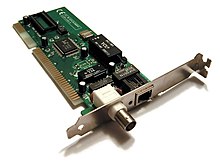
|
||||
- **Accès à l’information** : Savoir à portée de clic (mais attention aux fake news !).
|
||||
- **Communication** : Réseaux sociaux, visioconférence (Zoom, Teams).
|
||||
- **Innovation** : IA, objets connectés, médecine à distance.
|
||||
|
||||
- Des câbles, comme le rj45 ci-dessous, sont un média habituel des réseaux.
|
||||
### **Risques et bonnes pratiques**
|
||||
|
||||
](https://upload.wikimedia.org/wikipedia/commons/thumb/d/d7/Ethernet_RJ45_connector_p1160054.jpg/200px-Ethernet_RJ45_connector_p1160054.jpg)
|
||||
| Risque | Bonne pratique |
|
||||
| -------------------- | ------------------------------------------------------------ |
|
||||
| Cyberharcèlement | Signaler, bloquer, en parler à un adulte. |
|
||||
| Vie privée | Paramétrer les réseaux sociaux, utiliser des mots de passe forts. |
|
||||
| Fake news | Croiser les sources, vérifier sur des sites comme **Les Décodeurs** (Le Monde). |
|
||||
| Addiction aux écrans | Limiter le temps d’utilisation, faire des pauses. |
|
||||
|
||||
- les médias sans sans fil (Wifi - 3G - 4G - 5G ...) sont de plus en plus présents.
|
||||
|
||||
#### Les périphériques réseau
|
||||
|
||||
- Pour relier plusieurs machines entre elles, on utilise un `commutateur` , appelé `switch` en anglais.
|
||||
|
||||
](https://upload.wikimedia.org/wikipedia/commons/thumb/e/e0/5600-Stack-Front-Avaya_HiRes.jpg/220px-5600-Stack-Front-Avaya_HiRes.jpg)
|
||||
|
||||
- En reliant plusieurs machines entre eux à l'aide d'un switch, on crée un `LAN`.
|
||||
|
||||
- Pour communiquer, les appareils doivent pouvoir être identifiés. Un peu comme chaque maison à son adresse, les appareils connectés s'identifient à l'aide d'une adresse appelée `adresse IP`.
|
||||
|
||||
- Un `routeur` (router en anglais) assure la circulation des informations entre les **différents** réseaux. Avec les switchs, les routeurs sont responsable de la _livraison_ des données entre les hôtes.
|
||||
|
||||
](https://upload.wikimedia.org/wikipedia/commons/thumb/e/e5/Dlink_wireless_router.jpg/300px-Dlink_wireless_router.jpg)
|
||||
|
||||
_Remarque_ : Une box internet joue le rôle de switch de routeur et assure la liaison entre le réseau local et le **F**ournisseur d'**A**ccès à **I**nternet (FAI).
|
||||
|
||||
_Remarque_ : Pour fonctionner, Internet a besoin d'une quantité de câbles hallucinante. Une partie d'entre eux sont fabriqués... à Calais.
|
||||
|
||||
Regardez un peu [ici](https://www.submarinecablemap.com/) pour en avoir un aperçu des câbles sous-marins.
|
||||
|
||||
__À Faire__ : Sur une feuille, dessiner le réseau local de chez vous avec l'ensemble des matériels, périphériques et interconnexions le constituant.
|
||||
|
||||
Pour communiquer, les ordinateurs (ou tous autres appareils connectés entre eux) utilisent des règles appelées `protocoles`. Ils existent de nombreux protocoles, chacun d’entre eux réalisant une tâche bien précise.
|
||||
|
||||
## Un protocole, c'est quoi ?
|
||||
|
||||
Voici une vidéo qui présente la notion de _protocole_.
|
||||
|
||||
[Qu'est-ce qu'un protocole ?, Éric Fleury Professeur à l'ENS Lyon](https://www.youtube.com/watch?v=BUHUWZ_LoH0)
|
||||
|
||||
__À Faire__ : Établir un schéma illustrant le protocole (règle) de communication entre deux humains puis entre deux machines, et noter les similarités. ([Voir ici pour d'avantage de détails](./PROTOCOLE.md))
|
||||
**Exemple concret :** Un mot de passe comme `123456` est aussi solide qu’une porte en papier. Préférez une **phrase de passe** : `MonChienSappelleToto!2025`.
|
||||
|
||||
--------
|
||||
|
||||
## **Activité : À la découverte de mon réseau**
|
||||
|
||||
**Objectif :** Visualiser comment les données circulent sur Internet.
|
||||
|
||||
1. Ouvrez l’**invite de commandes** (Windows) ou le **Terminal** (Mac/Linux).
|
||||
2. Tapez : `tracert google.com` (Windows) ou `traceroute google.com` (Mac/Linux).
|
||||
3. Observez les "sauts" (hops) que votre requête effectue pour atteindre Google.
|
||||
|
||||
**Question :** Combien de machines votre requête a-t-elle traversées ? Pourquoi ce nombre peut-il varier ?
|
||||
|
||||
## **Pour aller plus loin**
|
||||
|
||||
- **Documentaire :** *"Internet, la pollution cachée"* (Arte).
|
||||
- **Livre :** *"La Machine Internet"* de Pierre Musso.
|
||||
- **Site :** [CNIL](https://www.cnil.fr/) pour tout savoir sur la protection des données.
|
||||
|
||||
## **Conclusion**
|
||||
|
||||
Internet est une **révolution technologique et sociale**. Il offre des opportunités immenses, mais nécessite une utilisation **responsable et critique**. En tant que futurs citoyens numériques, vous avez un rôle à jouer : soyez curieux, mais prudents !
|
||||
|
||||
**Question ouverte :** Si Internet n’avait jamais été inventé, quel aspect de votre vie quotidienne vous manquerait le plus ? Pourquoi ?
|
||||
|
||||
----------
|
||||
|
||||
Auteur : Florian Mathieu
|
||||
|
||||
Licence CC BY NC
|
||||
|
||||
<a rel="license" href="http://creativecommons.org/licenses/by-nc-sa/4.0/"><img alt="Licence Creative Commons" style="border-width:0" src="https://i.creativecommons.org/l/by-nc-sa/4.0/88x31.png" /></a> <br />Ce cours est mis à disposition selon les termes de la <a rel="license" href="http://creativecommons.org/licenses/by-nc-sa/4.0/">Licence Creative Commons Attribution - Pas d’Utilisation Commerciale - Partage dans les Mêmes Conditions 4.0 International</a>.
|
||||
|
||||
|
||||
@@ -7,7 +7,7 @@
|
||||
> Et que dire de Bob, qui fait f5 toutes les 10 min sur 46.33.191.5 ?
|
||||
|
||||
|
||||
Cela vous parait idiot ? Pourtant les adresses IP citées au dessus sont bel et bien utilisées quotidiennement par des milliers de personnes. Néanmoins, vous les connaissez probablement mieux sous leur petit nom *__google__*, *__tiktok__* et *__pronote__* !
|
||||
Cela vous parait idiot ? Pourtant les adresses IP citées au-dessus sont bel et bien utilisées quotidiennement par des milliers de personnes. Néanmoins, vous les connaissez probablement mieux sous leur petit nom *__google__*, *__tiktok__* et *__pronote__* !
|
||||
|
||||
Comme nous l'avons vu avec l'adresse IP, chaque machine possède un identifiant sur le réseau. Tout comme chaque personne possède une adresse physique : lorsque vous allez voir tatie Monique, vous vous rendez là où elle vit, et bien c'est pareil avec un site internet.
|
||||
|
||||
@@ -20,9 +20,9 @@ Si, à l'époque, on stockait les adresses des sites dans un fichier HOST.TXT, c
|
||||
Très rapidement, cette solution devint ingérable au vu de la croissance exponentielle du nombre de sites mis en ligne.
|
||||
En 1983, le DNS voit le jour. Et très rapidement, ce système montra son utilité : quatre années plus tard, on enregistrait plus de 20 000 enregistrements de nom de domaine.
|
||||
|
||||
Pour nous autres, êtres humains, il est complexe de retenir toutes les adresses IP des sites que l'on souhaite visiter. Et à moins de tout noter dans un repertoire, jamais vous ne vous rappelerez de tous ces nombres.
|
||||
Pour nous autres, êtres humains, il est complexe de retenir toutes les adresses IP des sites que l'on souhaite visiter. Et à moins de tout noter dans un répertoire, jamais vous ne vous rappellerez de tous ces nombres.
|
||||
|
||||
C'est pour cela que le __protocole__ *Domain Name System* a été crée.
|
||||
C'est pour cela que le __protocole__ *Domain Name System* a été créé.
|
||||
|
||||

|
||||
|
||||
@@ -49,7 +49,7 @@ Toutes ces adresses vont être enregistrées auprès d'un organisme, *L'ICANN*.
|
||||
> Vous l'aurez compris, le principe du DNS est de faire le lien entre l'adresse IP et l'URL d'un site.
|
||||
Mais c'est quoi, une URL ?
|
||||
|
||||
Une URL, ou Uniform Ressource Locator, est composée de 5 parties; le protocole, le sous-domaine, le nom de domaine principal, le domaine de deuxième niveau et le répertoire.
|
||||
Une URL, ou Uniform Resource Locator, est composée de 5 parties : le protocole, le sous-domaine, le nom de domaine principal, le domaine de deuxième niveau et le répertoire.
|
||||
|
||||
Par exemple, dans cette adresse, que peut on retrouver ?
|
||||
|
||||
@@ -115,9 +115,9 @@ subgraph Sous-domaines de wikipedia
|
||||
|
||||
--------
|
||||
|
||||
### Resolution de nom
|
||||
### Résolution de nom
|
||||
|
||||
Que se passe t-il lorsque l'on tape dans son navigateur web *__ViveLaSNT.fr__* ?
|
||||
Que se passe-t-il lorsque l'on tape dans son navigateur web *__ViveLaSNT.fr__* ?
|
||||
|
||||
[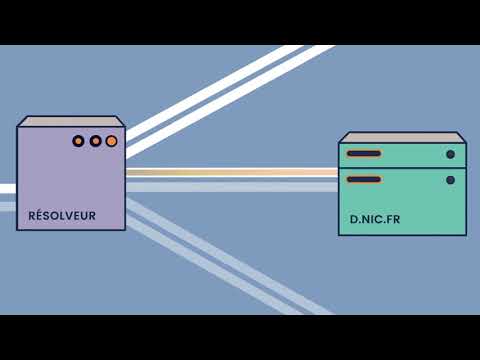](https://www.youtube.com/watch?v=av0zX-dr8o8)
|
||||
|
||||
@@ -160,7 +160,7 @@ Que constatez vous ?
|
||||
|
||||
|
||||
|
||||
## Synthese
|
||||
## Synthèse
|
||||
|
||||
|
||||
|
||||
|
||||
BIN
sequences/internet/filius/.DS_Store
vendored
373
sequences/internet/filius/filius-1.12.5/Changelog.md
Normal file
@@ -0,0 +1,373 @@
|
||||
# Changelog Filius
|
||||
|
||||
## [1.12.5] - 2021-09-01
|
||||
### Fixed
|
||||
* Templates for new applications work now with the new log framework
|
||||
|
||||
## [1.12.4] - 2021-05-01
|
||||
### Changed
|
||||
* Log can now be enabled for stdout
|
||||
|
||||
### Fixed
|
||||
* Z layer of components in design mode fixed.
|
||||
* Vhosts for web server will be persisted again.
|
||||
|
||||
## [1.12.3] - 2021-05-01
|
||||
### Changed
|
||||
* Use now SLF4J and Logback for logging
|
||||
|
||||
### Fixed
|
||||
* Error when reading old Filius files because of non-compliant version strings fixed
|
||||
* Fixed wrong data in data exchange detail section caused be shallow frame copies
|
||||
|
||||
## [1.12.2] - 2021-04-26
|
||||
### Fixed
|
||||
* Fix exception after one node was deleted
|
||||
|
||||
## [1.12.1] - 2021-04-25
|
||||
### Fixed
|
||||
* Fix command line arg handling (some combinations were not possible)
|
||||
* Fix spaces in filename when starting via command line under linux
|
||||
* Ensure that during visual alignment of components in design mode, the dragged component is always in foreground
|
||||
|
||||
## [1.12.0] - 2021-04-10
|
||||
### Added
|
||||
* Detailed license information added
|
||||
* Report contains now the forwarding table of network nodes and - if available - DNS server configuration
|
||||
* Provide an installer with bundled JRE for Windows
|
||||
|
||||
### Changed
|
||||
* IP addresses for router config as well as forwarding table entries are now validated after input
|
||||
* SEQ and ACK numbers are now initialized with trailing zeros and formatted as decimal numbers for better readability
|
||||
|
||||
### Fixed
|
||||
* Version comparison (only visible in log output)
|
||||
* Filius can know be installed in directories that contain '+' or '$'
|
||||
* SEQ number is now incremented after FIN reception
|
||||
* Help contents are now available from the start
|
||||
|
||||
## [1.11.0] - 2021-01-23
|
||||
### Added
|
||||
* The personal firewall supports now filtering of UDP traffic.
|
||||
* Build and Code Signing with AppVeyor and SignPath.
|
||||
|
||||
### Changed
|
||||
* The default behavior of the firewall is activated UDP traffic filtering, i.e., UDP packets (e.g. DNS) will be discarded.
|
||||
* Windows/dialogs are mostly resizable, e.g. application windows on the virtual desktops.
|
||||
* Added readme file to be shown at Gitlab.
|
||||
|
||||
### Fixed
|
||||
* When Filius was opened on a secondary monitor that is not available any more, the Filius window will be located onto a visible monitor when starting next time.
|
||||
* Within the terminal application the cd command could be used with a file. Now it is only available for directories.
|
||||
* Use URI encode and decode for URLs.
|
||||
* Do not allow domain names that start with digits.
|
||||
|
||||
## [1.10.4] - 2020-11-29
|
||||
### Fixed
|
||||
* There was an incompatibility within Report generation on Java 8.
|
||||
* It was not possible to generate a report of unsaved scenarios.
|
||||
* The contents of the help dialog were editable.
|
||||
|
||||
## [1.10.3] - 2020-08-16
|
||||
### Fixed
|
||||
* Manually configured DHCP settings for gateway and dns server were not persisted if they were equal to the os settings.
|
||||
|
||||
## [1.10.2] - 2020-07-29
|
||||
### Fixed
|
||||
* Fix bug when loading old project files with documentation elements
|
||||
|
||||
### Changed
|
||||
* Reduce corner radius of document elements
|
||||
* Use secured Filius homepage URL (https)
|
||||
|
||||
## [1.10.1] - 2020-07-18
|
||||
### Fixed
|
||||
* Silent Uninstall for Windows
|
||||
* Use secured Filius homepage URL (https)
|
||||
|
||||
### Changed
|
||||
* Default install folder under Windows is now C:\Program Files\Filius
|
||||
|
||||
## [1.10.0] - 2020-06-14
|
||||
### Fixed
|
||||
* Uebersetzung zur Simulationsgeschwindigkeit korrigiert
|
||||
* Falsche Nummerierung Abschnittsueberschriften im Report behoben
|
||||
* Fehlerbehebung zur Erstellung von Kabelverbindungen
|
||||
* Korrektur Rechtschreibung in franzoesischer Uebersetzung
|
||||
* Korrektur der kaputten Anzeige fuer Terminal-Anwendung
|
||||
* Fehlerbehebung im Einfachen Client: Immer auf eingehende Nachrichten warten (auch ohne Versand einer Nachricht)
|
||||
|
||||
### Changed
|
||||
* Abschnitt zum Nachrichtenaustausch im Report nur, wenn Inhalte vorliegen
|
||||
* Redaktionelle Ueberarbeitung der Hilfeseiten
|
||||
* Grundlegende Ueberarbeitung Dokumentationsmodus mit Formatierungsmoeglichkeiten
|
||||
|
||||
### Added
|
||||
* Möglichkeit, Reiter zum Nachrichtenaustausch zu schliessen
|
||||
* Wiederherstellen der angezeigten Fenster bei Wechsel zwischen Anwendungsmodi
|
||||
* Hilfeseite für Dokumentationsmodus hinzugefügt
|
||||
|
||||
## [1.9.0] - 2020-05-02
|
||||
### Fixed
|
||||
* Fehlerbehebung im Einfachen Client: Auf Serverantworten erst nach Versand einer Nachricht warten
|
||||
* Fehlerbehebung TCP-Server: Sockets beim anhalten des Servers gemaess Spezifikation zum Verbindungsabbau schliessen
|
||||
* Fehlerbehebung: Sockets im Zustand CLOSED immer aus Socket-Liste entfernen
|
||||
* Fehlerbehebung: Versand leerer Nachrichten ermoeglichen (war die Nachricht leer, wurde nichts gesendet)
|
||||
* Fehlerbehebung: Netstat zeigt jetzt auch serverseitig die Verbindungen an
|
||||
* Fehlerbehebung: Der Befehl cat fuer eine nicht vorhandene Datei fuehrte zu einem Fehler
|
||||
* Fehlerbehebung: TCP-Socket-Zeitueberschreitungen wurden nicht korrekt verarbeitet
|
||||
* Fehlerbehebung: Die Sequenznummern in TCP wurden falsch hochgezaehlt
|
||||
|
||||
### Changed
|
||||
* Verbesserung Source Address Table (SAT): Fenster mit SAT werden nicht mehr mehrfach geoeffnet und automatisch aktualisiert
|
||||
* Verbesserung: Netstat zeigt jetzt lokale und entfernte Adresse mit IP-Adresse und Port an
|
||||
|
||||
### Added
|
||||
* Verbesserung: Gnutella ermoeglicht jetzt das Zuruecksetzen der bekannten Peers
|
||||
* Export der Konfiguration und des Datenaustauschs als PDF-Datei
|
||||
|
||||
## [1.8.2] - 2020-04-21
|
||||
* Fehlerbehebung Modem: Verklemmung, wenn beide verbundenen Modems in gleicher Filius-Instanz laufen
|
||||
|
||||
## [1.8.1] - 2020-02-01
|
||||
* Korrekturen zur franzoesischen Typographie
|
||||
* Internationalisierung "Netzwerk" in Gnutella
|
||||
|
||||
## [1.8.0] - 2020-01-20
|
||||
* Export aus Dokumentationsmodus als SVG moeglich (zusaetzlich zu PNG)
|
||||
* Hinweis/Tooltip zur Einstellung der Simulationsgeschwindigkeit
|
||||
* Fehlerbehebung zur Anzeige/Aktualisierung des Modemnamens
|
||||
* Verschiedene Fehler im Dokumentationsmodus behoben
|
||||
* Korrektur zum Verschieben von mehreren Elementen im Entwurfsmodus
|
||||
|
||||
## [1.7.4] - 2019-01-08
|
||||
* Sprache Franzoesisch hinzugefuegt (Uebersetzung durch Patrice Treton)
|
||||
* Fehlerkorrekturen I18n
|
||||
* Software-Assistent wird in Vorgabeeinstellung immer angezeigt
|
||||
|
||||
## [1.7.3] - 2018-08-21
|
||||
* Abhängigkeit zu Java 8 in Windows-Version korrigiert
|
||||
|
||||
## [1.7.2] - 2016-02-07
|
||||
* Konfigurierbare Groesse der Arbeitsflaeche zum Aufbau der Rechnernetze (konfigurierbar in filius.ini)
|
||||
* Fehlerbehebung: Fenstergroesse fuer E-Mail Verfassen so angepasst, dass es auch unter Mac OS funktioniert
|
||||
* Fehlerbehebung: Anhalten einer Server-Anwendung gibt den Port frei, der fuer den Serversocket verwendet wurde
|
||||
|
||||
## [1.7.1] - 2016-02-03
|
||||
* Fehlerbehebung: Sprachselektion bei erstmaligem Starten wieder aktiviert
|
||||
|
||||
## [1.7.0] - 2016-01-30
|
||||
* Neues Windowsinstallationsprogramm
|
||||
* Systemvoraussetzung Java 8
|
||||
* Aufrufparameter 'verbose' ergaenzt
|
||||
* Grundlegende Ueberarbeitung DHCP
|
||||
* DHCP unterstuetzt jetzt statisch zugewiesene IP-Adressen
|
||||
* Der Software-Assistent steht jetzt nicht mehr zwingend zur Verfuegung (abhaengig von JDK/JRE und Konfiguration)
|
||||
* Im Dateidialog zum Oeffnen eines neuen Projekts ist jetzt das zuletzt verwendete Verzeichnis vorselektiert
|
||||
* Webserver erlaubt jetzt auch unbekannte Dateiendungen (Versand als text/plain) und erkennt Endung .htm auch als HTML
|
||||
* Fehlerbehebung: Anwendung fuer Dateiaustausch (P2P) und Webserver funktioniert jetzt auch mit Leerzeichen in Dateinamen
|
||||
* Fehlerbehebung: Mehrere DHCP-Server können jetzt im gleichen Rechnernetz vorhanden sein
|
||||
* Fehlerbehebung: Selektion bei Löschen vorhandener Kabel korrigiert
|
||||
* Fehlerbehebung: Validierung E-Mail-Adressen korrigiert (Reg. Ausdruck angepasst)
|
||||
* Fehlerbehebung: DHCP funktioniert jetzt auch, wenn zwischendurch das Projekt gewechselt wurde
|
||||
* Fehlerbehebung: Wenn ein Projekt ohne Dateiendung gespeichert wird, werden jetzt auch die Textelemente mit gespeichert
|
||||
|
||||
## [1.6.1]
|
||||
* Fehlerbehebung: Fehlerhafte Bestimmung von IP-Adressen als Broadcast behoben
|
||||
* Fehlerbehebung: TTL wird jetzt nicht mehr fuer lokal adressierte Pakete dekrementiert
|
||||
* Verbesserung des Datenaustauschprotokolls als Textdatei
|
||||
|
||||
## [1.6]
|
||||
* Fehlerbehebung: Robustere Eingabe der Rechnerkonfiguration
|
||||
* Fehlerbehebung: Verbindungsherstellung/-trennung mit Modem stabiler realisiert
|
||||
* Ausgabe einer Fehlermeldung, wenn ein Broadcast-Ping ausgefuehrt werden soll
|
||||
* Fehlerbehebung: Knoten konnten u.U. nicht mehr selektiert werden, wenn sie durch Beschreibungselemente ueberlagert wurden
|
||||
* Fehlerbehebung: Ping-Fehler behoben
|
||||
* Konfiguration der Knoten als Tooltip in der Netzwerkansicht
|
||||
* Export des Nachrichtenaustauschs als einfache Textdatei
|
||||
* Maximale Anzahl von Verbindungen zu Switch (von 8) auf 24 erhoeht
|
||||
* Fehlerbehebung: TTL wird jetzt korrekt inkrementiert
|
||||
|
||||
## [1.5.4]
|
||||
* Fehlerbehebung: Inkompatibilität beim Oeffnen von Projektdateien, die mit aelterer Version erstellt wurden, behoben
|
||||
* Fehlerbehebung: Kabelwerkzeug wurde an falscher Position angezeigt, wenn Arbeitsbereich per Schieber verschoben wurde
|
||||
* Fehlerbehebung: Absender und Empfaenger einer Mail wurde nicht in Projektdatei gespeichert
|
||||
* Fehlerbehebung: ARP-Anfrage wurde mehrfach versendet
|
||||
* Fehlerbehebung: Dokumentationselemente wurden bei Oeffnen eines neuen Projekts (erstellt mit aelterer Version) nicht immer entfernt
|
||||
* Fehlerbehebung: Loeschen gesendeter Mails war nicht mehr moeglich
|
||||
* Fehlerbehebung: POP3-Server hat nicht immer geantwortet
|
||||
|
||||
## [1.5.3] - 2013-11-07
|
||||
* Moeglichkeit, Textfelder und Strukturierungsfelder einzufuegen
|
||||
* Exportieren der Netzansicht als PNG moeglich
|
||||
* Bounce-Mails bei nicht erreichbaren Empfaengern
|
||||
* Reduzierung der Schnittstellen eines Vermittlungsrechners ist jetzt moeglich
|
||||
* IP-Adresse der Vermittlungsrechner-Schnittstellen werden jetzt als Reitertitel verwendet
|
||||
* Fehlerbehebung: leere Ordner-/Dateinamen möglich -> Datei-Explorer Fehlfunktion
|
||||
* Fehlerbehebung: Linux-Startskript ohne 'realpath'
|
||||
* Fehlerbehebung: mehrere E-Mail-Benutzerkonten in E-Mail-Anwendung möglich
|
||||
* Fehlerbehebung: einzelne Nachrichten wurden bei Wechsel zwischen Entwurfs- und Aktionsmodus wiederholt verarbeitet
|
||||
|
||||
## [1.5.2] - 2013-07-05
|
||||
* Umbenennung "Terminal" zu "Befehlszeile"/"Command line"
|
||||
* Neue Befehlszeilenwerkzeuge: arp, cat
|
||||
* Synchronisation von Dateiinhalten mit Anzeige im Texteditor (insbesondere für E-Mail- und DNS-Server)
|
||||
* Validierung von DNS-Server-Konfigurationseingaben und Hinweise bei falscher Eingabe
|
||||
* DNS-Server-Konfiguration in Tabellen editierbar
|
||||
|
||||
## [1.5.1] - 2013-02-13
|
||||
* Kleine Fehlerbehebungen
|
||||
|
||||
## [1.5] - 2013-02-03
|
||||
* Firewall grundlegend ueberarbeitet (Firewall-Konfiguration in Projektdateien nicht kompatibel mit aelteren Versionen)
|
||||
* Neuer Nachrichtendialog (alter Nachrichtendialog in filius.ini aktivierbar)
|
||||
* Im Entwurfsmodus: erstellen mehrerer Kabelverbindungen mit einmaliger Selektion des Kabelwerkzeugs moeglich
|
||||
* Anzahl der Pings ueber Kommandozeile wieder auf vier reduziert (Anpassung ueber filius.ini moeglich)
|
||||
* Fehlerhafte Anzeige des Icons eines Vermittlungsrechners in Abhaengigkeit des Verbindungsstatus behoben
|
||||
|
||||
## [1.4.5.3] - 2012-11-25
|
||||
* Fehler zu DNS-Server bei schnellem Wechsel Starten/Beenden
|
||||
* Fehler zu ICMP (ping/traceroute) behoben
|
||||
|
||||
## [1.4.5.2] - 2012-11-12
|
||||
* Fehlerbehebung: Ping zu Vermittlungsrechner funktionierte nicht fuer alle Schnittstellen
|
||||
|
||||
## [1.4.5.1] - 2012-11-11
|
||||
* Fehlerbehebung: Fortschrittsanzeige bei Mail-Abruf wurde nicht mehr ausgeblendet und Mails nicht vollstaendig angezeigt
|
||||
* Fehlerbehebung: Durch die rekursive DNS-Namensaufloesung muss die zeitliche Begrenzung des Resolvers auf ein vielfaches der maximalen Round-Trip-Time betragen
|
||||
|
||||
## [1.4.5] - 2012-11-04
|
||||
* Domainserver unterstuetzen als Option rekursive Domainnamensaufloesung.
|
||||
* Re-Integration eines Forks (Dank an pyropeter)
|
||||
- erweitertes ICMP
|
||||
- im Terminal: Befehlshistorie, Traceroute, Abbruch mit <Strg>+C
|
||||
- Vermittlungsrechner koennen jetzt automatisch konfiguriert werden (mit RIP als Routing-Protokoll)
|
||||
- Modem: automatischer Wiederaufbau einer unterbrochenen Verbindung
|
||||
* Der Webserver des Vermittlungsrechner ermöglicht die Abfrage der aktuellen Weiterleitungstabelle.
|
||||
* Vermittlungsrechner-Firewall:
|
||||
- kann jetzt alle Versuche eines TCP-Verbindungsaufbaus ablehnen.
|
||||
- Absender- und Empfaenger-Regeln gelten nur noch fuer TCP (nicht mehr fuer UPD)
|
||||
* Als Rechnername kann jetzt die IP-Adresse verwendet werden.
|
||||
|
||||
## [1.4.4] - 2012-03-13
|
||||
* Domain Name System: Jetzt kann auch ein Resource Record fuer einen Wurzel-Name-Server konfiguriert werden.
|
||||
* Web-Server: Ueberarbeitung des Designs der Vorgabe-Webseite
|
||||
* Kleinere Anpassungen der Darstellungen (u.a. Umbenennung des "Echo-Client" zu "Einfacher Client")
|
||||
* Programmkonfiguration:
|
||||
- Grundlegende Einstellungen zur Anzeige und Ausfuehrung koennen jetzt als Aufrufparameter oder mit einer Ini-Datei konfiguriert werden.
|
||||
- RTT kann jetzt nicht mehr ueber Menue sondern nur noch als Aufrufparameter bzw. per Ini-Datei geaendert werden.
|
||||
* Fehlerbehebungen:
|
||||
- Nachrichten des POP3-Servers werden im Log-Fenster angezeigt
|
||||
- Flag fuer manuelle Einstellungen des DHCP-Servers wird persistiert
|
||||
- Schnittstellenverwaltung der Vermittlungsrechner bei angeschlossenem Switch fuehrte zum Programmabbruch
|
||||
- Anzeige des Kontextmenue fuer Kabel im Aktionsmodus wurde nicht unterdrueckt
|
||||
|
||||
## [1.4.3] - 2011-11-10
|
||||
* Domain Name System: Das DNS erlaubt jetzt rekursive Abfragen zur Aufloesung eines Domainnamens.
|
||||
* Webserver: Die optionale Konfiguration der virtuellen Hosts kann jetzt ausgeblendet werden.
|
||||
* Firewall: Die Firewall der Vermittlungsrechner kann jetzt dezidiert fuer die Netzwerkschnittstellen aktiviert werden.
|
||||
* Kommandozeile: Hier steht jetzt zusaetzlich der Befehl netstat zur Anzeige aktiver Verbindungen zur Verfuegung.
|
||||
* In Textfeldern steht jetzt die Tastenfunktion <Strg>+a zur Verfuegung.
|
||||
* Fehlerbehebung:
|
||||
- Netzwerkschnittstellenkonfiguration Vermittlungsrechner: Jetzt wird die richtige IP-Adresse eines verbundenen Vermittlungsrechners angezeigt.
|
||||
- Datenaustausch ueber Vermittlungsrechner: Wenn Standardgateway nicht gesetzt wurde, erfolgt jetzt korrekte Ausnahmebehandlung.
|
||||
|
||||
## [1.4.2] - 2011-09-15
|
||||
* Fehler bei Aufruf mit Parameter "-wd" zur expliziten Auswahl des Arbeitsverzeichnisses behoben
|
||||
|
||||
## [1.4.1] - 2011-09-01
|
||||
* Fehler bei Aenderung des Aufbaus behoben
|
||||
* TCP-Timeout-Fehlermeldung erfolgt nicht mehr im Konfigurationsmodus
|
||||
* Fehlerhafte Modemfunktionalität korrigiert
|
||||
|
||||
## [1.4] - 2011-08-07
|
||||
* Fehlerbehebung:
|
||||
- Bildbetrachter: Anzeige von Bildern wieder möglich
|
||||
- E-Mail-Programm: Platzhaltergrafik für Nachrichten wird wieder angezeigt
|
||||
- Webserver: Anzeige leerer Eingabefelder in Oberfläche (statt "null")
|
||||
- DNS-Server: Synchronisation zwischen Oberfläche und Konfigurationstextdatei
|
||||
- Gnutella: Fehler bei Dateiübertragung behoben
|
||||
- E-Mail-Server: Robustere Verarbeitung von E-Mails durch SMTP-Server
|
||||
- Switch: Die Darstellung als Wolke kann auch wieder rückgängig gemacht werden
|
||||
- Programmstart: Fehler bei Prüfung der Schreibrechte auf Benutzerverzeichnis unter Windows behoben
|
||||
- Info-Dialog: Alle Angaben werden wieder vollständig angezeigt (unter Linux)
|
||||
- Nachrichtenansicht: Löschen der Tabelleninhalte korrigiert
|
||||
* Echo-Client: Jetzt können hierüber E-Mails versendet (SMTP) und abgerufen (POP3) werden.
|
||||
* Rechnerkonfiguration: Jetzt können Gateway- und DNS-Server-Adressen wieder entfernt werden.
|
||||
* Nachrichtenansicht: Jetzt steht eine Option "automatisches Scrollen" über Kontextmenü zur Verfügung und das Dialogfenster bleibt immer im Vordergrund.
|
||||
|
||||
## [1.3.1.4] - 2011-04-30
|
||||
* Verwendung von Java Native Access zur korrekten Ermittlung von Benutzerverzeichnissen unter MS Windows (vgl. Java Bug #4787931: http://bugs.sun.com/bugdatabase/view_bug.do?bug_id=4787931
|
||||
* Kontrolle bei Programmstart, ob Arbeitspfad schreibbar ist. Schreibrechte sind notwendig für Dateioperationen wie Speichern/Laden von Szenarien)
|
||||
* bei fehlenden Schreibrechten wird sofort Dialog angezeigt zur manuellen Korrektur durch den Benutzer, d.h. Auswahl eines anderen Verzeichnisses
|
||||
|
||||
## [1.3.1.3] - 2011-01-30
|
||||
* kleine Bugfixes
|
||||
* Problem bei Ping-Nachrichten (v.a. Modem betroffen) behoben
|
||||
* Darstellungsmöglichkeit von Switches als Netzwerkwolken (identische Funktionalität wie Switch, lediglich Erscheinung aus didaktischen Gründen verändert!) [Rücknahme: - fehlerhaftes Verhalten bei Problemen mit Log-Datei behoben]
|
||||
|
||||
## [1.3.1.2] - 2010-11-08
|
||||
* kleinere Bugfixes
|
||||
* verbesserte Log-Daten-Aufzeichnung (aussagekräftigere Auflistung der relevanten hashCodes zur Verfolgung von Aktivitäten)
|
||||
* Platzieren der Log-Datei in Arbeitsverzeichnis (.filius) statt in Ort des Startens der Anwendung wegen Rechteproblemen bei Betriebssystem
|
||||
|
||||
## [1.3.1.1] - 2010-09-20
|
||||
* Bugfix bei IP Adressevaluation; Zahlenbereich war begrenzt durch Fehler in Regulärem Ausdruck
|
||||
|
||||
## [1.3.1] - 2010-08-04
|
||||
* E-Mail-System überarbeitet; bessere Darstellung im Mailprogramm
|
||||
* Antwortfunktion bei Mailprogramm korrigiert
|
||||
* Fehler bei Mailverwaltung im Server korrigiert, u.a. beim Löschen abgerufener Mails
|
||||
* Scrollpane eingefügt in Mailprogramm (Mailbetrachter) und TextEditor
|
||||
* variable Einstellungen für maximale RTT (NOTE: die Simulation wird dadurch nicht verlangsamt, sondern lediglich die Toleranz bzgl. Timeouts wird vergrößert; das ist sinnvoll für langsamere Systeme)
|
||||
* Erweiterung des Webservers um virtuelle Hosts
|
||||
* Bugfixes z.B. bei Graphikeinbindung
|
||||
* Startup-Skript für Mac OS X hinzugefügt; Tests auf Mac OS X erfolgreich
|
||||
|
||||
## [1.3.0.4] - 2010-07-07
|
||||
* Hinzufügen eines Startup-Skripts für UNIX-basierte Systeme (Filius.sh)
|
||||
* Parameterunterstützung zur Verlegung des Arbeitsverzeichnisses ".filius": '-wd <path>'
|
||||
* Überprüfung der DNS-Einträge; falls URL leer wird Eintrag nicht übernommen/gespeichert
|
||||
* Fehlplatzierung bei Kabel behoben
|
||||
* Kontextmenü zum Löschen von Kabeln an engeren Kollisionsbereich gebunden
|
||||
* Kontextmenü zum Löschen von Kabeln nur angezeigt, falls keine Kabelvorschau aktiv
|
||||
|
||||
## [1.3.0.3] - 2010-04-19
|
||||
* Fehler bei der direkten Bearbeitung von DNS-Einträgen in der Tabelle korrigiert
|
||||
* Daten werden nun getrennt nach A bzw. MX Einträgen verarbeitet (JTableEditable)
|
||||
* Pfadunstimmigkeiten bei Hilfe-Dateien (bei Aufruf der Jar-Datei aus anderem Verzeichnis) beseitigt
|
||||
|
||||
## [1.3.0.2] - 2010-04-15
|
||||
* Bilder in JAR-Datei integriert
|
||||
* Korrektur der Pfadzuweisungen, um Dateien innerhalb der JAR-Datei zu finden
|
||||
* Fehler bei Suche von FLS-Datei als Parameter beseitigt
|
||||
* Fehler bei Pfadbestimmung korrigiert, damit Filius von beliebiger Stelle aus aufgerufen werden kann (betrifft JAR und EXE!)
|
||||
|
||||
## [1.3.0.1] - 2010-04-09
|
||||
* Datei-Explorer importiert beliebige Dateien bis zu einer Größe von 150KB
|
||||
* bei fehlgeschlagener DHCP-Anfrage werden Zeroconf-Adressen zugewiesen (169.254.x.x)
|
||||
* ping-Befehl wurde in Befehlsliste bei Terminal aufgenommen
|
||||
* Überschrift für Tabellenausgabe bei route-Befehl
|
||||
|
||||
## [1.3.0] - 2010-03-31
|
||||
* Terminal-Funktionen implementiert (move, copy, dir, help, ...)
|
||||
* Hilfeseite zur Auflistung aller unterstützter Terminal-Befehle
|
||||
* Ping-Befehl implementiert in Terminal
|
||||
* Tool zur Namensauflösung direkt über Terminal ('host')
|
||||
* Tastenkombinationen zur Steurung der Menüfunktionen (Strg+<?>) + Auswahl Kabel (Alt-1)
|
||||
* konsequentes Loggen in Datei möglich für Fehlersuche; Debug-Ausgaben vereinheitlicht
|
||||
* DHCP kann DNS/Gateway abweichend von Server-Einstellungen vergeben
|
||||
* DNS-Einträge auch änderbar in DNS-Server (statt nur Löschen/Neuanlegen)
|
||||
* einzelne Kabel können entfernt werden
|
||||
* Fehler durch sich blockierende nebenläufige Prozesse beseitigt (Threads haben aufeinander gewartet; Race Conditions bei Prüfung von Queues)
|
||||
* deutliche Reduktion von Ausnahmefehlern (Exceptions oftmals für Testzwecke auf mögliche Probleme genutzt. Lässt sich jedoch durch vorherige Prüfung fast durchgängig vermeiden!)
|
||||
* Terminal-Funktionen waren nur angedeutet, jedoch nicht implementiert
|
||||
* Knoten können nun nicht mehr aus Arbeitsfläche herausgezogen werden (war vorher möglich; leider dann aber keine Möglichkeit mehr, diese in den Sichtbereich zurückzuholen)
|
||||
* manche Dialoge wurden zu Singleton umfunktioniert (nur noch ein Dialog)
|
||||
* Darstellung/Einsehen der MAC-Adressen einfacher möglich
|
||||
* MX Eintrag bei DNS-Server unterstützt nun auch IP-Adressen, statt nur URLs
|
||||
* Ethernet akzeptiert nun nur noch Pakete, wenn Kabel physisch mit betrachteter Netzwerkkarte verbunden ist (vorher: bei Vermittlungsrechner Pakete aller NICs verarbeitet)
|
||||
* warten auf DHCP Server bei Wechsel zu Simulationsmodus, erst dann DHCP Anfragen möglich
|
||||
* Überschriften in diversen Dialogen zur besseren Usability
|
||||
* fehlerhafte Pattern für IP-Adressen korrigiert
|
||||
* Sprache bei Buttons in Dialogen korrigiert
|
||||
BIN
sequences/internet/filius/filius-1.12.5/Einfuehrung_Filius.pdf
Normal file
19
sequences/internet/filius/filius-1.12.5/Filius.command
Normal file
@@ -0,0 +1,19 @@
|
||||
#!/bin/bash
|
||||
#
|
||||
# This script is meant as supportive start script for
|
||||
# UNIX-like systems, e.g., Linux or Mac OS X
|
||||
#
|
||||
echo "Possible parameters:"
|
||||
echo -e "\t-l\t\twrite log file 'filius.log'"
|
||||
echo -e "\t-wd <path>\tchange base directory for working directory '.filius'"
|
||||
echo
|
||||
|
||||
# change to directory where filius is installed
|
||||
relpath=$0
|
||||
cd ${relpath%`basename $0`}
|
||||
|
||||
# start filius
|
||||
java -jar filius.jar $@
|
||||
|
||||
# change back to former directory
|
||||
cd - > /dev/null
|
||||
BIN
sequences/internet/filius/filius-1.12.5/Filius.exe
Normal file
339
sequences/internet/filius/filius-1.12.5/GPLv2.txt
Normal file
@@ -0,0 +1,339 @@
|
||||
GNU GENERAL PUBLIC LICENSE
|
||||
Version 2, June 1991
|
||||
|
||||
Copyright (C) 1989, 1991 Free Software Foundation, Inc.,
|
||||
51 Franklin Street, Fifth Floor, Boston, MA 02110-1301 USA
|
||||
Everyone is permitted to copy and distribute verbatim copies
|
||||
of this license document, but changing it is not allowed.
|
||||
|
||||
Preamble
|
||||
|
||||
The licenses for most software are designed to take away your
|
||||
freedom to share and change it. By contrast, the GNU General Public
|
||||
License is intended to guarantee your freedom to share and change free
|
||||
software--to make sure the software is free for all its users. This
|
||||
General Public License applies to most of the Free Software
|
||||
Foundation's software and to any other program whose authors commit to
|
||||
using it. (Some other Free Software Foundation software is covered by
|
||||
the GNU Lesser General Public License instead.) You can apply it to
|
||||
your programs, too.
|
||||
|
||||
When we speak of free software, we are referring to freedom, not
|
||||
price. Our General Public Licenses are designed to make sure that you
|
||||
have the freedom to distribute copies of free software (and charge for
|
||||
this service if you wish), that you receive source code or can get it
|
||||
if you want it, that you can change the software or use pieces of it
|
||||
in new free programs; and that you know you can do these things.
|
||||
|
||||
To protect your rights, we need to make restrictions that forbid
|
||||
anyone to deny you these rights or to ask you to surrender the rights.
|
||||
These restrictions translate to certain responsibilities for you if you
|
||||
distribute copies of the software, or if you modify it.
|
||||
|
||||
For example, if you distribute copies of such a program, whether
|
||||
gratis or for a fee, you must give the recipients all the rights that
|
||||
you have. You must make sure that they, too, receive or can get the
|
||||
source code. And you must show them these terms so they know their
|
||||
rights.
|
||||
|
||||
We protect your rights with two steps: (1) copyright the software, and
|
||||
(2) offer you this license which gives you legal permission to copy,
|
||||
distribute and/or modify the software.
|
||||
|
||||
Also, for each author's protection and ours, we want to make certain
|
||||
that everyone understands that there is no warranty for this free
|
||||
software. If the software is modified by someone else and passed on, we
|
||||
want its recipients to know that what they have is not the original, so
|
||||
that any problems introduced by others will not reflect on the original
|
||||
authors' reputations.
|
||||
|
||||
Finally, any free program is threatened constantly by software
|
||||
patents. We wish to avoid the danger that redistributors of a free
|
||||
program will individually obtain patent licenses, in effect making the
|
||||
program proprietary. To prevent this, we have made it clear that any
|
||||
patent must be licensed for everyone's free use or not licensed at all.
|
||||
|
||||
The precise terms and conditions for copying, distribution and
|
||||
modification follow.
|
||||
|
||||
GNU GENERAL PUBLIC LICENSE
|
||||
TERMS AND CONDITIONS FOR COPYING, DISTRIBUTION AND MODIFICATION
|
||||
|
||||
0. This License applies to any program or other work which contains
|
||||
a notice placed by the copyright holder saying it may be distributed
|
||||
under the terms of this General Public License. The "Program", below,
|
||||
refers to any such program or work, and a "work based on the Program"
|
||||
means either the Program or any derivative work under copyright law:
|
||||
that is to say, a work containing the Program or a portion of it,
|
||||
either verbatim or with modifications and/or translated into another
|
||||
language. (Hereinafter, translation is included without limitation in
|
||||
the term "modification".) Each licensee is addressed as "you".
|
||||
|
||||
Activities other than copying, distribution and modification are not
|
||||
covered by this License; they are outside its scope. The act of
|
||||
running the Program is not restricted, and the output from the Program
|
||||
is covered only if its contents constitute a work based on the
|
||||
Program (independent of having been made by running the Program).
|
||||
Whether that is true depends on what the Program does.
|
||||
|
||||
1. You may copy and distribute verbatim copies of the Program's
|
||||
source code as you receive it, in any medium, provided that you
|
||||
conspicuously and appropriately publish on each copy an appropriate
|
||||
copyright notice and disclaimer of warranty; keep intact all the
|
||||
notices that refer to this License and to the absence of any warranty;
|
||||
and give any other recipients of the Program a copy of this License
|
||||
along with the Program.
|
||||
|
||||
You may charge a fee for the physical act of transferring a copy, and
|
||||
you may at your option offer warranty protection in exchange for a fee.
|
||||
|
||||
2. You may modify your copy or copies of the Program or any portion
|
||||
of it, thus forming a work based on the Program, and copy and
|
||||
distribute such modifications or work under the terms of Section 1
|
||||
above, provided that you also meet all of these conditions:
|
||||
|
||||
a) You must cause the modified files to carry prominent notices
|
||||
stating that you changed the files and the date of any change.
|
||||
|
||||
b) You must cause any work that you distribute or publish, that in
|
||||
whole or in part contains or is derived from the Program or any
|
||||
part thereof, to be licensed as a whole at no charge to all third
|
||||
parties under the terms of this License.
|
||||
|
||||
c) If the modified program normally reads commands interactively
|
||||
when run, you must cause it, when started running for such
|
||||
interactive use in the most ordinary way, to print or display an
|
||||
announcement including an appropriate copyright notice and a
|
||||
notice that there is no warranty (or else, saying that you provide
|
||||
a warranty) and that users may redistribute the program under
|
||||
these conditions, and telling the user how to view a copy of this
|
||||
License. (Exception: if the Program itself is interactive but
|
||||
does not normally print such an announcement, your work based on
|
||||
the Program is not required to print an announcement.)
|
||||
|
||||
These requirements apply to the modified work as a whole. If
|
||||
identifiable sections of that work are not derived from the Program,
|
||||
and can be reasonably considered independent and separate works in
|
||||
themselves, then this License, and its terms, do not apply to those
|
||||
sections when you distribute them as separate works. But when you
|
||||
distribute the same sections as part of a whole which is a work based
|
||||
on the Program, the distribution of the whole must be on the terms of
|
||||
this License, whose permissions for other licensees extend to the
|
||||
entire whole, and thus to each and every part regardless of who wrote it.
|
||||
|
||||
Thus, it is not the intent of this section to claim rights or contest
|
||||
your rights to work written entirely by you; rather, the intent is to
|
||||
exercise the right to control the distribution of derivative or
|
||||
collective works based on the Program.
|
||||
|
||||
In addition, mere aggregation of another work not based on the Program
|
||||
with the Program (or with a work based on the Program) on a volume of
|
||||
a storage or distribution medium does not bring the other work under
|
||||
the scope of this License.
|
||||
|
||||
3. You may copy and distribute the Program (or a work based on it,
|
||||
under Section 2) in object code or executable form under the terms of
|
||||
Sections 1 and 2 above provided that you also do one of the following:
|
||||
|
||||
a) Accompany it with the complete corresponding machine-readable
|
||||
source code, which must be distributed under the terms of Sections
|
||||
1 and 2 above on a medium customarily used for software interchange; or,
|
||||
|
||||
b) Accompany it with a written offer, valid for at least three
|
||||
years, to give any third party, for a charge no more than your
|
||||
cost of physically performing source distribution, a complete
|
||||
machine-readable copy of the corresponding source code, to be
|
||||
distributed under the terms of Sections 1 and 2 above on a medium
|
||||
customarily used for software interchange; or,
|
||||
|
||||
c) Accompany it with the information you received as to the offer
|
||||
to distribute corresponding source code. (This alternative is
|
||||
allowed only for noncommercial distribution and only if you
|
||||
received the program in object code or executable form with such
|
||||
an offer, in accord with Subsection b above.)
|
||||
|
||||
The source code for a work means the preferred form of the work for
|
||||
making modifications to it. For an executable work, complete source
|
||||
code means all the source code for all modules it contains, plus any
|
||||
associated interface definition files, plus the scripts used to
|
||||
control compilation and installation of the executable. However, as a
|
||||
special exception, the source code distributed need not include
|
||||
anything that is normally distributed (in either source or binary
|
||||
form) with the major components (compiler, kernel, and so on) of the
|
||||
operating system on which the executable runs, unless that component
|
||||
itself accompanies the executable.
|
||||
|
||||
If distribution of executable or object code is made by offering
|
||||
access to copy from a designated place, then offering equivalent
|
||||
access to copy the source code from the same place counts as
|
||||
distribution of the source code, even though third parties are not
|
||||
compelled to copy the source along with the object code.
|
||||
|
||||
4. You may not copy, modify, sublicense, or distribute the Program
|
||||
except as expressly provided under this License. Any attempt
|
||||
otherwise to copy, modify, sublicense or distribute the Program is
|
||||
void, and will automatically terminate your rights under this License.
|
||||
However, parties who have received copies, or rights, from you under
|
||||
this License will not have their licenses terminated so long as such
|
||||
parties remain in full compliance.
|
||||
|
||||
5. You are not required to accept this License, since you have not
|
||||
signed it. However, nothing else grants you permission to modify or
|
||||
distribute the Program or its derivative works. These actions are
|
||||
prohibited by law if you do not accept this License. Therefore, by
|
||||
modifying or distributing the Program (or any work based on the
|
||||
Program), you indicate your acceptance of this License to do so, and
|
||||
all its terms and conditions for copying, distributing or modifying
|
||||
the Program or works based on it.
|
||||
|
||||
6. Each time you redistribute the Program (or any work based on the
|
||||
Program), the recipient automatically receives a license from the
|
||||
original licensor to copy, distribute or modify the Program subject to
|
||||
these terms and conditions. You may not impose any further
|
||||
restrictions on the recipients' exercise of the rights granted herein.
|
||||
You are not responsible for enforcing compliance by third parties to
|
||||
this License.
|
||||
|
||||
7. If, as a consequence of a court judgment or allegation of patent
|
||||
infringement or for any other reason (not limited to patent issues),
|
||||
conditions are imposed on you (whether by court order, agreement or
|
||||
otherwise) that contradict the conditions of this License, they do not
|
||||
excuse you from the conditions of this License. If you cannot
|
||||
distribute so as to satisfy simultaneously your obligations under this
|
||||
License and any other pertinent obligations, then as a consequence you
|
||||
may not distribute the Program at all. For example, if a patent
|
||||
license would not permit royalty-free redistribution of the Program by
|
||||
all those who receive copies directly or indirectly through you, then
|
||||
the only way you could satisfy both it and this License would be to
|
||||
refrain entirely from distribution of the Program.
|
||||
|
||||
If any portion of this section is held invalid or unenforceable under
|
||||
any particular circumstance, the balance of the section is intended to
|
||||
apply and the section as a whole is intended to apply in other
|
||||
circumstances.
|
||||
|
||||
It is not the purpose of this section to induce you to infringe any
|
||||
patents or other property right claims or to contest validity of any
|
||||
such claims; this section has the sole purpose of protecting the
|
||||
integrity of the free software distribution system, which is
|
||||
implemented by public license practices. Many people have made
|
||||
generous contributions to the wide range of software distributed
|
||||
through that system in reliance on consistent application of that
|
||||
system; it is up to the author/donor to decide if he or she is willing
|
||||
to distribute software through any other system and a licensee cannot
|
||||
impose that choice.
|
||||
|
||||
This section is intended to make thoroughly clear what is believed to
|
||||
be a consequence of the rest of this License.
|
||||
|
||||
8. If the distribution and/or use of the Program is restricted in
|
||||
certain countries either by patents or by copyrighted interfaces, the
|
||||
original copyright holder who places the Program under this License
|
||||
may add an explicit geographical distribution limitation excluding
|
||||
those countries, so that distribution is permitted only in or among
|
||||
countries not thus excluded. In such case, this License incorporates
|
||||
the limitation as if written in the body of this License.
|
||||
|
||||
9. The Free Software Foundation may publish revised and/or new versions
|
||||
of the General Public License from time to time. Such new versions will
|
||||
be similar in spirit to the present version, but may differ in detail to
|
||||
address new problems or concerns.
|
||||
|
||||
Each version is given a distinguishing version number. If the Program
|
||||
specifies a version number of this License which applies to it and "any
|
||||
later version", you have the option of following the terms and conditions
|
||||
either of that version or of any later version published by the Free
|
||||
Software Foundation. If the Program does not specify a version number of
|
||||
this License, you may choose any version ever published by the Free Software
|
||||
Foundation.
|
||||
|
||||
10. If you wish to incorporate parts of the Program into other free
|
||||
programs whose distribution conditions are different, write to the author
|
||||
to ask for permission. For software which is copyrighted by the Free
|
||||
Software Foundation, write to the Free Software Foundation; we sometimes
|
||||
make exceptions for this. Our decision will be guided by the two goals
|
||||
of preserving the free status of all derivatives of our free software and
|
||||
of promoting the sharing and reuse of software generally.
|
||||
|
||||
NO WARRANTY
|
||||
|
||||
11. BECAUSE THE PROGRAM IS LICENSED FREE OF CHARGE, THERE IS NO WARRANTY
|
||||
FOR THE PROGRAM, TO THE EXTENT PERMITTED BY APPLICABLE LAW. EXCEPT WHEN
|
||||
OTHERWISE STATED IN WRITING THE COPYRIGHT HOLDERS AND/OR OTHER PARTIES
|
||||
PROVIDE THE PROGRAM "AS IS" WITHOUT WARRANTY OF ANY KIND, EITHER EXPRESSED
|
||||
OR IMPLIED, INCLUDING, BUT NOT LIMITED TO, THE IMPLIED WARRANTIES OF
|
||||
MERCHANTABILITY AND FITNESS FOR A PARTICULAR PURPOSE. THE ENTIRE RISK AS
|
||||
TO THE QUALITY AND PERFORMANCE OF THE PROGRAM IS WITH YOU. SHOULD THE
|
||||
PROGRAM PROVE DEFECTIVE, YOU ASSUME THE COST OF ALL NECESSARY SERVICING,
|
||||
REPAIR OR CORRECTION.
|
||||
|
||||
12. IN NO EVENT UNLESS REQUIRED BY APPLICABLE LAW OR AGREED TO IN WRITING
|
||||
WILL ANY COPYRIGHT HOLDER, OR ANY OTHER PARTY WHO MAY MODIFY AND/OR
|
||||
REDISTRIBUTE THE PROGRAM AS PERMITTED ABOVE, BE LIABLE TO YOU FOR DAMAGES,
|
||||
INCLUDING ANY GENERAL, SPECIAL, INCIDENTAL OR CONSEQUENTIAL DAMAGES ARISING
|
||||
OUT OF THE USE OR INABILITY TO USE THE PROGRAM (INCLUDING BUT NOT LIMITED
|
||||
TO LOSS OF DATA OR DATA BEING RENDERED INACCURATE OR LOSSES SUSTAINED BY
|
||||
YOU OR THIRD PARTIES OR A FAILURE OF THE PROGRAM TO OPERATE WITH ANY OTHER
|
||||
PROGRAMS), EVEN IF SUCH HOLDER OR OTHER PARTY HAS BEEN ADVISED OF THE
|
||||
POSSIBILITY OF SUCH DAMAGES.
|
||||
|
||||
END OF TERMS AND CONDITIONS
|
||||
|
||||
How to Apply These Terms to Your New Programs
|
||||
|
||||
If you develop a new program, and you want it to be of the greatest
|
||||
possible use to the public, the best way to achieve this is to make it
|
||||
free software which everyone can redistribute and change under these terms.
|
||||
|
||||
To do so, attach the following notices to the program. It is safest
|
||||
to attach them to the start of each source file to most effectively
|
||||
convey the exclusion of warranty; and each file should have at least
|
||||
the "copyright" line and a pointer to where the full notice is found.
|
||||
|
||||
<one line to give the program's name and a brief idea of what it does.>
|
||||
Copyright (C) <year> <name of author>
|
||||
|
||||
This program is free software; you can redistribute it and/or modify
|
||||
it under the terms of the GNU General Public License as published by
|
||||
the Free Software Foundation; either version 2 of the License, or
|
||||
(at your option) any later version.
|
||||
|
||||
This program is distributed in the hope that it will be useful,
|
||||
but WITHOUT ANY WARRANTY; without even the implied warranty of
|
||||
MERCHANTABILITY or FITNESS FOR A PARTICULAR PURPOSE. See the
|
||||
GNU General Public License for more details.
|
||||
|
||||
You should have received a copy of the GNU General Public License along
|
||||
with this program; if not, write to the Free Software Foundation, Inc.,
|
||||
51 Franklin Street, Fifth Floor, Boston, MA 02110-1301 USA.
|
||||
|
||||
Also add information on how to contact you by electronic and paper mail.
|
||||
|
||||
If the program is interactive, make it output a short notice like this
|
||||
when it starts in an interactive mode:
|
||||
|
||||
Gnomovision version 69, Copyright (C) year name of author
|
||||
Gnomovision comes with ABSOLUTELY NO WARRANTY; for details type `show w'.
|
||||
This is free software, and you are welcome to redistribute it
|
||||
under certain conditions; type `show c' for details.
|
||||
|
||||
The hypothetical commands `show w' and `show c' should show the appropriate
|
||||
parts of the General Public License. Of course, the commands you use may
|
||||
be called something other than `show w' and `show c'; they could even be
|
||||
mouse-clicks or menu items--whatever suits your program.
|
||||
|
||||
You should also get your employer (if you work as a programmer) or your
|
||||
school, if any, to sign a "copyright disclaimer" for the program, if
|
||||
necessary. Here is a sample; alter the names:
|
||||
|
||||
Yoyodyne, Inc., hereby disclaims all copyright interest in the program
|
||||
`Gnomovision' (which makes passes at compilers) written by James Hacker.
|
||||
|
||||
<signature of Ty Coon>, 1 April 1989
|
||||
Ty Coon, President of Vice
|
||||
|
||||
This General Public License does not permit incorporating your program into
|
||||
proprietary programs. If your program is a subroutine library, you may
|
||||
consider it more useful to permit linking proprietary applications with the
|
||||
library. If this is what you want to do, use the GNU Lesser General
|
||||
Public License instead of this License.
|
||||
674
sequences/internet/filius/filius-1.12.5/GPLv3.txt
Normal file
@@ -0,0 +1,674 @@
|
||||
GNU GENERAL PUBLIC LICENSE
|
||||
Version 3, 29 June 2007
|
||||
|
||||
Copyright (C) 2007 Free Software Foundation, Inc. <http://fsf.org/>
|
||||
Everyone is permitted to copy and distribute verbatim copies
|
||||
of this license document, but changing it is not allowed.
|
||||
|
||||
Preamble
|
||||
|
||||
The GNU General Public License is a free, copyleft license for
|
||||
software and other kinds of works.
|
||||
|
||||
The licenses for most software and other practical works are designed
|
||||
to take away your freedom to share and change the works. By contrast,
|
||||
the GNU General Public License is intended to guarantee your freedom to
|
||||
share and change all versions of a program--to make sure it remains free
|
||||
software for all its users. We, the Free Software Foundation, use the
|
||||
GNU General Public License for most of our software; it applies also to
|
||||
any other work released this way by its authors. You can apply it to
|
||||
your programs, too.
|
||||
|
||||
When we speak of free software, we are referring to freedom, not
|
||||
price. Our General Public Licenses are designed to make sure that you
|
||||
have the freedom to distribute copies of free software (and charge for
|
||||
them if you wish), that you receive source code or can get it if you
|
||||
want it, that you can change the software or use pieces of it in new
|
||||
free programs, and that you know you can do these things.
|
||||
|
||||
To protect your rights, we need to prevent others from denying you
|
||||
these rights or asking you to surrender the rights. Therefore, you have
|
||||
certain responsibilities if you distribute copies of the software, or if
|
||||
you modify it: responsibilities to respect the freedom of others.
|
||||
|
||||
For example, if you distribute copies of such a program, whether
|
||||
gratis or for a fee, you must pass on to the recipients the same
|
||||
freedoms that you received. You must make sure that they, too, receive
|
||||
or can get the source code. And you must show them these terms so they
|
||||
know their rights.
|
||||
|
||||
Developers that use the GNU GPL protect your rights with two steps:
|
||||
(1) assert copyright on the software, and (2) offer you this License
|
||||
giving you legal permission to copy, distribute and/or modify it.
|
||||
|
||||
For the developers' and authors' protection, the GPL clearly explains
|
||||
that there is no warranty for this free software. For both users' and
|
||||
authors' sake, the GPL requires that modified versions be marked as
|
||||
changed, so that their problems will not be attributed erroneously to
|
||||
authors of previous versions.
|
||||
|
||||
Some devices are designed to deny users access to install or run
|
||||
modified versions of the software inside them, although the manufacturer
|
||||
can do so. This is fundamentally incompatible with the aim of
|
||||
protecting users' freedom to change the software. The systematic
|
||||
pattern of such abuse occurs in the area of products for individuals to
|
||||
use, which is precisely where it is most unacceptable. Therefore, we
|
||||
have designed this version of the GPL to prohibit the practice for those
|
||||
products. If such problems arise substantially in other domains, we
|
||||
stand ready to extend this provision to those domains in future versions
|
||||
of the GPL, as needed to protect the freedom of users.
|
||||
|
||||
Finally, every program is threatened constantly by software patents.
|
||||
States should not allow patents to restrict development and use of
|
||||
software on general-purpose computers, but in those that do, we wish to
|
||||
avoid the special danger that patents applied to a free program could
|
||||
make it effectively proprietary. To prevent this, the GPL assures that
|
||||
patents cannot be used to render the program non-free.
|
||||
|
||||
The precise terms and conditions for copying, distribution and
|
||||
modification follow.
|
||||
|
||||
TERMS AND CONDITIONS
|
||||
|
||||
0. Definitions.
|
||||
|
||||
"This License" refers to version 3 of the GNU General Public License.
|
||||
|
||||
"Copyright" also means copyright-like laws that apply to other kinds of
|
||||
works, such as semiconductor masks.
|
||||
|
||||
"The Program" refers to any copyrightable work licensed under this
|
||||
License. Each licensee is addressed as "you". "Licensees" and
|
||||
"recipients" may be individuals or organizations.
|
||||
|
||||
To "modify" a work means to copy from or adapt all or part of the work
|
||||
in a fashion requiring copyright permission, other than the making of an
|
||||
exact copy. The resulting work is called a "modified version" of the
|
||||
earlier work or a work "based on" the earlier work.
|
||||
|
||||
A "covered work" means either the unmodified Program or a work based
|
||||
on the Program.
|
||||
|
||||
To "propagate" a work means to do anything with it that, without
|
||||
permission, would make you directly or secondarily liable for
|
||||
infringement under applicable copyright law, except executing it on a
|
||||
computer or modifying a private copy. Propagation includes copying,
|
||||
distribution (with or without modification), making available to the
|
||||
public, and in some countries other activities as well.
|
||||
|
||||
To "convey" a work means any kind of propagation that enables other
|
||||
parties to make or receive copies. Mere interaction with a user through
|
||||
a computer network, with no transfer of a copy, is not conveying.
|
||||
|
||||
An interactive user interface displays "Appropriate Legal Notices"
|
||||
to the extent that it includes a convenient and prominently visible
|
||||
feature that (1) displays an appropriate copyright notice, and (2)
|
||||
tells the user that there is no warranty for the work (except to the
|
||||
extent that warranties are provided), that licensees may convey the
|
||||
work under this License, and how to view a copy of this License. If
|
||||
the interface presents a list of user commands or options, such as a
|
||||
menu, a prominent item in the list meets this criterion.
|
||||
|
||||
1. Source Code.
|
||||
|
||||
The "source code" for a work means the preferred form of the work
|
||||
for making modifications to it. "Object code" means any non-source
|
||||
form of a work.
|
||||
|
||||
A "Standard Interface" means an interface that either is an official
|
||||
standard defined by a recognized standards body, or, in the case of
|
||||
interfaces specified for a particular programming language, one that
|
||||
is widely used among developers working in that language.
|
||||
|
||||
The "System Libraries" of an executable work include anything, other
|
||||
than the work as a whole, that (a) is included in the normal form of
|
||||
packaging a Major Component, but which is not part of that Major
|
||||
Component, and (b) serves only to enable use of the work with that
|
||||
Major Component, or to implement a Standard Interface for which an
|
||||
implementation is available to the public in source code form. A
|
||||
"Major Component", in this context, means a major essential component
|
||||
(kernel, window system, and so on) of the specific operating system
|
||||
(if any) on which the executable work runs, or a compiler used to
|
||||
produce the work, or an object code interpreter used to run it.
|
||||
|
||||
The "Corresponding Source" for a work in object code form means all
|
||||
the source code needed to generate, install, and (for an executable
|
||||
work) run the object code and to modify the work, including scripts to
|
||||
control those activities. However, it does not include the work's
|
||||
System Libraries, or general-purpose tools or generally available free
|
||||
programs which are used unmodified in performing those activities but
|
||||
which are not part of the work. For example, Corresponding Source
|
||||
includes interface definition files associated with source files for
|
||||
the work, and the source code for shared libraries and dynamically
|
||||
linked subprograms that the work is specifically designed to require,
|
||||
such as by intimate data communication or control flow between those
|
||||
subprograms and other parts of the work.
|
||||
|
||||
The Corresponding Source need not include anything that users
|
||||
can regenerate automatically from other parts of the Corresponding
|
||||
Source.
|
||||
|
||||
The Corresponding Source for a work in source code form is that
|
||||
same work.
|
||||
|
||||
2. Basic Permissions.
|
||||
|
||||
All rights granted under this License are granted for the term of
|
||||
copyright on the Program, and are irrevocable provided the stated
|
||||
conditions are met. This License explicitly affirms your unlimited
|
||||
permission to run the unmodified Program. The output from running a
|
||||
covered work is covered by this License only if the output, given its
|
||||
content, constitutes a covered work. This License acknowledges your
|
||||
rights of fair use or other equivalent, as provided by copyright law.
|
||||
|
||||
You may make, run and propagate covered works that you do not
|
||||
convey, without conditions so long as your license otherwise remains
|
||||
in force. You may convey covered works to others for the sole purpose
|
||||
of having them make modifications exclusively for you, or provide you
|
||||
with facilities for running those works, provided that you comply with
|
||||
the terms of this License in conveying all material for which you do
|
||||
not control copyright. Those thus making or running the covered works
|
||||
for you must do so exclusively on your behalf, under your direction
|
||||
and control, on terms that prohibit them from making any copies of
|
||||
your copyrighted material outside their relationship with you.
|
||||
|
||||
Conveying under any other circumstances is permitted solely under
|
||||
the conditions stated below. Sublicensing is not allowed; section 10
|
||||
makes it unnecessary.
|
||||
|
||||
3. Protecting Users' Legal Rights From Anti-Circumvention Law.
|
||||
|
||||
No covered work shall be deemed part of an effective technological
|
||||
measure under any applicable law fulfilling obligations under article
|
||||
11 of the WIPO copyright treaty adopted on 20 December 1996, or
|
||||
similar laws prohibiting or restricting circumvention of such
|
||||
measures.
|
||||
|
||||
When you convey a covered work, you waive any legal power to forbid
|
||||
circumvention of technological measures to the extent such circumvention
|
||||
is effected by exercising rights under this License with respect to
|
||||
the covered work, and you disclaim any intention to limit operation or
|
||||
modification of the work as a means of enforcing, against the work's
|
||||
users, your or third parties' legal rights to forbid circumvention of
|
||||
technological measures.
|
||||
|
||||
4. Conveying Verbatim Copies.
|
||||
|
||||
You may convey verbatim copies of the Program's source code as you
|
||||
receive it, in any medium, provided that you conspicuously and
|
||||
appropriately publish on each copy an appropriate copyright notice;
|
||||
keep intact all notices stating that this License and any
|
||||
non-permissive terms added in accord with section 7 apply to the code;
|
||||
keep intact all notices of the absence of any warranty; and give all
|
||||
recipients a copy of this License along with the Program.
|
||||
|
||||
You may charge any price or no price for each copy that you convey,
|
||||
and you may offer support or warranty protection for a fee.
|
||||
|
||||
5. Conveying Modified Source Versions.
|
||||
|
||||
You may convey a work based on the Program, or the modifications to
|
||||
produce it from the Program, in the form of source code under the
|
||||
terms of section 4, provided that you also meet all of these conditions:
|
||||
|
||||
a) The work must carry prominent notices stating that you modified
|
||||
it, and giving a relevant date.
|
||||
|
||||
b) The work must carry prominent notices stating that it is
|
||||
released under this License and any conditions added under section
|
||||
7. This requirement modifies the requirement in section 4 to
|
||||
"keep intact all notices".
|
||||
|
||||
c) You must license the entire work, as a whole, under this
|
||||
License to anyone who comes into possession of a copy. This
|
||||
License will therefore apply, along with any applicable section 7
|
||||
additional terms, to the whole of the work, and all its parts,
|
||||
regardless of how they are packaged. This License gives no
|
||||
permission to license the work in any other way, but it does not
|
||||
invalidate such permission if you have separately received it.
|
||||
|
||||
d) If the work has interactive user interfaces, each must display
|
||||
Appropriate Legal Notices; however, if the Program has interactive
|
||||
interfaces that do not display Appropriate Legal Notices, your
|
||||
work need not make them do so.
|
||||
|
||||
A compilation of a covered work with other separate and independent
|
||||
works, which are not by their nature extensions of the covered work,
|
||||
and which are not combined with it such as to form a larger program,
|
||||
in or on a volume of a storage or distribution medium, is called an
|
||||
"aggregate" if the compilation and its resulting copyright are not
|
||||
used to limit the access or legal rights of the compilation's users
|
||||
beyond what the individual works permit. Inclusion of a covered work
|
||||
in an aggregate does not cause this License to apply to the other
|
||||
parts of the aggregate.
|
||||
|
||||
6. Conveying Non-Source Forms.
|
||||
|
||||
You may convey a covered work in object code form under the terms
|
||||
of sections 4 and 5, provided that you also convey the
|
||||
machine-readable Corresponding Source under the terms of this License,
|
||||
in one of these ways:
|
||||
|
||||
a) Convey the object code in, or embodied in, a physical product
|
||||
(including a physical distribution medium), accompanied by the
|
||||
Corresponding Source fixed on a durable physical medium
|
||||
customarily used for software interchange.
|
||||
|
||||
b) Convey the object code in, or embodied in, a physical product
|
||||
(including a physical distribution medium), accompanied by a
|
||||
written offer, valid for at least three years and valid for as
|
||||
long as you offer spare parts or customer support for that product
|
||||
model, to give anyone who possesses the object code either (1) a
|
||||
copy of the Corresponding Source for all the software in the
|
||||
product that is covered by this License, on a durable physical
|
||||
medium customarily used for software interchange, for a price no
|
||||
more than your reasonable cost of physically performing this
|
||||
conveying of source, or (2) access to copy the
|
||||
Corresponding Source from a network server at no charge.
|
||||
|
||||
c) Convey individual copies of the object code with a copy of the
|
||||
written offer to provide the Corresponding Source. This
|
||||
alternative is allowed only occasionally and noncommercially, and
|
||||
only if you received the object code with such an offer, in accord
|
||||
with subsection 6b.
|
||||
|
||||
d) Convey the object code by offering access from a designated
|
||||
place (gratis or for a charge), and offer equivalent access to the
|
||||
Corresponding Source in the same way through the same place at no
|
||||
further charge. You need not require recipients to copy the
|
||||
Corresponding Source along with the object code. If the place to
|
||||
copy the object code is a network server, the Corresponding Source
|
||||
may be on a different server (operated by you or a third party)
|
||||
that supports equivalent copying facilities, provided you maintain
|
||||
clear directions next to the object code saying where to find the
|
||||
Corresponding Source. Regardless of what server hosts the
|
||||
Corresponding Source, you remain obligated to ensure that it is
|
||||
available for as long as needed to satisfy these requirements.
|
||||
|
||||
e) Convey the object code using peer-to-peer transmission, provided
|
||||
you inform other peers where the object code and Corresponding
|
||||
Source of the work are being offered to the general public at no
|
||||
charge under subsection 6d.
|
||||
|
||||
A separable portion of the object code, whose source code is excluded
|
||||
from the Corresponding Source as a System Library, need not be
|
||||
included in conveying the object code work.
|
||||
|
||||
A "User Product" is either (1) a "consumer product", which means any
|
||||
tangible personal property which is normally used for personal, family,
|
||||
or household purposes, or (2) anything designed or sold for incorporation
|
||||
into a dwelling. In determining whether a product is a consumer product,
|
||||
doubtful cases shall be resolved in favor of coverage. For a particular
|
||||
product received by a particular user, "normally used" refers to a
|
||||
typical or common use of that class of product, regardless of the status
|
||||
of the particular user or of the way in which the particular user
|
||||
actually uses, or expects or is expected to use, the product. A product
|
||||
is a consumer product regardless of whether the product has substantial
|
||||
commercial, industrial or non-consumer uses, unless such uses represent
|
||||
the only significant mode of use of the product.
|
||||
|
||||
"Installation Information" for a User Product means any methods,
|
||||
procedures, authorization keys, or other information required to install
|
||||
and execute modified versions of a covered work in that User Product from
|
||||
a modified version of its Corresponding Source. The information must
|
||||
suffice to ensure that the continued functioning of the modified object
|
||||
code is in no case prevented or interfered with solely because
|
||||
modification has been made.
|
||||
|
||||
If you convey an object code work under this section in, or with, or
|
||||
specifically for use in, a User Product, and the conveying occurs as
|
||||
part of a transaction in which the right of possession and use of the
|
||||
User Product is transferred to the recipient in perpetuity or for a
|
||||
fixed term (regardless of how the transaction is characterized), the
|
||||
Corresponding Source conveyed under this section must be accompanied
|
||||
by the Installation Information. But this requirement does not apply
|
||||
if neither you nor any third party retains the ability to install
|
||||
modified object code on the User Product (for example, the work has
|
||||
been installed in ROM).
|
||||
|
||||
The requirement to provide Installation Information does not include a
|
||||
requirement to continue to provide support service, warranty, or updates
|
||||
for a work that has been modified or installed by the recipient, or for
|
||||
the User Product in which it has been modified or installed. Access to a
|
||||
network may be denied when the modification itself materially and
|
||||
adversely affects the operation of the network or violates the rules and
|
||||
protocols for communication across the network.
|
||||
|
||||
Corresponding Source conveyed, and Installation Information provided,
|
||||
in accord with this section must be in a format that is publicly
|
||||
documented (and with an implementation available to the public in
|
||||
source code form), and must require no special password or key for
|
||||
unpacking, reading or copying.
|
||||
|
||||
7. Additional Terms.
|
||||
|
||||
"Additional permissions" are terms that supplement the terms of this
|
||||
License by making exceptions from one or more of its conditions.
|
||||
Additional permissions that are applicable to the entire Program shall
|
||||
be treated as though they were included in this License, to the extent
|
||||
that they are valid under applicable law. If additional permissions
|
||||
apply only to part of the Program, that part may be used separately
|
||||
under those permissions, but the entire Program remains governed by
|
||||
this License without regard to the additional permissions.
|
||||
|
||||
When you convey a copy of a covered work, you may at your option
|
||||
remove any additional permissions from that copy, or from any part of
|
||||
it. (Additional permissions may be written to require their own
|
||||
removal in certain cases when you modify the work.) You may place
|
||||
additional permissions on material, added by you to a covered work,
|
||||
for which you have or can give appropriate copyright permission.
|
||||
|
||||
Notwithstanding any other provision of this License, for material you
|
||||
add to a covered work, you may (if authorized by the copyright holders of
|
||||
that material) supplement the terms of this License with terms:
|
||||
|
||||
a) Disclaiming warranty or limiting liability differently from the
|
||||
terms of sections 15 and 16 of this License; or
|
||||
|
||||
b) Requiring preservation of specified reasonable legal notices or
|
||||
author attributions in that material or in the Appropriate Legal
|
||||
Notices displayed by works containing it; or
|
||||
|
||||
c) Prohibiting misrepresentation of the origin of that material, or
|
||||
requiring that modified versions of such material be marked in
|
||||
reasonable ways as different from the original version; or
|
||||
|
||||
d) Limiting the use for publicity purposes of names of licensors or
|
||||
authors of the material; or
|
||||
|
||||
e) Declining to grant rights under trademark law for use of some
|
||||
trade names, trademarks, or service marks; or
|
||||
|
||||
f) Requiring indemnification of licensors and authors of that
|
||||
material by anyone who conveys the material (or modified versions of
|
||||
it) with contractual assumptions of liability to the recipient, for
|
||||
any liability that these contractual assumptions directly impose on
|
||||
those licensors and authors.
|
||||
|
||||
All other non-permissive additional terms are considered "further
|
||||
restrictions" within the meaning of section 10. If the Program as you
|
||||
received it, or any part of it, contains a notice stating that it is
|
||||
governed by this License along with a term that is a further
|
||||
restriction, you may remove that term. If a license document contains
|
||||
a further restriction but permits relicensing or conveying under this
|
||||
License, you may add to a covered work material governed by the terms
|
||||
of that license document, provided that the further restriction does
|
||||
not survive such relicensing or conveying.
|
||||
|
||||
If you add terms to a covered work in accord with this section, you
|
||||
must place, in the relevant source files, a statement of the
|
||||
additional terms that apply to those files, or a notice indicating
|
||||
where to find the applicable terms.
|
||||
|
||||
Additional terms, permissive or non-permissive, may be stated in the
|
||||
form of a separately written license, or stated as exceptions;
|
||||
the above requirements apply either way.
|
||||
|
||||
8. Termination.
|
||||
|
||||
You may not propagate or modify a covered work except as expressly
|
||||
provided under this License. Any attempt otherwise to propagate or
|
||||
modify it is void, and will automatically terminate your rights under
|
||||
this License (including any patent licenses granted under the third
|
||||
paragraph of section 11).
|
||||
|
||||
However, if you cease all violation of this License, then your
|
||||
license from a particular copyright holder is reinstated (a)
|
||||
provisionally, unless and until the copyright holder explicitly and
|
||||
finally terminates your license, and (b) permanently, if the copyright
|
||||
holder fails to notify you of the violation by some reasonable means
|
||||
prior to 60 days after the cessation.
|
||||
|
||||
Moreover, your license from a particular copyright holder is
|
||||
reinstated permanently if the copyright holder notifies you of the
|
||||
violation by some reasonable means, this is the first time you have
|
||||
received notice of violation of this License (for any work) from that
|
||||
copyright holder, and you cure the violation prior to 30 days after
|
||||
your receipt of the notice.
|
||||
|
||||
Termination of your rights under this section does not terminate the
|
||||
licenses of parties who have received copies or rights from you under
|
||||
this License. If your rights have been terminated and not permanently
|
||||
reinstated, you do not qualify to receive new licenses for the same
|
||||
material under section 10.
|
||||
|
||||
9. Acceptance Not Required for Having Copies.
|
||||
|
||||
You are not required to accept this License in order to receive or
|
||||
run a copy of the Program. Ancillary propagation of a covered work
|
||||
occurring solely as a consequence of using peer-to-peer transmission
|
||||
to receive a copy likewise does not require acceptance. However,
|
||||
nothing other than this License grants you permission to propagate or
|
||||
modify any covered work. These actions infringe copyright if you do
|
||||
not accept this License. Therefore, by modifying or propagating a
|
||||
covered work, you indicate your acceptance of this License to do so.
|
||||
|
||||
10. Automatic Licensing of Downstream Recipients.
|
||||
|
||||
Each time you convey a covered work, the recipient automatically
|
||||
receives a license from the original licensors, to run, modify and
|
||||
propagate that work, subject to this License. You are not responsible
|
||||
for enforcing compliance by third parties with this License.
|
||||
|
||||
An "entity transaction" is a transaction transferring control of an
|
||||
organization, or substantially all assets of one, or subdividing an
|
||||
organization, or merging organizations. If propagation of a covered
|
||||
work results from an entity transaction, each party to that
|
||||
transaction who receives a copy of the work also receives whatever
|
||||
licenses to the work the party's predecessor in interest had or could
|
||||
give under the previous paragraph, plus a right to possession of the
|
||||
Corresponding Source of the work from the predecessor in interest, if
|
||||
the predecessor has it or can get it with reasonable efforts.
|
||||
|
||||
You may not impose any further restrictions on the exercise of the
|
||||
rights granted or affirmed under this License. For example, you may
|
||||
not impose a license fee, royalty, or other charge for exercise of
|
||||
rights granted under this License, and you may not initiate litigation
|
||||
(including a cross-claim or counterclaim in a lawsuit) alleging that
|
||||
any patent claim is infringed by making, using, selling, offering for
|
||||
sale, or importing the Program or any portion of it.
|
||||
|
||||
11. Patents.
|
||||
|
||||
A "contributor" is a copyright holder who authorizes use under this
|
||||
License of the Program or a work on which the Program is based. The
|
||||
work thus licensed is called the contributor's "contributor version".
|
||||
|
||||
A contributor's "essential patent claims" are all patent claims
|
||||
owned or controlled by the contributor, whether already acquired or
|
||||
hereafter acquired, that would be infringed by some manner, permitted
|
||||
by this License, of making, using, or selling its contributor version,
|
||||
but do not include claims that would be infringed only as a
|
||||
consequence of further modification of the contributor version. For
|
||||
purposes of this definition, "control" includes the right to grant
|
||||
patent sublicenses in a manner consistent with the requirements of
|
||||
this License.
|
||||
|
||||
Each contributor grants you a non-exclusive, worldwide, royalty-free
|
||||
patent license under the contributor's essential patent claims, to
|
||||
make, use, sell, offer for sale, import and otherwise run, modify and
|
||||
propagate the contents of its contributor version.
|
||||
|
||||
In the following three paragraphs, a "patent license" is any express
|
||||
agreement or commitment, however denominated, not to enforce a patent
|
||||
(such as an express permission to practice a patent or covenant not to
|
||||
sue for patent infringement). To "grant" such a patent license to a
|
||||
party means to make such an agreement or commitment not to enforce a
|
||||
patent against the party.
|
||||
|
||||
If you convey a covered work, knowingly relying on a patent license,
|
||||
and the Corresponding Source of the work is not available for anyone
|
||||
to copy, free of charge and under the terms of this License, through a
|
||||
publicly available network server or other readily accessible means,
|
||||
then you must either (1) cause the Corresponding Source to be so
|
||||
available, or (2) arrange to deprive yourself of the benefit of the
|
||||
patent license for this particular work, or (3) arrange, in a manner
|
||||
consistent with the requirements of this License, to extend the patent
|
||||
license to downstream recipients. "Knowingly relying" means you have
|
||||
actual knowledge that, but for the patent license, your conveying the
|
||||
covered work in a country, or your recipient's use of the covered work
|
||||
in a country, would infringe one or more identifiable patents in that
|
||||
country that you have reason to believe are valid.
|
||||
|
||||
If, pursuant to or in connection with a single transaction or
|
||||
arrangement, you convey, or propagate by procuring conveyance of, a
|
||||
covered work, and grant a patent license to some of the parties
|
||||
receiving the covered work authorizing them to use, propagate, modify
|
||||
or convey a specific copy of the covered work, then the patent license
|
||||
you grant is automatically extended to all recipients of the covered
|
||||
work and works based on it.
|
||||
|
||||
A patent license is "discriminatory" if it does not include within
|
||||
the scope of its coverage, prohibits the exercise of, or is
|
||||
conditioned on the non-exercise of one or more of the rights that are
|
||||
specifically granted under this License. You may not convey a covered
|
||||
work if you are a party to an arrangement with a third party that is
|
||||
in the business of distributing software, under which you make payment
|
||||
to the third party based on the extent of your activity of conveying
|
||||
the work, and under which the third party grants, to any of the
|
||||
parties who would receive the covered work from you, a discriminatory
|
||||
patent license (a) in connection with copies of the covered work
|
||||
conveyed by you (or copies made from those copies), or (b) primarily
|
||||
for and in connection with specific products or compilations that
|
||||
contain the covered work, unless you entered into that arrangement,
|
||||
or that patent license was granted, prior to 28 March 2007.
|
||||
|
||||
Nothing in this License shall be construed as excluding or limiting
|
||||
any implied license or other defenses to infringement that may
|
||||
otherwise be available to you under applicable patent law.
|
||||
|
||||
12. No Surrender of Others' Freedom.
|
||||
|
||||
If conditions are imposed on you (whether by court order, agreement or
|
||||
otherwise) that contradict the conditions of this License, they do not
|
||||
excuse you from the conditions of this License. If you cannot convey a
|
||||
covered work so as to satisfy simultaneously your obligations under this
|
||||
License and any other pertinent obligations, then as a consequence you may
|
||||
not convey it at all. For example, if you agree to terms that obligate you
|
||||
to collect a royalty for further conveying from those to whom you convey
|
||||
the Program, the only way you could satisfy both those terms and this
|
||||
License would be to refrain entirely from conveying the Program.
|
||||
|
||||
13. Use with the GNU Affero General Public License.
|
||||
|
||||
Notwithstanding any other provision of this License, you have
|
||||
permission to link or combine any covered work with a work licensed
|
||||
under version 3 of the GNU Affero General Public License into a single
|
||||
combined work, and to convey the resulting work. The terms of this
|
||||
License will continue to apply to the part which is the covered work,
|
||||
but the special requirements of the GNU Affero General Public License,
|
||||
section 13, concerning interaction through a network will apply to the
|
||||
combination as such.
|
||||
|
||||
14. Revised Versions of this License.
|
||||
|
||||
The Free Software Foundation may publish revised and/or new versions of
|
||||
the GNU General Public License from time to time. Such new versions will
|
||||
be similar in spirit to the present version, but may differ in detail to
|
||||
address new problems or concerns.
|
||||
|
||||
Each version is given a distinguishing version number. If the
|
||||
Program specifies that a certain numbered version of the GNU General
|
||||
Public License "or any later version" applies to it, you have the
|
||||
option of following the terms and conditions either of that numbered
|
||||
version or of any later version published by the Free Software
|
||||
Foundation. If the Program does not specify a version number of the
|
||||
GNU General Public License, you may choose any version ever published
|
||||
by the Free Software Foundation.
|
||||
|
||||
If the Program specifies that a proxy can decide which future
|
||||
versions of the GNU General Public License can be used, that proxy's
|
||||
public statement of acceptance of a version permanently authorizes you
|
||||
to choose that version for the Program.
|
||||
|
||||
Later license versions may give you additional or different
|
||||
permissions. However, no additional obligations are imposed on any
|
||||
author or copyright holder as a result of your choosing to follow a
|
||||
later version.
|
||||
|
||||
15. Disclaimer of Warranty.
|
||||
|
||||
THERE IS NO WARRANTY FOR THE PROGRAM, TO THE EXTENT PERMITTED BY
|
||||
APPLICABLE LAW. EXCEPT WHEN OTHERWISE STATED IN WRITING THE COPYRIGHT
|
||||
HOLDERS AND/OR OTHER PARTIES PROVIDE THE PROGRAM "AS IS" WITHOUT WARRANTY
|
||||
OF ANY KIND, EITHER EXPRESSED OR IMPLIED, INCLUDING, BUT NOT LIMITED TO,
|
||||
THE IMPLIED WARRANTIES OF MERCHANTABILITY AND FITNESS FOR A PARTICULAR
|
||||
PURPOSE. THE ENTIRE RISK AS TO THE QUALITY AND PERFORMANCE OF THE PROGRAM
|
||||
IS WITH YOU. SHOULD THE PROGRAM PROVE DEFECTIVE, YOU ASSUME THE COST OF
|
||||
ALL NECESSARY SERVICING, REPAIR OR CORRECTION.
|
||||
|
||||
16. Limitation of Liability.
|
||||
|
||||
IN NO EVENT UNLESS REQUIRED BY APPLICABLE LAW OR AGREED TO IN WRITING
|
||||
WILL ANY COPYRIGHT HOLDER, OR ANY OTHER PARTY WHO MODIFIES AND/OR CONVEYS
|
||||
THE PROGRAM AS PERMITTED ABOVE, BE LIABLE TO YOU FOR DAMAGES, INCLUDING ANY
|
||||
GENERAL, SPECIAL, INCIDENTAL OR CONSEQUENTIAL DAMAGES ARISING OUT OF THE
|
||||
USE OR INABILITY TO USE THE PROGRAM (INCLUDING BUT NOT LIMITED TO LOSS OF
|
||||
DATA OR DATA BEING RENDERED INACCURATE OR LOSSES SUSTAINED BY YOU OR THIRD
|
||||
PARTIES OR A FAILURE OF THE PROGRAM TO OPERATE WITH ANY OTHER PROGRAMS),
|
||||
EVEN IF SUCH HOLDER OR OTHER PARTY HAS BEEN ADVISED OF THE POSSIBILITY OF
|
||||
SUCH DAMAGES.
|
||||
|
||||
17. Interpretation of Sections 15 and 16.
|
||||
|
||||
If the disclaimer of warranty and limitation of liability provided
|
||||
above cannot be given local legal effect according to their terms,
|
||||
reviewing courts shall apply local law that most closely approximates
|
||||
an absolute waiver of all civil liability in connection with the
|
||||
Program, unless a warranty or assumption of liability accompanies a
|
||||
copy of the Program in return for a fee.
|
||||
|
||||
END OF TERMS AND CONDITIONS
|
||||
|
||||
How to Apply These Terms to Your New Programs
|
||||
|
||||
If you develop a new program, and you want it to be of the greatest
|
||||
possible use to the public, the best way to achieve this is to make it
|
||||
free software which everyone can redistribute and change under these terms.
|
||||
|
||||
To do so, attach the following notices to the program. It is safest
|
||||
to attach them to the start of each source file to most effectively
|
||||
state the exclusion of warranty; and each file should have at least
|
||||
the "copyright" line and a pointer to where the full notice is found.
|
||||
|
||||
<one line to give the program's name and a brief idea of what it does.>
|
||||
Copyright (C) <year> <name of author>
|
||||
|
||||
This program is free software: you can redistribute it and/or modify
|
||||
it under the terms of the GNU General Public License as published by
|
||||
the Free Software Foundation, either version 3 of the License, or
|
||||
(at your option) any later version.
|
||||
|
||||
This program is distributed in the hope that it will be useful,
|
||||
but WITHOUT ANY WARRANTY; without even the implied warranty of
|
||||
MERCHANTABILITY or FITNESS FOR A PARTICULAR PURPOSE. See the
|
||||
GNU General Public License for more details.
|
||||
|
||||
You should have received a copy of the GNU General Public License
|
||||
along with this program. If not, see <http://www.gnu.org/licenses/>.
|
||||
|
||||
Also add information on how to contact you by electronic and paper mail.
|
||||
|
||||
If the program does terminal interaction, make it output a short
|
||||
notice like this when it starts in an interactive mode:
|
||||
|
||||
<program> Copyright (C) <year> <name of author>
|
||||
This program comes with ABSOLUTELY NO WARRANTY; for details type `show w'.
|
||||
This is free software, and you are welcome to redistribute it
|
||||
under certain conditions; type `show c' for details.
|
||||
|
||||
The hypothetical commands `show w' and `show c' should show the appropriate
|
||||
parts of the General Public License. Of course, your program's commands
|
||||
might be different; for a GUI interface, you would use an "about box".
|
||||
|
||||
You should also get your employer (if you work as a programmer) or school,
|
||||
if any, to sign a "copyright disclaimer" for the program, if necessary.
|
||||
For more information on this, and how to apply and follow the GNU GPL, see
|
||||
<http://www.gnu.org/licenses/>.
|
||||
|
||||
The GNU General Public License does not permit incorporating your program
|
||||
into proprietary programs. If your program is a subroutine library, you
|
||||
may consider it more useful to permit linking proprietary applications with
|
||||
the library. If this is what you want to do, use the GNU Lesser General
|
||||
Public License instead of this License. But first, please read
|
||||
<http://www.gnu.org/philosophy/why-not-lgpl.html>.
|
||||
BIN
sequences/internet/filius/filius-1.12.5/Introduction_Filius.pdf
Normal file
60
sequences/internet/filius/filius-1.12.5/Readme.md
Normal file
@@ -0,0 +1,60 @@
|
||||
# Filius - Simple Network Simulation
|
||||
Filius is a network simulator for educational purpose
|
||||
|
||||
## Licencse
|
||||
Filius is provided under the terms of GPLv2 or GPLv3.
|
||||
|
||||
## Requirements
|
||||
Filius is a Java application. It is required that there is a Java Runtime Environment 8 or higher. Support of Java 8 is deprecated and will end soon.
|
||||
|
||||
For most features, JRE will do. The feature to implement and run your own applications (by means of the Software Wizard) requires Java Development Kit.
|
||||
|
||||
## OS Support
|
||||
Windows, Linux
|
||||
|
||||
## Available Languages
|
||||
German, French, English
|
||||
|
||||
## Configuration
|
||||
The personal configuration, i.e. selected language as well as the ui state when leaving the program, is stored within the personal home directory within a folder named ".filius".
|
||||
|
||||
Global configurations can be modified in the install directory within "filius.ini". For more details see the documented parameter in this file.
|
||||
|
||||
## Installation
|
||||
The Windows installer is based on nsis. It supports the standard parameter:
|
||||
* /S - for silent install/uninstall
|
||||
* /D - to set the install directory (e.g. /D=Z:\Filius)
|
||||
|
||||
## Website
|
||||
https://www.lernsoftware-filius.de/
|
||||
|
||||
# Bundled JRE
|
||||
Some Filius distributions are shipped with JRE to remove the external dependency on a pre-installed Java Runtime Environment. But since Filius is not built as a Java module, the JRE cannot be built as part of the build process with Maven.
|
||||
|
||||
The Runtime is created in two steps:
|
||||
0. Define required Java modules
|
||||
0. Create the runtime
|
||||
|
||||
## Define Required Modules
|
||||
Use the jdeps tool that is shipped with OpenJDK:
|
||||
|
||||
```
|
||||
jdeps -recursive --ignore-missing-deps --multi-release base --print-module-deps filius.jar lib\*
|
||||
```
|
||||
|
||||
The output contains some warnings and the following required modules:
|
||||
|
||||
```
|
||||
java.base,java.compiler,java.desktop,java.instrument,java.management,java.naming,java.sql,java.xml.crypto,jdk.unsupported
|
||||
```
|
||||
|
||||
Additionally, the following runtime dependencies are required in order to use the Software Assistant for application compilation at runtime in Filius:
|
||||
- jdk.compiler - This module contains the compiler toolset.
|
||||
- jdk.zipfs - This module is required to read dependencies on built-in Filius classes from filius.jar.
|
||||
|
||||
## Build Runtime
|
||||
The bundled JRE (if available) is built with the following command:
|
||||
|
||||
```
|
||||
jlink --no-header-files --no-man-pages --compress=2 --strip-debug --add-modules java.base,java.desktop,java.instrument,java.management,java.naming,java.sql,java.xml.crypto,jdk.unsupported,java.compiler,jdk.compiler,jdk.zipfs --output java-runtime
|
||||
```
|
||||
@@ -0,0 +1,13 @@
|
||||
Befehlszeile;filius.software.lokal.Terminal;filius.gui.anwendungssicht.GUIApplicationTerminalWindow;gfx/desktop/icon_terminal.png
|
||||
Bildbetrachter;filius.software.lokal.ImageViewer;filius.gui.anwendungssicht.GUIApplicationImageViewerWindow;gfx/desktop/icon_imageviewer.png
|
||||
Datei-Explorer;filius.software.lokal.FileExplorer;filius.gui.anwendungssicht.GUIApplicationFileExplorerWindow;gfx/desktop/icon_filebrowser.png
|
||||
DNS-Server;filius.software.dns.DNSServer;filius.gui.anwendungssicht.GUIApplicationDNSServerWindow;gfx/desktop/icon_dns.png
|
||||
E-Mail-Programm;filius.software.email.EmailAnwendung;filius.gui.anwendungssicht.GUIApplicationEmailAnwendungWindow;gfx/desktop/icon_emailprogramm.png
|
||||
E-Mail-Server;filius.software.email.EmailServer;filius.gui.anwendungssicht.GUIApplicationEmailServerWindow;gfx/desktop/icon_emailserver.png
|
||||
Echo-Server;filius.software.clientserver.ServerBaustein;filius.gui.anwendungssicht.GUIApplicationServerBausteinWindow;gfx/desktop/icon_serverbaustein.png
|
||||
Einfacher Client;filius.software.clientserver.ClientBaustein;filius.gui.anwendungssicht.GUIApplicationClientBausteinWindow;gfx/desktop/icon_clientbaustein.png
|
||||
Firewall;filius.software.firewall.Firewall;filius.gui.anwendungssicht.GUIApplicationFirewallWindow;gfx/desktop/icon_firewall.png
|
||||
Gnutella;filius.software.dateiaustausch.PeerToPeerAnwendung;filius.gui.anwendungssicht.GUIApplicationPeerToPeerAnwendungWindow;gfx/desktop/icon_peertopeer.png
|
||||
Text-Editor;filius.software.lokal.TextEditor;filius.gui.anwendungssicht.GUIApplicationTextEditorWindow;gfx/desktop/icon_texteditor.png
|
||||
Webserver;filius.software.www.WebServer;filius.gui.anwendungssicht.GUIApplicationWebServerWindow;gfx/desktop/icon_webserver.png
|
||||
Webbrowser;filius.software.www.WebBrowser;filius.gui.anwendungssicht.GUIApplicationWebBrowserWindow;gfx/desktop/icon_browser.png
|
||||
@@ -0,0 +1,13 @@
|
||||
Command Line;filius.software.lokal.Terminal;filius.gui.anwendungssicht.GUIApplicationTerminalWindow;gfx/desktop/icon_terminal.png
|
||||
DNS server;filius.software.dns.DNSServer;filius.gui.anwendungssicht.GUIApplicationDNSServerWindow;gfx/desktop/icon_dns.png
|
||||
Echo server;filius.software.clientserver.ServerBaustein;filius.gui.anwendungssicht.GUIApplicationServerBausteinWindow;gfx/desktop/icon_serverbaustein.png
|
||||
Email server;filius.software.email.EmailServer;filius.gui.anwendungssicht.GUIApplicationEmailServerWindow;gfx/desktop/icon_emailserver.png
|
||||
Email program;filius.software.email.EmailAnwendung;filius.gui.anwendungssicht.GUIApplicationEmailAnwendungWindow;gfx/desktop/icon_emailprogramm.png
|
||||
File explorer;filius.software.lokal.FileExplorer;filius.gui.anwendungssicht.GUIApplicationFileExplorerWindow;gfx/desktop/icon_filebrowser.png
|
||||
Firewall;filius.software.firewall.Firewall;filius.gui.anwendungssicht.GUIApplicationFirewallWindow;gfx/desktop/icon_firewall.png
|
||||
Generic client;filius.software.clientserver.ClientBaustein;filius.gui.anwendungssicht.GUIApplicationClientBausteinWindow;gfx/desktop/icon_clientbaustein.png
|
||||
Gnutella;filius.software.dateiaustausch.PeerToPeerAnwendung;filius.gui.anwendungssicht.GUIApplicationPeerToPeerAnwendungWindow;gfx/desktop/icon_peertopeer.png
|
||||
Image viewer;filius.software.lokal.ImageViewer;filius.gui.anwendungssicht.GUIApplicationImageViewerWindow;gfx/desktop/icon_imageviewer.png
|
||||
Text editor;filius.software.lokal.TextEditor;filius.gui.anwendungssicht.GUIApplicationTextEditorWindow;gfx/desktop/icon_texteditor.png
|
||||
Webbrowser;filius.software.www.WebBrowser;filius.gui.anwendungssicht.GUIApplicationWebBrowserWindow;gfx/desktop/icon_browser.png
|
||||
Webserver;filius.software.www.WebServer;filius.gui.anwendungssicht.GUIApplicationWebServerWindow;gfx/desktop/icon_webserver.png
|
||||
@@ -0,0 +1,13 @@
|
||||
Ligne de commande;filius.software.lokal.Terminal;filius.gui.anwendungssicht.GUIApplicationTerminalWindow;gfx/desktop/icon_terminal.png
|
||||
Explorateur de fichiers;filius.software.lokal.FileExplorer;filius.gui.anwendungssicht.GUIApplicationFileExplorerWindow;gfx/desktop/icon_filebrowser.png
|
||||
Éditeur de textes;filius.software.lokal.TextEditor;filius.gui.anwendungssicht.GUIApplicationTextEditorWindow;gfx/desktop/icon_texteditor.png
|
||||
Afficheur d’images;filius.software.lokal.ImageViewer;filius.gui.anwendungssicht.GUIApplicationImageViewerWindow;gfx/desktop/icon_imageviewer.png
|
||||
Parefeu;filius.software.firewall.Firewall;filius.gui.anwendungssicht.GUIApplicationFirewallWindow;gfx/desktop/icon_firewall.png
|
||||
Serveur DNS;filius.software.dns.DNSServer;filius.gui.anwendungssicht.GUIApplicationDNSServerWindow;gfx/desktop/icon_dns.png
|
||||
Serveur générique;filius.software.clientserver.ServerBaustein;filius.gui.anwendungssicht.GUIApplicationServerBausteinWindow;gfx/desktop/icon_serverbaustein.png
|
||||
Client générique;filius.software.clientserver.ClientBaustein;filius.gui.anwendungssicht.GUIApplicationClientBausteinWindow;gfx/desktop/icon_clientbaustein.png
|
||||
Serveur web;filius.software.www.WebServer;filius.gui.anwendungssicht.GUIApplicationWebServerWindow;gfx/desktop/icon_webserver.png
|
||||
Navigateur web;filius.software.www.WebBrowser;filius.gui.anwendungssicht.GUIApplicationWebBrowserWindow;gfx/desktop/icon_browser.png
|
||||
Serveur de messagerie;filius.software.email.EmailServer;filius.gui.anwendungssicht.GUIApplicationEmailServerWindow;gfx/desktop/icon_emailserver.png
|
||||
Client de messagerie;filius.software.email.EmailAnwendung;filius.gui.anwendungssicht.GUIApplicationEmailAnwendungWindow;gfx/desktop/icon_emailprogramm.png
|
||||
Gnutella (P2P);filius.software.dateiaustausch.PeerToPeerAnwendung;filius.gui.anwendungssicht.GUIApplicationPeerToPeerAnwendungWindow;gfx/desktop/icon_peertopeer.png
|
||||
@@ -0,0 +1,3 @@
|
||||
text;txt,cfg,bat,sh,html,htm,ini,php,xml
|
||||
sound;mp3,mp2,wav
|
||||
image;jpeg,jpg,bmp,tiff,png
|
||||
53
sequences/internet/filius/filius-1.12.5/config/filius.ini
Normal file
@@ -0,0 +1,53 @@
|
||||
# This file is used to set some program configurations
|
||||
|
||||
# Supported locale, i.e. the application language, settings
|
||||
# are en_GB and de_DE.
|
||||
# Note: This setting is used instead of personal selection.
|
||||
# locale=de_DE
|
||||
# locale=en_GB
|
||||
# locale=fr_FR
|
||||
|
||||
# Increase accepted maximum round-trip-time for TCP if your hardware
|
||||
# provides low performance. Accepted values are between 1 (default)
|
||||
# and 5.
|
||||
# Note: If this factor is set to a high value, program performance
|
||||
# will decrease. This setting will be ignored if it is already set
|
||||
# as argument at startup to another value than 1.
|
||||
# rtt=2
|
||||
|
||||
# Use this setting to change the applications look & feel to the OS
|
||||
# native look & feel.
|
||||
# Note: If enabled, this setting overrules the setting at startup!
|
||||
# native-look-n-feel=1
|
||||
|
||||
# Set whether command line tools behaviour such as ping should
|
||||
# behave similiar to linux tools:
|
||||
# - ping will be sent 20 times instead of 4 times
|
||||
# posix-behaviour=1
|
||||
|
||||
# Use the old message dialog to observe data exchange. It is recommended to use the new dialog!
|
||||
# Default behavior is to use the old exchange dialog (value 1).
|
||||
old-exchange-dialog=0
|
||||
|
||||
# How the desktop windows in action mode are organized on the screen.
|
||||
# - The next window is added to the right of the previously opened window (arranged row by row): mode "row"
|
||||
# - The next window is added below the previously opened window (arranged column by column): mode "column"
|
||||
# - The next window overlaps the previously opened window (default): mode "stack"
|
||||
# row: 0, column: 1, stack: 2
|
||||
# desktop-mode=1
|
||||
|
||||
# The software wizard is used for developing own applications within a Filius development environment.
|
||||
# The necessary prerequisite for programming and compiling your own applications is that Filius is
|
||||
# run on a Java Runtime Environment which is part of the JDK. The default behaviour is, that
|
||||
# the software wizard is hidden if this prerequisite is not fullfilled.
|
||||
# It is possible to force showing of the menu icon for the wizard with the parameter software-wizard:
|
||||
# 0 - do not show the software wizard at all
|
||||
# 1 - show the software wizard in any case (default)
|
||||
# 2 - show the software wizard when Filius is started with JDK VM (not JRE)
|
||||
# software-wizard=1
|
||||
|
||||
# The working area to design the computer network is of limited size.
|
||||
# The attributes pane-width and pane-height are used to increase or decrease the available working area.
|
||||
# Default is (width x height): 2000 x 1500
|
||||
# pane-width=2000
|
||||
# pane-height=1500
|
||||
168
sequences/internet/filius/filius-1.12.5/css/maven-base.css
Normal file
@@ -0,0 +1,168 @@
|
||||
/*
|
||||
* Licensed to the Apache Software Foundation (ASF) under one
|
||||
* or more contributor license agreements. See the NOTICE file
|
||||
* distributed with this work for additional information
|
||||
* regarding copyright ownership. The ASF licenses this file
|
||||
* to you under the Apache License, Version 2.0 (the
|
||||
* "License"); you may not use this file except in compliance
|
||||
* with the License. You may obtain a copy of the License at
|
||||
*
|
||||
* http://www.apache.org/licenses/LICENSE-2.0
|
||||
*
|
||||
* Unless required by applicable law or agreed to in writing,
|
||||
* software distributed under the License is distributed on an
|
||||
* "AS IS" BASIS, WITHOUT WARRANTIES OR CONDITIONS OF ANY
|
||||
* KIND, either express or implied. See the License for the
|
||||
* specific language governing permissions and limitations
|
||||
* under the License.
|
||||
*/
|
||||
|
||||
body {
|
||||
margin: 0px;
|
||||
padding: 0px;
|
||||
}
|
||||
table {
|
||||
padding:0px;
|
||||
width: 100%;
|
||||
margin-left: -2px;
|
||||
margin-right: -2px;
|
||||
}
|
||||
acronym {
|
||||
cursor: help;
|
||||
border-bottom: 1px dotted #feb;
|
||||
}
|
||||
table.bodyTable th, table.bodyTable td {
|
||||
padding: 2px 4px 2px 4px;
|
||||
vertical-align: top;
|
||||
}
|
||||
div.clear{
|
||||
clear:both;
|
||||
visibility: hidden;
|
||||
}
|
||||
div.clear hr{
|
||||
display: none;
|
||||
}
|
||||
#bannerLeft, #bannerRight {
|
||||
font-size: xx-large;
|
||||
font-weight: bold;
|
||||
}
|
||||
#bannerLeft img, #bannerRight img {
|
||||
margin: 0px;
|
||||
}
|
||||
.xleft, #bannerLeft img {
|
||||
float:left;
|
||||
}
|
||||
.xright, #bannerRight {
|
||||
float:right;
|
||||
}
|
||||
#banner {
|
||||
padding: 0px;
|
||||
}
|
||||
#breadcrumbs {
|
||||
padding: 3px 10px 3px 10px;
|
||||
}
|
||||
#leftColumn {
|
||||
width: 170px;
|
||||
float:left;
|
||||
overflow: auto;
|
||||
}
|
||||
#bodyColumn {
|
||||
margin-right: 1.5em;
|
||||
margin-left: 197px;
|
||||
}
|
||||
#legend {
|
||||
padding: 8px 0 8px 0;
|
||||
}
|
||||
#navcolumn {
|
||||
padding: 8px 4px 0 8px;
|
||||
}
|
||||
#navcolumn h5 {
|
||||
margin: 0;
|
||||
padding: 0;
|
||||
font-size: small;
|
||||
}
|
||||
#navcolumn ul {
|
||||
margin: 0;
|
||||
padding: 0;
|
||||
font-size: small;
|
||||
}
|
||||
#navcolumn li {
|
||||
list-style-type: none;
|
||||
background-image: none;
|
||||
background-repeat: no-repeat;
|
||||
background-position: 0 0.4em;
|
||||
padding-left: 16px;
|
||||
list-style-position: outside;
|
||||
line-height: 1.2em;
|
||||
font-size: smaller;
|
||||
}
|
||||
#navcolumn li.expanded {
|
||||
background-image: url(../images/expanded.gif);
|
||||
}
|
||||
#navcolumn li.collapsed {
|
||||
background-image: url(../images/collapsed.gif);
|
||||
}
|
||||
#navcolumn li.none {
|
||||
text-indent: -1em;
|
||||
margin-left: 1em;
|
||||
}
|
||||
#poweredBy {
|
||||
text-align: center;
|
||||
}
|
||||
#navcolumn img {
|
||||
margin-top: 10px;
|
||||
margin-bottom: 3px;
|
||||
}
|
||||
#poweredBy img {
|
||||
display:block;
|
||||
margin: 20px 0 20px 17px;
|
||||
}
|
||||
#search img {
|
||||
margin: 0px;
|
||||
display: block;
|
||||
}
|
||||
#search #q, #search #btnG {
|
||||
border: 1px solid #999;
|
||||
margin-bottom:10px;
|
||||
}
|
||||
#search form {
|
||||
margin: 0px;
|
||||
}
|
||||
#lastPublished {
|
||||
font-size: x-small;
|
||||
}
|
||||
.navSection {
|
||||
margin-bottom: 2px;
|
||||
padding: 8px;
|
||||
}
|
||||
.navSectionHead {
|
||||
font-weight: bold;
|
||||
font-size: x-small;
|
||||
}
|
||||
.section {
|
||||
padding: 4px;
|
||||
}
|
||||
#footer {
|
||||
padding: 3px 10px 3px 10px;
|
||||
font-size: x-small;
|
||||
}
|
||||
#breadcrumbs {
|
||||
font-size: x-small;
|
||||
margin: 0pt;
|
||||
}
|
||||
.source {
|
||||
padding: 12px;
|
||||
margin: 1em 7px 1em 7px;
|
||||
}
|
||||
.source pre {
|
||||
margin: 0px;
|
||||
padding: 0px;
|
||||
}
|
||||
#navcolumn img.imageLink, .imageLink {
|
||||
padding-left: 0px;
|
||||
padding-bottom: 0px;
|
||||
padding-top: 0px;
|
||||
padding-right: 2px;
|
||||
border: 0px;
|
||||
margin: 0px;
|
||||
}
|
||||
161
sequences/internet/filius/filius-1.12.5/css/maven-theme.css
Normal file
@@ -0,0 +1,161 @@
|
||||
/*
|
||||
* Licensed to the Apache Software Foundation (ASF) under one
|
||||
* or more contributor license agreements. See the NOTICE file
|
||||
* distributed with this work for additional information
|
||||
* regarding copyright ownership. The ASF licenses this file
|
||||
* to you under the Apache License, Version 2.0 (the
|
||||
* "License"); you may not use this file except in compliance
|
||||
* with the License. You may obtain a copy of the License at
|
||||
*
|
||||
* http://www.apache.org/licenses/LICENSE-2.0
|
||||
*
|
||||
* Unless required by applicable law or agreed to in writing,
|
||||
* software distributed under the License is distributed on an
|
||||
* "AS IS" BASIS, WITHOUT WARRANTIES OR CONDITIONS OF ANY
|
||||
* KIND, either express or implied. See the License for the
|
||||
* specific language governing permissions and limitations
|
||||
* under the License.
|
||||
*/
|
||||
|
||||
body {
|
||||
padding: 0px 0px 10px 0px;
|
||||
}
|
||||
body, td, select, input, li{
|
||||
font-family: Verdana, Helvetica, Arial, sans-serif;
|
||||
font-size: 13px;
|
||||
}
|
||||
code{
|
||||
font-family: Courier, monospace;
|
||||
font-size: 13px;
|
||||
}
|
||||
a {
|
||||
text-decoration: none;
|
||||
}
|
||||
a:link {
|
||||
color:#36a;
|
||||
}
|
||||
a:visited {
|
||||
color:#47a;
|
||||
}
|
||||
a:active, a:hover {
|
||||
color:#69c;
|
||||
}
|
||||
#legend li.externalLink {
|
||||
background: url(../images/external.png) left top no-repeat;
|
||||
padding-left: 18px;
|
||||
}
|
||||
a.externalLink, a.externalLink:link, a.externalLink:visited, a.externalLink:active, a.externalLink:hover {
|
||||
background: url(../images/external.png) right center no-repeat;
|
||||
padding-right: 18px;
|
||||
}
|
||||
#legend li.newWindow {
|
||||
background: url(../images/newwindow.png) left top no-repeat;
|
||||
padding-left: 18px;
|
||||
}
|
||||
a.newWindow, a.newWindow:link, a.newWindow:visited, a.newWindow:active, a.newWindow:hover {
|
||||
background: url(../images/newwindow.png) right center no-repeat;
|
||||
padding-right: 18px;
|
||||
}
|
||||
h2 {
|
||||
padding: 4px 4px 4px 6px;
|
||||
border: 1px solid #999;
|
||||
color: #900;
|
||||
background-color: #ddd;
|
||||
font-weight:900;
|
||||
font-size: x-large;
|
||||
}
|
||||
h3 {
|
||||
padding: 4px 4px 4px 6px;
|
||||
border: 1px solid #aaa;
|
||||
color: #900;
|
||||
background-color: #eee;
|
||||
font-weight: normal;
|
||||
font-size: large;
|
||||
}
|
||||
h4 {
|
||||
padding: 4px 4px 4px 6px;
|
||||
border: 1px solid #bbb;
|
||||
color: #900;
|
||||
background-color: #fff;
|
||||
font-weight: normal;
|
||||
font-size: large;
|
||||
}
|
||||
h5 {
|
||||
padding: 4px 4px 4px 6px;
|
||||
color: #900;
|
||||
font-size: medium;
|
||||
}
|
||||
p {
|
||||
line-height: 1.3em;
|
||||
font-size: small;
|
||||
}
|
||||
#breadcrumbs {
|
||||
border-top: 1px solid #aaa;
|
||||
border-bottom: 1px solid #aaa;
|
||||
background-color: #ccc;
|
||||
}
|
||||
#leftColumn {
|
||||
margin: 10px 0 0 5px;
|
||||
border: 1px solid #999;
|
||||
background-color: #eee;
|
||||
padding-bottom: 3px; /* IE-9 scrollbar-fix */
|
||||
}
|
||||
#navcolumn h5 {
|
||||
font-size: smaller;
|
||||
border-bottom: 1px solid #aaaaaa;
|
||||
padding-top: 2px;
|
||||
color: #000;
|
||||
}
|
||||
|
||||
table.bodyTable th {
|
||||
color: white;
|
||||
background-color: #bbb;
|
||||
text-align: left;
|
||||
font-weight: bold;
|
||||
}
|
||||
|
||||
table.bodyTable th, table.bodyTable td {
|
||||
font-size: 1em;
|
||||
}
|
||||
|
||||
table.bodyTable tr.a {
|
||||
background-color: #ddd;
|
||||
}
|
||||
|
||||
table.bodyTable tr.b {
|
||||
background-color: #eee;
|
||||
}
|
||||
|
||||
.source {
|
||||
border: 1px solid #999;
|
||||
}
|
||||
dl {
|
||||
padding: 4px 4px 4px 6px;
|
||||
border: 1px solid #aaa;
|
||||
background-color: #ffc;
|
||||
}
|
||||
dt {
|
||||
color: #900;
|
||||
}
|
||||
#organizationLogo img, #projectLogo img, #projectLogo span{
|
||||
margin: 8px;
|
||||
}
|
||||
#banner {
|
||||
border-bottom: 1px solid #fff;
|
||||
}
|
||||
.errormark, .warningmark, .donemark, .infomark {
|
||||
background: url(../images/icon_error_sml.gif) no-repeat;
|
||||
}
|
||||
|
||||
.warningmark {
|
||||
background-image: url(../images/icon_warning_sml.gif);
|
||||
}
|
||||
|
||||
.donemark {
|
||||
background-image: url(../images/icon_success_sml.gif);
|
||||
}
|
||||
|
||||
.infomark {
|
||||
background-image: url(../images/icon_info_sml.gif);
|
||||
}
|
||||
|
||||
26
sequences/internet/filius/filius-1.12.5/css/print.css
Normal file
@@ -0,0 +1,26 @@
|
||||
/*
|
||||
* Licensed to the Apache Software Foundation (ASF) under one
|
||||
* or more contributor license agreements. See the NOTICE file
|
||||
* distributed with this work for additional information
|
||||
* regarding copyright ownership. The ASF licenses this file
|
||||
* to you under the Apache License, Version 2.0 (the
|
||||
* "License"); you may not use this file except in compliance
|
||||
* with the License. You may obtain a copy of the License at
|
||||
*
|
||||
* http://www.apache.org/licenses/LICENSE-2.0
|
||||
*
|
||||
* Unless required by applicable law or agreed to in writing,
|
||||
* software distributed under the License is distributed on an
|
||||
* "AS IS" BASIS, WITHOUT WARRANTIES OR CONDITIONS OF ANY
|
||||
* KIND, either express or implied. See the License for the
|
||||
* specific language governing permissions and limitations
|
||||
* under the License.
|
||||
*/
|
||||
|
||||
#banner, #footer, #leftcol, #breadcrumbs, .docs #toc, .docs .courtesylinks, #leftColumn, #navColumn {
|
||||
display: none !important;
|
||||
}
|
||||
#bodyColumn, body.docs div.docs {
|
||||
margin: 0 !important;
|
||||
border: none !important
|
||||
}
|
||||
1
sequences/internet/filius/filius-1.12.5/css/site.css
Normal file
@@ -0,0 +1 @@
|
||||
/* You can override this file with your own styles */
|
||||
1179
sequences/internet/filius/filius-1.12.5/dependencies.html
Normal file
BIN
sequences/internet/filius/filius-1.12.5/filius.jar
Normal file
12
sequences/internet/filius/filius-1.12.5/filius.sh
Normal file
@@ -0,0 +1,12 @@
|
||||
#!/bin/bash
|
||||
#
|
||||
# This script is meant as supportive start script for
|
||||
# UNIX-like systems, e.g., Linux or Mac OS X
|
||||
#
|
||||
|
||||
# change to directory where filius is installed
|
||||
script_path=`readlink -f $0`
|
||||
installation_path=${script_path%`basename ${script_path}`}
|
||||
|
||||
# start filius
|
||||
java -jar ${installation_path}filius.jar "$@"
|
||||
@@ -0,0 +1,74 @@
|
||||
<html>
|
||||
<head>
|
||||
<base href="file:bilder">
|
||||
<style type="text/css">
|
||||
body { font-family:Helvetica,Arial,sans-serif; }
|
||||
ol { margin-left: 15px; }
|
||||
ul { margin-left: 15px; }
|
||||
h2 {margin-bottom: 0px; margin-top: 20px}
|
||||
</style>
|
||||
</head>
|
||||
<body>
|
||||
<h1>Entwurfsmodus</h1>
|
||||
|
||||
<h2>Rechnernetz aufbauen</h2>
|
||||
<p>Komponenten können hinzugefügt werden, indem sie
|
||||
mit gedrückter Maustaste auf die Entwurfsfläche gezogen werden
|
||||
<center><img src="hilfe/gfx/draganddrop.gif"></center> </p>
|
||||
<p> Gelöscht werden die Komponenten über das Kontextmenü (unter
|
||||
Linux und Windows: rechte Maustaste über der Komponente betätigen).
|
||||
<p> Verbindungen werden erstellt, indem die Komponente Kabel ausgewählt
|
||||
wird (per Mausklick oder Tastenkombination ALT+1) und anschließend die zu verbindenen Komponenten nacheinander mit
|
||||
dem Cursor ausgewählt werden.
|
||||
<center><img src="hilfe/gfx/verkabeln.png"></center> </p>
|
||||
<p> Verbindungen werden gelöscht, indem im Kontextmenü einer angeschlossenen
|
||||
Komponente der Eintrag zum Löschen aller Verbindungen ausgewählt wird. </p>
|
||||
|
||||
<h2>Komponenten konfigurieren</h2>
|
||||
<p> Zur Konfiguration der Komponenten wird durch einen Doppelklick auf die jeweilige
|
||||
Komponente ein Eingabebereich am unteren Bildschirmrand geöffnet. Der Name kann
|
||||
beliebig gewählt werden. Diese Einstellung hat keinen Einfluss auf die Funktion
|
||||
des Programms. Alle anderen Einstellungen beeinflussen den Datenaustausch und damit
|
||||
die korrekte Funktionsweise des Rechnernetzes. </p>
|
||||
|
||||
<p><b>Rechner/Notebook</b>: Alternativ zur manuellen IP-Konfiguration kann
|
||||
ausgewählt werden, dass die Einstellungen durch einen DHCP-Server bezogen
|
||||
werden sollen. Dazu muss auf einem Rechner im lokalen Rechnernetz der
|
||||
DHCP-Server aktiviert und konfiguriert werden. </p>
|
||||
|
||||
<p> <b>Vermittlungsrechner</b>: Ein Vermittlungsrechner verfügt über
|
||||
mehrere Netzwerkkarten, die manuell konfiguriert werden müssen. Außerdem
|
||||
wird hier die Weiterleitung von IP-Paketen zwischen verschiedenen Rechnernetzen
|
||||
mit dem Gateway und der Weiterleitungstabelle eingestellt. Eine Firewall kann über
|
||||
die entsprechende Schaltfläche aktiviert und konfiguriert werden. Das ist aber
|
||||
auch noch im Simulationsmodus über eine Web-Schnittstelle möglich. </p>
|
||||
|
||||
<p> <b>Switch</b>: Der Switch verbindet Komponenten in einem lokalen Rechnernetz
|
||||
und erfordert für die Funktion keine weiteren Einstellungen. </p>
|
||||
|
||||
<p> <b>Modem</b>: Mit dem Modem können die in Filius erstellten virtuellen
|
||||
Rechnernetze auf verschiedenen realen Rechnern miteinander verbunden werden. Dazu
|
||||
muss auf einem Rechner ein Filius-Modem auf eingehende Verbindungen warten und von
|
||||
einem anderen Rechner eine Verbindung mit Hilfe der IP-Adresse des realen Zielrechners
|
||||
aufgebaut werden. </p>
|
||||
|
||||
<h2>Eigene Anwendungen erstellen </h2>
|
||||
<p> Mit dem Assistenten zur Software-Erstellung ist es möglich, eigene Programme
|
||||
mit Java zu erstellen und zu verändern. Der Assistent wird über die
|
||||
entsprechende Schaltfläche am oberen Fensterrand gestartet.
|
||||
<center><img src="hilfe/gfx/button_wizard.png"></center> </p>
|
||||
|
||||
<h2> Wechsel des Anwendungsmodus </h2>
|
||||
|
||||
<p>Um ein erstelltes virtuelles Netzwerk zu nutzen, muss vom Entwurfsmodus in
|
||||
den Simulationsmodus gewechselt werden. Das erfolgt über die entsprechende
|
||||
Schaltfläche in der Zeile am oberen Fensterrand.
|
||||
<center><img src="hilfe/gfx/aktionsmodus.png"></center> </p>
|
||||
|
||||
<p> Das Netzwerk kann im Dokumentationsmodus u.a. mit Hilfe von Textelementen dokumentiert werden.
|
||||
Außerdem ist es möglich, eine einfache Dokumentation zu erzeugen:
|
||||
<center><img src="hilfe/gfx/dokumodus.png"></center> </p>
|
||||
|
||||
|
||||
</body>
|
||||
</html>
|
||||
@@ -0,0 +1,68 @@
|
||||
<html>
|
||||
<head>
|
||||
<base href="file:bilder">
|
||||
<style type="text/css">
|
||||
body { font-family:Helvetica,Arial,sans-serif; }
|
||||
ol { margin-left: 15px; }
|
||||
ul { margin-left: 15px; }
|
||||
h2 {margin-bottom: 0px; margin-top: 20px}
|
||||
</style>
|
||||
</head>
|
||||
<body>
|
||||
<h1>Design Mode</h1>
|
||||
|
||||
<h2>Construct a Computer Network </h2>
|
||||
<p> Use the mouse to drag and drop the components from the left panel to the
|
||||
whiteboard.
|
||||
<center><img src="hilfe/gfx/draganddrop.gif"></center> </p>
|
||||
<p> Use the context menu of the component to delete the icon (Linux and Windows: press
|
||||
right mouse button over the component).
|
||||
<p> Connect stations by selecting the cable icon (using the mouse or shortcut ALT+1) and then press the mouse
|
||||
button on two components.
|
||||
<center><img src="hilfe/gfx/verkabeln.png"></center> </p>
|
||||
<p> Use the context menu of the component to delete all connections to this station. </p>
|
||||
|
||||
<h2>Configure Components </h2>
|
||||
<p> Select the component with a double-click to configure its properties on the
|
||||
lower panel of the window which will be opened. Select any name for the component.
|
||||
This property does not influence the functionality of the network simulation. </p>
|
||||
|
||||
<p><b>Host/Notebook</b>: Besides the manual configuration of IP properties it is possible
|
||||
that the IP configuration is provided by a DHCP server. In order to use this
|
||||
functionality one of the hosts within the local computer network must provide
|
||||
the DHCP server.</p>
|
||||
|
||||
<p> <b>Router</b>: The Router provides several Network Interface Controller (NIC). This
|
||||
NICs must be manually configured. Furthermore IP forwarding is configured by the default
|
||||
gateway and the forwarding table. And it is possible to activate and configure a
|
||||
firewall. The configuration of the firewall can be processed additionally when the
|
||||
simulation mode is selected using a web-interface. </p>
|
||||
|
||||
<p> <b>Switch</b>: The switch is used to connect components within a local computer
|
||||
network. This component does not require any configuration. </p>
|
||||
|
||||
<p> <b>Modem</b>: The modem is used to connect virtual networks built within Filius
|
||||
which are located at two different real machines. For this purpose it is necessary to
|
||||
configure the modem at one machine to wait for incoming connetion requests. The modem
|
||||
located at the second machine must initialize the connection and therefore the real
|
||||
IP address of the first machine must be configured. </p>
|
||||
|
||||
<h2>Programming Individual Software Components </h2>
|
||||
<p> The software assistant provides a simple interface to programme and modify
|
||||
individual software components which can be used in the simulation mode. The
|
||||
assistant is started using the icon at the upper panel of the window.
|
||||
<center><img src="hilfe/gfx/button_wizard.png"></center> </p>
|
||||
|
||||
<h2>Switch Application Mode </h2>
|
||||
|
||||
<p>In order to use the previously built computer network it is necessary to switch
|
||||
to the simulation mode. The button is located at the upper panel of the window.
|
||||
<center><img src="hilfe/gfx/aktionsmodus.png"></center> </p>
|
||||
|
||||
<p>
|
||||
To add explanations and to generate a simple documentation switch to the Documentation Mode:
|
||||
<center><img src="hilfe/gfx/dokumodus.png"></center> </p>
|
||||
|
||||
|
||||
</body>
|
||||
</html>
|
||||
@@ -0,0 +1,71 @@
|
||||
<html>
|
||||
<head>
|
||||
<meta charset="UTF-8">
|
||||
<base href="file:bilder">
|
||||
<style type="text/css">
|
||||
body { font-family:Helvetica,Arial,sans-serif; margin-left: 4px; margin-right: 4px; margin-bottom: 20px; }
|
||||
ol { margin-left: 15px; }
|
||||
ul { margin-left: 15px; }
|
||||
h2 {margin-bottom: 0px; margin-top: 20px}
|
||||
</style>
|
||||
</head>
|
||||
<body>
|
||||
<h1>Mode conception</h1>
|
||||
|
||||
<p>Ce mode permet d’assembler les différents constituants d’un réseau informatique.</p>
|
||||
|
||||
<h2>Construction du réseau </h2>
|
||||
<p> À l’aide d’un glisser-lâcher à la souris, sélectionner des composants
|
||||
dans la marge de gauche et les disposer sur l’espace de travail.
|
||||
<center><img src="hilfe/gfx/draganddrop.gif"></center> </p>
|
||||
<p> Utiliser le menu contextuel d’un composant (clic droit) pour le supprimer.
|
||||
<p> Raccorder les composants à l’aide de cables. Pour cela, sélectionner l’outil
|
||||
cable en cliquant sur l’icône cable dans la marge de gauche (ou à l’aide du
|
||||
raccourci clavier ALT+1), puis cliquer successivement sur deux composants à raccorder.
|
||||
<center><img src="hilfe/gfx/verkabeln.png"></center> </p>
|
||||
<p> Utiliser le menu contextuel d’un composant pour supprimer toutes ses connexions. </p>
|
||||
<p> Utiliser le menu contextuel d’un cable pour le supprimer. </p>
|
||||
|
||||
<h2>Paramétrer les composants du réseau </h2>
|
||||
<p> Double-cliquer sur le composant à paramétrer. Un ensemble de paramètres apparait
|
||||
dans la partie inférieure de la fenêtre qui s’ouvre pour cela. Pour paramétrer
|
||||
un autre composant, il suffit de cliquer dessus (clic simple).
|
||||
Les noms des composants peuvent être choisis arbitrairement : ils n’ont aucune
|
||||
répercussion sur le fonctionnement de la simulation. </p>
|
||||
|
||||
<p> <b>Ordinateur/portable</b>: L’adressage IP peut être spécifié manuellement ou
|
||||
de façon automatique à l’aide d’un serveur DHCP. Pour utiliser cette seconde
|
||||
option, l’un des postes (ordinateur ou portable) devra avoir été configuré au
|
||||
préalable comme serveur DHCP (en activant son service DHCP). </p>
|
||||
|
||||
<p> <b>Switch</b>: Un switch, ou commutateur, permet d’interconnecter plusieurs
|
||||
composants entre eux au sein d’un réseau local. Ce composant ne nécessite pas
|
||||
de configuration. </p>
|
||||
|
||||
<p> <b>Routeur</b>: Un routeur dispose d’au moins deux interfaces réseau. Chaque
|
||||
interface doit être configurée manuellement.
|
||||
|
||||
Il faut également paramétrer le routage, soit en activant le mode automatique,
|
||||
soit en définissant des règles manuellement.
|
||||
|
||||
Enfin, un parefeu peut être optionnellement paramétré et activé.
|
||||
En mode simulation, le parefeu peut également être configuré
|
||||
via une interface web. </p>
|
||||
|
||||
<p> <b>Modem</b>: Le modem permet d’interconnecter des réseaux virtuels créés dans
|
||||
FILIUS sur des ordinateurs réels distincts. Pour cela, il faut configurer
|
||||
l’un des modems en mode d’attente des connexions entrantes, et sur les autres,
|
||||
il faut spécifier l’adresse IP (réelle) du poste du modem en attente. </p>
|
||||
|
||||
<h2>Changer de mode </h2>
|
||||
|
||||
<p> Pour passer au mode simulation, cliquer sur le bouton de la barre supérieure :
|
||||
<center><img src="hilfe/gfx/aktionsmodus.png"></center> </p>
|
||||
|
||||
<p> Change au mode documentation pour ajouter des éléments visuels qui facilitent
|
||||
la lecture du réseau virtuel :
|
||||
<center><img src="hilfe/gfx/dokumodus.png"></center></p>
|
||||
|
||||
|
||||
</body>
|
||||
</html>
|
||||
@@ -0,0 +1,54 @@
|
||||
<html>
|
||||
<head>
|
||||
<meta charset="UTF-8">
|
||||
<base href="file:bilder">
|
||||
<style type="text/css">
|
||||
body { font-family:Helvetica,Arial,sans-serif; margin-left: 4px; margin-right: 4px; margin-bottom: 20px; }
|
||||
ol { margin-left: 15px; }
|
||||
ul { margin-left: 15px; }
|
||||
h2 {margin-bottom: 0px; margin-top: 20px}
|
||||
</style>
|
||||
</head>
|
||||
<body>
|
||||
<h1>Dokumentationsmodus</h1>
|
||||
|
||||
<h2>Gliederungsfläche </h2>
|
||||
|
||||
<p> Gliederungsflächen sind Rechtecke, die mehrere Rechner visuell gruppieren können. </p>
|
||||
|
||||
<p> Neue Elemente werden dadurch erstellt, dass sie von der Seitenleiste in den Arbeitsbereich gezogen werden. </p>
|
||||
|
||||
<p> Mit Hilfe des Kontextmenüs lässt sich die Darstellung anpassen. </p>
|
||||
|
||||
<h2>Textelemente </h2>
|
||||
|
||||
<p> Textelemente erlauben es, erläuternde Texte oder Beschriftungen zur Darstellung des Rechnernetzes hinzuzufügen. </p>
|
||||
|
||||
<p> Neue Elemente werden dadurch erstellt, dass sie von der Seitenleiste in den Arbeitsbereich gezogen werden. </p>
|
||||
|
||||
<p> Mit Hilfe des Kontextmenüs lässt sich die Schrift formatieren. </p>
|
||||
|
||||
<h2>Rechnernetz exportieren </h2>
|
||||
|
||||
<p> Mit der Exportfunktion kann die Darstellung des Rechnernetzes als Bilddatei exportiert werden. </p>
|
||||
|
||||
<h2>Report </h2>
|
||||
|
||||
<p> Hierüber lässt sich ein Report als PDF-Datei erzeugen, in dem neben einer grafischen Darstellung des Rechnernetzes
|
||||
unter anderem die wichtigsten Konfigurationsparameter aufgeführt sind.</p>
|
||||
|
||||
<h2> Wechsel des Anwendungsmodus </h2>
|
||||
|
||||
<p> Der Aufbau des virtuellen Rechnernetzes und die IP-Konfiguration der Komponenten
|
||||
erfolgt im Entwurfsmodus, der über die Schaltfläche am oberen
|
||||
Fensterrand erreicht wird.
|
||||
<center><img src="hilfe/gfx/entwurfsmodus.png"></center> </p>
|
||||
|
||||
<p>Um ein erstelltes virtuelles Netzwerk zu nutzen, muss in
|
||||
den Simulationsmodus gewechselt werden. Das erfolgt über die entsprechende
|
||||
Schaltfläche in der Zeile am oberen Fensterrand.
|
||||
<center><img src="hilfe/gfx/aktionsmodus.png"></center> </p>
|
||||
|
||||
|
||||
</body>
|
||||
</html>
|
||||
@@ -0,0 +1,52 @@
|
||||
<html>
|
||||
<head>
|
||||
<meta charset="UTF-8">
|
||||
<base href="file:bilder">
|
||||
<style type="text/css">
|
||||
body { font-family:Helvetica,Arial,sans-serif; margin-left: 4px; margin-right: 4px; margin-bottom: 20px; }
|
||||
ol { margin-left: 15px; }
|
||||
ul { margin-left: 15px; }
|
||||
h2 {margin-bottom: 0px; margin-top: 20px}
|
||||
</style>
|
||||
</head>
|
||||
<body>
|
||||
<h1>Documentation Mode</h1>
|
||||
|
||||
<h2>Structure Field </h2>
|
||||
|
||||
<p> These boxes are used, e.g., to group some elements of the network.</p>
|
||||
|
||||
<p> New boxes are created by dragging the element onto the working space. </p>
|
||||
|
||||
<p> The format can be edited via context menu. </p>
|
||||
|
||||
<h2>Text Elements </h2>
|
||||
|
||||
<p> These text elements support, e.g., documentation of the network elements. </p>
|
||||
|
||||
<p> New elements are created by dragging the element onto the working space. </p>
|
||||
|
||||
<p> The text format can be edited via context menu. </p>
|
||||
|
||||
<h2>Export</h2>
|
||||
|
||||
<p> The export function allows to generate and save the network as image. </p>
|
||||
|
||||
<h2>Report </h2>
|
||||
|
||||
<p> The report is a PDF file with the network diagram, important configuration parameter etc.</p>
|
||||
|
||||
<h2>Switch Application Mode </h2>
|
||||
|
||||
<p>In order to use the computer network it is necessary to switch
|
||||
to the simulation mode. The button is located at the upper panel of the window.
|
||||
<center><img src="hilfe/gfx/aktionsmodus.png"></center> </p>
|
||||
|
||||
<p>
|
||||
The infrastructure of the virtual computer network and the IP configuration of the
|
||||
components can be modified in the design mode. Switch to this mode using the icon at
|
||||
the upper panel.
|
||||
<center><img src="hilfe/gfx/entwurfsmodus.png"></center> </p>
|
||||
|
||||
</body>
|
||||
</html>
|
||||
@@ -0,0 +1,59 @@
|
||||
<html>
|
||||
<head>
|
||||
<meta charset="UTF-8">
|
||||
<base href="file:bilder">
|
||||
<style type="text/css">
|
||||
body { font-family:Helvetica,Arial,sans-serif; margin-left: 4px; margin-right: 4px; margin-bottom: 20px; }
|
||||
ol { margin-left: 15px; }
|
||||
ul { margin-left: 15px; }
|
||||
h2 {margin-bottom: 0px; margin-top: 20px}
|
||||
</style>
|
||||
</head>
|
||||
<body>
|
||||
<h1>Mode documentation</h1>
|
||||
|
||||
<p>Ce mode permet d’ajouter des éléments visuels qui facilitent la lecture du réseau virtuel.</p>
|
||||
|
||||
<h2>Blocs structurels </h2>
|
||||
|
||||
<p> À l’aide d’un glisser-lâcher à la souris, sélectionner le bloc structurel
|
||||
dans la marge de gauche et le déposer sur l’espace de travail.
|
||||
<center><img src="hilfe/gfx/draganddrop.gif"></center> </p>
|
||||
<p> Déplacer ou redimensionner un bloc à l'aide de la souris. </p>
|
||||
<p> Utiliser le menu contextuel d’un bloc (clic droit) pour modifier sa couleur. </p>
|
||||
|
||||
<h2> Zones de texte </h2>
|
||||
|
||||
<p> À l’aide d’un glisser-lâcher à la souris, sélectionner la zone de texte
|
||||
dans la marge de gauche et la déposer sur l’espace de travail. </p>
|
||||
<p> Lorsqu'une zone de texte est sélectionnée, elle est entourée par un cadre bleu.
|
||||
Dans le cas contraire, un simple contour gris délimite la zone.</p>
|
||||
<p> Pour modifier la zone de texte, cliquer dessus. Le texte peut alors être modifié directement.</p>
|
||||
<p> Utiliser le cadre bleu pour déplacer ou redimensionner la zone de texte.</p>
|
||||
<p> Utiliser le menu contextuel pour changer la couleur, la taille et le style de la police
|
||||
de caractères.</p>
|
||||
|
||||
<h2>Exporter </h2>
|
||||
|
||||
<p> Le bouton Exporter permet de sauvegarder une image de l'intégralité de l'espace de travail
|
||||
au format PNG ou SVG. Dans les deux cas, l'arrière plan est transparent. </p>
|
||||
|
||||
<h2>Rapport </h2>
|
||||
|
||||
<p> Le bouton Rapport permet de générer un rapport sur l'état de la simulation. Ce rapport comprend
|
||||
le schéma du réseau ainsi que, pour chaque adresse MAC, une table des paquets reçus et émis.</p>
|
||||
|
||||
<h2>Changer de mode</h2>
|
||||
|
||||
<p> Pour changer de mode, cliquer sur le bouton correspondant de la barre supérieure. </p>
|
||||
|
||||
<p> Si l’infrastructure du réseau a besoin d’être modifiée, il suffit de rebasculer
|
||||
vers le mode conception à l’aide du bouton de la barre supérieure :
|
||||
<center><img src="hilfe/gfx/entwurfsmodus.png"></center> </p>
|
||||
|
||||
<p> Pour passer au mode simulation, cliquer sur le bouton de la barre supérieure :
|
||||
<center><img src="hilfe/gfx/aktionsmodus.png"></center> </p>
|
||||
|
||||
|
||||
</body>
|
||||
</html>
|
||||

|
After Width: | Height: | Size: 1.1 KiB |

|
After Width: | Height: | Size: 4.4 KiB |
BIN
sequences/internet/filius/filius-1.12.5/hilfe/gfx/dokumodus.png
Normal file

|
After Width: | Height: | Size: 2.4 KiB |

|
After Width: | Height: | Size: 7.4 KiB |

|
After Width: | Height: | Size: 13 KiB |

|
After Width: | Height: | Size: 1.5 KiB |

|
After Width: | Height: | Size: 4.4 KiB |

|
After Width: | Height: | Size: 1.4 KiB |
BIN
sequences/internet/filius/filius-1.12.5/hilfe/gfx/verkabeln.png
Normal file

|
After Width: | Height: | Size: 9.1 KiB |
@@ -0,0 +1,65 @@
|
||||
<html>
|
||||
<head>
|
||||
<base href="file:bilder">
|
||||
<style type="text/css">
|
||||
body { font-family:Helvetica,Arial,sans-serif; }
|
||||
ol { margin-left: 15px; }
|
||||
ul { margin-left: 15px; }
|
||||
h2 {margin-bottom: 0px; margin-top: 20px}
|
||||
</style>
|
||||
</head>
|
||||
<body>
|
||||
<h1>Simulationsmodus</h1>
|
||||
|
||||
<h2> Anwendungen installieren/verwenden </h2>
|
||||
<p> Durch einen Klick auf einen Rechner/Notebook wird die zugehörige
|
||||
Arbeitsfläche (Desktop-Oberfläche) in einem kleinen Fenster dargestellt.
|
||||
Über das Symbol in der linken oberen Ecke wird ein Fenster zur Installation
|
||||
und Deinstallation von Programmen geöffnet.
|
||||
<center><img src="hilfe/gfx/icon_softwareinstallation.png"></center> </p>
|
||||
<p> Die graphischen Benutzungsschnittstellen der Programme werden über die jeweiligen
|
||||
Symbole auf der Arbeitsfläche geöffnet. Ob diese Fenster geöffnet oder
|
||||
geschlossen sind, beeinflusst die Funktionsweise des Programms nicht (insbesondere für
|
||||
Server-Programme wichtig). </p>
|
||||
|
||||
<h2> IP-Konfiguration ansehen </h2>
|
||||
<p> Die IP-Konfiguration eines Rechners/Notebooks kann über ein Symbol in der rechten
|
||||
unteren Ecke des Fensters mit der Arbeitsfläche angezeigt werden.
|
||||
<center><img src="hilfe/gfx/netzwek_aus.png"></center> </p>
|
||||
|
||||
<h2> Datenaustausch beobachten </h2>
|
||||
<p> Die Geschwindigkeit des Datenaustauschs kann über den Schieberegler in der
|
||||
Leiste am oberen Rand des Fensters variiert werden. </p>
|
||||
<p> Alle Dateneinheiten, die von einem Rechner/Notebook versendet und empfangen werden,
|
||||
können eingesehen werden. Dazu muss das Anzeigen des Datenaustauschs über das
|
||||
Kontextmenü eines Rechners (unter Linux und Windows: rechte Maustaste über
|
||||
der Komponente betätigen) ausgewählt werden. </p>
|
||||
<p> In der Tabelle wird jede Dateneinheit durch eine oder mehrere gruppierte Zeilen
|
||||
dargestellt. In den verschiedenen Zeilen werden die Daten angezeigt, die den vier Schichten
|
||||
des Internetschichtenmodells zugeordnet werden. </p>
|
||||
|
||||
<h2> Firewall Vermittlungsrechner einrichten </h2>
|
||||
<p> Für die Konfiguration der Firewall eines Vermittlungsrechners im Simulationsmodus
|
||||
steht eine Webschnittstelle zur Verfügung. Dazu muss auf einem angeschlossenen Rechner
|
||||
ein Webbrowser installiert sein, in dessen Adresszeile eine IP-Adresse des Vermittlungsrechners
|
||||
eingegeben wird. </p>
|
||||
<p> Die Konfiguration und Aktivierung bzw. Deaktivierung der Firewall erfolgt über ein
|
||||
Formular. Daneben ist es möglich die Log-Daten der Firewall einzusehen. </p>
|
||||
|
||||
<h2> Switch-Zustand einsehen </h2>
|
||||
<p> Der Switch speichert die MAC-Adressen eingehender Dateneinheiten und den Anschluss,
|
||||
über den die Daten empfangen wurden. Dazu legt er die Source Address Table (SAT) an.
|
||||
Diese Tabelle kann durch einen Klick auf den Switch eingesehen werden. </p>
|
||||
|
||||
<h2> Wechsel des Anwendungsmodus </h2>
|
||||
<p> Der Aufbau des virtuellen Rechnernetzes und die IP-Konfiguration der Komponenten
|
||||
erfolgt im Entwurfsmodus, der über die entsprechende Schaltfläche am oberen
|
||||
Fensterrand erreicht wird.
|
||||
<center><img src="hilfe/gfx/entwurfsmodus.png"></center> </p>
|
||||
|
||||
<p> Das Netzwerk kann im Dokumentationsmodus u.a. mit Hilfe von Textelementen dokumentiert werden.
|
||||
Außerdem ist es möglich, eine einfache Dokumentation zu erzeugen:
|
||||
<center><img src="hilfe/gfx/dokumodus.png"></center> </p>
|
||||
|
||||
</body>
|
||||
</html>
|
||||
@@ -0,0 +1,68 @@
|
||||
<html>
|
||||
<head>
|
||||
<base href="file:bilder">
|
||||
<style type="text/css">
|
||||
body { font-family:Helvetica,Arial,sans-serif; }
|
||||
ol { margin-left: 15px; }
|
||||
ul { margin-left: 15px; }
|
||||
h2 {margin-bottom: 0px; margin-top: 20px}
|
||||
</style>
|
||||
</head>
|
||||
<body>
|
||||
<h1>Simulation Mode</h1>
|
||||
|
||||
<h2> Using and Installing Software </h2>
|
||||
<p> Performing a click on a computer/notebook the virtual desktop of the
|
||||
component is opened as a new window. Using the icon at the upper left corner of
|
||||
this window opens another internal window to select the installed software at
|
||||
the computer, i.e. to install and remove programmes.
|
||||
<center><img src="hilfe/gfx/icon_softwareinstallation.png"></center> </p>
|
||||
<p> The graphical user interfaces of these programmes are opened by selecting the
|
||||
icons at the virtual desktop. The behaviour of these programmes does not depend on
|
||||
whether the graphical user interface, i.e. the internal window, is opened or not. </p>
|
||||
|
||||
<h2> Looking at the IP Configuration </h2>
|
||||
<p> It is possible to have a look at the IP configuration by selecting the icon in the
|
||||
lower right corner of the desktop window.
|
||||
<center><img src="hilfe/gfx/netzwek_aus.png"></center> </p>
|
||||
|
||||
<h2> Observing Data Exchange </h2>
|
||||
<p> The time delay during the simulation of the data exchange can be changed by
|
||||
the slider at the upper panel of the main window. </p>
|
||||
<p> Every data unit which is sent or received by a computer is logged and can be displayed.
|
||||
Use the context menu to open the window which displays the window with the data units. </p>
|
||||
<p> In the table with the data units every protocol data unit is represented by one
|
||||
or more rows. The protocol data units of the four layers of the Internet layer model are
|
||||
shown. </p>
|
||||
|
||||
<h2> Configuring the Firewall of the Router </h2>
|
||||
<p>
|
||||
To configure the firewall every router provides a web interface. Therefore, to configure
|
||||
the firewall in the simulation mode it is necessary to start the webbrowser at a
|
||||
connected computer and to start with an IP address of the router to address its
|
||||
web-server. </p>
|
||||
<p> The configuration and activation or deactivation of the firewall is done by
|
||||
a web formular. Besides there is the possibility to look at the logging data of
|
||||
the firewall. </p>
|
||||
|
||||
<h2> State of the Switch </h2>
|
||||
<p> The switch stores the MAC addresses of incoming protocol data units in connection
|
||||
with the port of the physical connection. This data is stored in the Source Address Table
|
||||
(SAT). It is possible to show this table by a click on the switch. </p>
|
||||
|
||||
<h2> Switch Application Mode </h2>
|
||||
<p>
|
||||
The infrastructure of the virtual computer network and the IP configuration of the
|
||||
components can be modified in the design mode. Switch to this mode using the icon at
|
||||
the upper panel.
|
||||
<center><img src="hilfe/gfx/entwurfsmodus.png"></center> </p>
|
||||
|
||||
<p>
|
||||
To add explanations and to generate a simple documentation switch to the Documentation Mode:
|
||||
<center><img src="hilfe/gfx/dokumodus.png"></center> </p>
|
||||
|
||||
|
||||
|
||||
|
||||
</body>
|
||||
</html>
|
||||
@@ -0,0 +1,73 @@
|
||||
<html>
|
||||
<head>
|
||||
<meta charset="UTF-8">
|
||||
<base href="file:bilder">
|
||||
<style type="text/css">
|
||||
body { font-family:Helvetica,Arial,sans-serif; margin-left: 4px; margin-right: 4px; margin-bottom: 20px; }
|
||||
ol { margin-left: 15px; }
|
||||
ul { margin-left: 15px; }
|
||||
h2 {margin-bottom: 0px; margin-top: 20px}
|
||||
</style>
|
||||
</head>
|
||||
<body>
|
||||
<h1>Mode simulation</h1>
|
||||
|
||||
<p>
|
||||
Ce mode permet de simuler le fonctionnement du réseau virtuel de FILIUS.</p>
|
||||
|
||||
<h2> Installer et utiliser des logiciels </h2>
|
||||
<p> Chaque ordinateur et portable possède un bureau à partir duquel peuvent être
|
||||
installées puis lancées des applications. Un clic sur l’icône d’un ordinateur ou
|
||||
d’un portable fait apparaitre son bureau dans une fenêtre indépendante.
|
||||
Pour installer des logiciels, cliquer sur l’icône suivante :
|
||||
<center><img src="hilfe/gfx/icon_softwareinstallation.png"></center> </p>
|
||||
<p> Les icônes des applications installées apparaissent alors sur le bureau. Un simple
|
||||
clic sur une icône permet de lancer l’application correspondante. Chaque application
|
||||
s’ouvre dans une fenêtre du bureau. Fermer la fenêtre d’une application, ou fermer
|
||||
la fenêtre du bureau ne ferme pas les applications. Pour fermer une application,
|
||||
il faut la désinstaller. </p>
|
||||
|
||||
<h2> Afficher l’état du réseau </h2>
|
||||
<p> Lorsque le bureau d’un ordinateur ou d’un portable est affiché, en plaçant la
|
||||
souris au dessus de l’icône réseau située en bas à droite,
|
||||
l’adresse IP du poste apparait dans une infobulle.
|
||||
<center><img src="hilfe/gfx/netzwek_aus.png"></center> </p>
|
||||
<p> Pour obtenir le paramétrage IP détaillé du poste, cliquer sur l’icône. </p>
|
||||
|
||||
<h2>Observer les échanges de données </h2>
|
||||
<p> Un journal conserve une trace de tous les paquets de données envoyés ou reçus par un
|
||||
poste. Pour visualiser ce journal, cliquer droit sur l’icône du poste et choisir
|
||||
Afficher les échanges de données. </p>
|
||||
<p> Le journal est présenté sous la forme d’un tableau dont chaque ligne correspond
|
||||
à un échange de données. Les échanges sont basés sur une architecture
|
||||
en quatre couches matérialisées par des couleurs différentes.
|
||||
Un clic sur une ligne permet d’afficher dans la partie inférieure de
|
||||
la fenêtre le détail du paquet de données échangé. </p>
|
||||
<p> Il est possible de ralentir la vitesse des échanges de données en déplaçant vers
|
||||
la gauche le curseur situé au centre de la partie supérieure de la fenêtre
|
||||
principale. Les cables deviennent verts lorsqu’ils sont parcourus par des données. </p>
|
||||
|
||||
<h2>Configurer le parefeu du routeur </h2>
|
||||
<p> En mode simulation, le parefeu d’un routeur peut être configuré via son interface
|
||||
web. Il suffit pour cela dans le navigateur web d’un poste de saisir comme url
|
||||
l’adresse IP du routeur à configurer. </p>
|
||||
<p> Outre la configuration, le formulaire web permet d’activer et de désactiver
|
||||
le parefeu, ainsi que de consulter son journal d’activité. </p>
|
||||
|
||||
<h2>Afficher la table du switch </h2>
|
||||
<p> Le switch (ou commutateur) enregistre les adresses MAC des paquets entrants
|
||||
avec le port d’arrivée. Ces deux informations sont stockées dans la table des
|
||||
adresses sources (SAT). Pour afficher cette table, cliquer sur le switch. </p>
|
||||
|
||||
<h2> Changer de mode </h2>
|
||||
<p> Si l’infrastructure du réseau a besoin d’être modifiée, il suffit de rebasculer
|
||||
vers le mode conception à l’aide du bouton de la barre supérieure :
|
||||
<center><img src="hilfe/gfx/entwurfsmodus.png"></center> </p>
|
||||
|
||||
<p> Change au mode documentation pour ajouter des éléments visuels qui facilitent
|
||||
la lecture du réseau virtuel :
|
||||
<center><img src="hilfe/gfx/dokumodus.png"></center></p>
|
||||
|
||||
|
||||
</body>
|
||||
</html>
|
||||
BIN
sequences/internet/filius/filius-1.12.5/images/close.gif
Normal file

|
After Width: | Height: | Size: 279 B |
BIN
sequences/internet/filius/filius-1.12.5/images/collapsed.gif
Normal file

|
After Width: | Height: | Size: 53 B |
BIN
sequences/internet/filius/filius-1.12.5/images/expanded.gif
Normal file

|
After Width: | Height: | Size: 52 B |
BIN
sequences/internet/filius/filius-1.12.5/images/external.png
Normal file

|
After Width: | Height: | Size: 230 B |

|
After Width: | Height: | Size: 1010 B |
BIN
sequences/internet/filius/filius-1.12.5/images/icon_info_sml.gif
Normal file

|
After Width: | Height: | Size: 606 B |

|
After Width: | Height: | Size: 990 B |

|
After Width: | Height: | Size: 576 B |

|
After Width: | Height: | Size: 2.2 KiB |

|
After Width: | Height: | Size: 2.2 KiB |

|
After Width: | Height: | Size: 3.3 KiB |
BIN
sequences/internet/filius/filius-1.12.5/images/newwindow.png
Normal file

|
After Width: | Height: | Size: 220 B |
BIN
sequences/internet/filius/filius-1.12.5/img/email_icon.png
Normal file

|
After Width: | Height: | Size: 3.6 KiB |